If you want to create a new rental contract or make changes to an existing rental contract, you can click the "New or Edit" button:
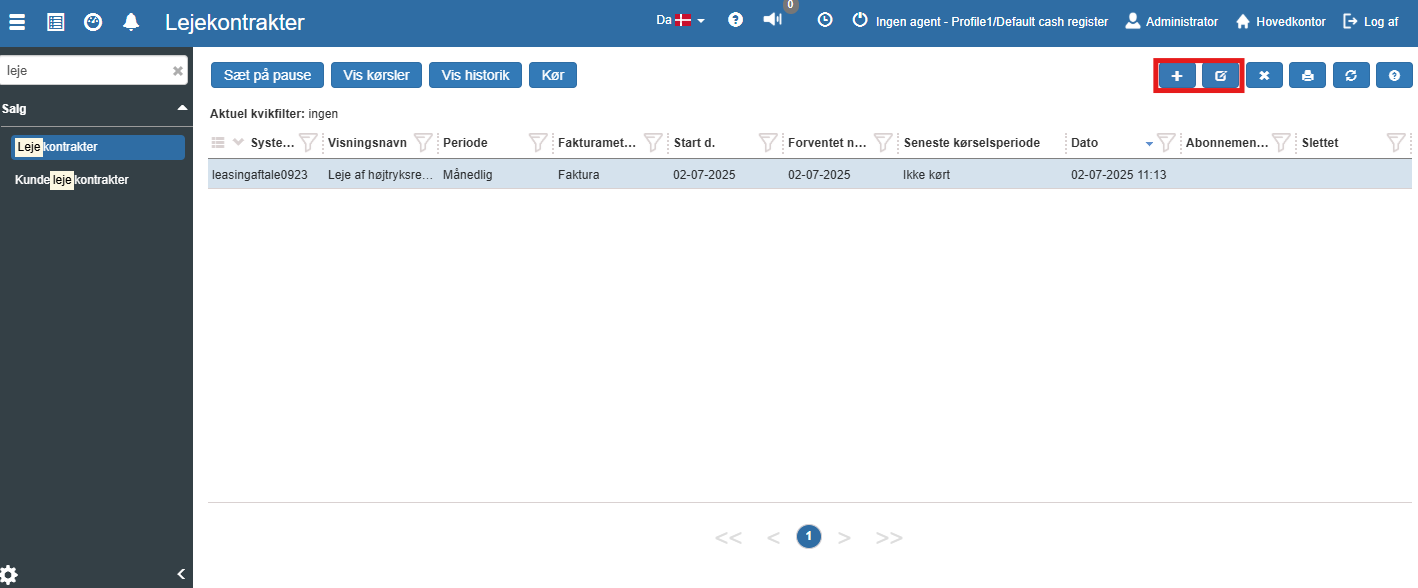
This opens the following screen:
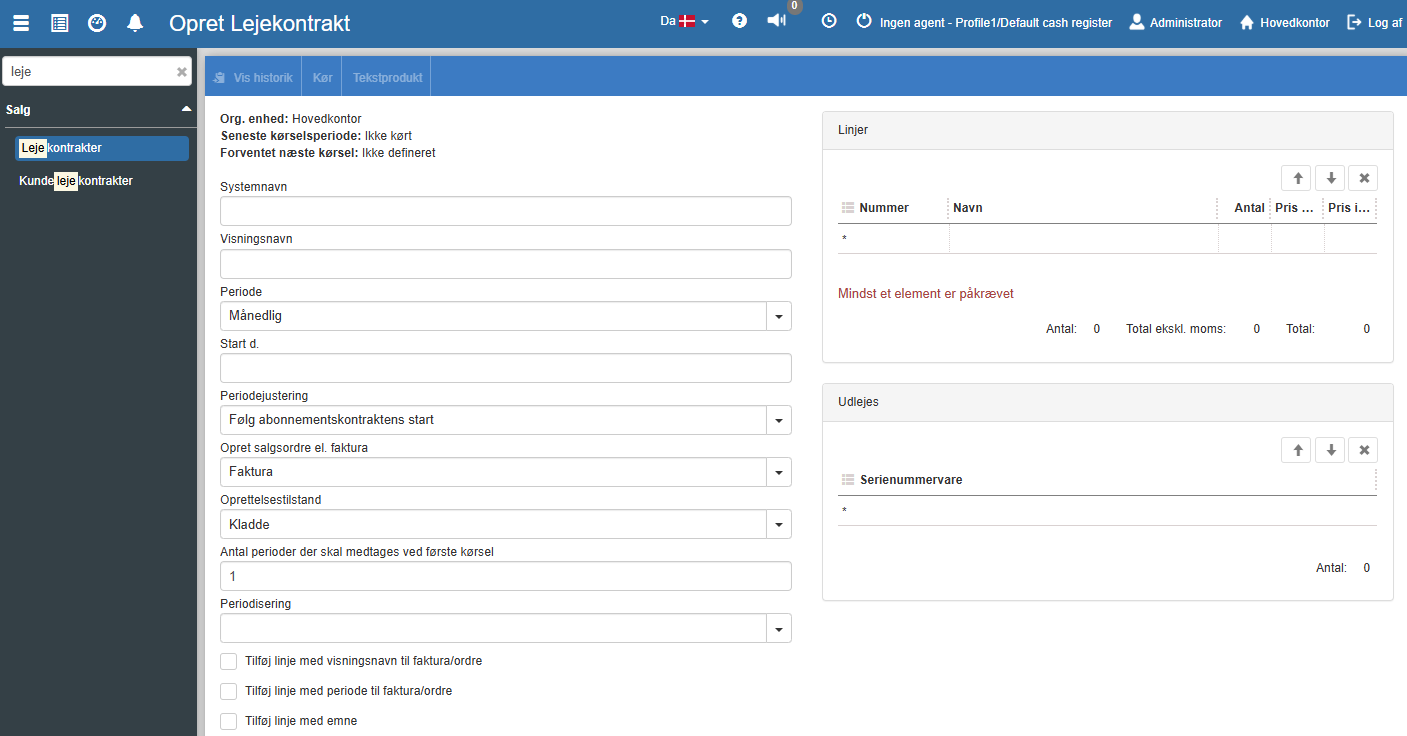
System name: The subscription's system name
Display name: The subscription's display name
Period: Period specifies the frequency at which the rental contract is to be charged.
The following recurring frequencies are supported:
Daily
Weekly
Every other week
Monthly
Every other month
Quarterly
Semi-annually
Annually
Start date: Here you specify from which date this rental contract can be used. This is not the start date of the individual customer's contract, but solely the date from which this rental contract can be assigned to customer contracts.
Create sales order or invoice: This indicates whether an invoice or a sales order should be generated during the subscription run. Normally the invoice is selected by default for subscription runs. However, if the subscription involves the purchase of a service that requires labour hours – such as the annual servicing of a machine – it may be appropriate to create a sales order (which is then invoiced manually after the work has been carried out).
Creation state:
For invoicing, the creation state will be "Draft".
For a sales order, you can choose between the following states:
Draft: The sales order is in draft state and is therefore not shown in the calendar.
Started: The sales order is in started state and is ready for scheduling (e.g. from the calendar module).
Bulk invoicing: The sales order is ready for bulk invoicing. See more in the section on bulk invoicing.
Add line with display name to invoice/sales order: Adds a line with the display name to the invoice or sales order. The line will have the type 'Text product'. To add or change the text product, click the "Text product" button in the menu.
Add line with period to invoice/sales order: If this field is checked, a text line with the period for the current charge will be added.
Split invoice/order per customer: If 'Split invoice/order per customer' is checked, subscription contracts for the same period for a customer will be combined into a single invoice/order.
Information filter:
The following fields show the status of the most recent run of this rental contract.
Org. unit: The organizational unit where the most recent run was performed. See the section on organizational units.
Current period: Here the most recent period this rental contract has been charged for is shown.
Next run: Here the next period this rental contract will be charged for is shown.
Here the products to be charged are added. The price is filled in automatically from the product card, but the price can be changed by manually entering a different price.
From here you can assign the subscription to customers.
See more here customer contracts.
Want to know more?
Read more in these related articles:
Rental contracts
Create and manage rental contracts in Sapera. A rental contract is the template that drives periodic charging of rented product instances and serial number items. Read about the overview, editing, running charges, history, run log and attachments.
New / edit customer contract (rental contract)
This article walks through how to create a new customer contract in Sapera
Customer rental contract
Customer-facing printout of a rental contract that generates a contract document with the contract's number based on the selected invoice or sales order.
