The subscription archive in Sapera is an overview of the subscription-related run entries generated via customer subscriptions. When a subscription agreement is run — and, for example, invoices are created — the result is saved in this archive.
The module gives you the ability to see what has been created and sent in connection with a subscription run. The archive is an important part of tracing, troubleshooting and history, as you can see both the status and any errors of runs here.
1. From Financial, access "Sales".
2. Navigate to "Subscription archive".
3. You are now on the "Subscription archive" tab, where an overview of your subscriptions in Sapera is visible.
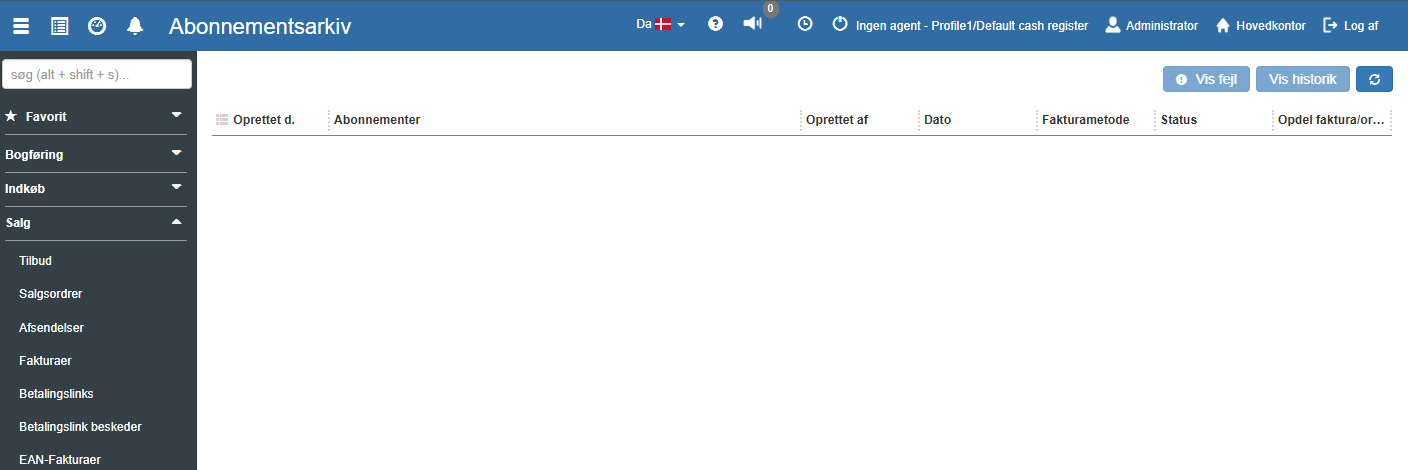
At the top of the subscription archive you find the following buttons:
Show error:
Shows a detailed overview of any errors that occurred during the subscription run. This helps to identify missing data, errors in setup or problems with invoicing.
Show history:
Provides a detailed insight into what happened during the given run — e.g. which lines were processed, which invoices were created, and whether any discrepancies occurred.
Refresh (↻):
Refreshes the view, so you see the latest runs and any changes.
The overview in the subscription archive shows one row per subscription run. Each row contains the following information:
Created on:
Shows the date the subscription run was created.
Subscriptions:
States which customer subscriptions or types of subscriptions were included in the run.
Created by:
Shows which user performed the run — relevant for traceability and accountability.
Date:
The date the run itself was performed. This may differ from the creation date, e.g. for scheduled runs.
Invoice method:
Shows whether the run resulted in the creation of invoices or sales orders, depending on what is set up in the subscription contract.
Status:
Shows the status of the run — e.g. "Completed", "Error", "Partially completed" or similar.
Split invoice/order:
Shows whether the run was performed with the setting to split at line level, customer, or other logic.
Want to know more?
Read more in these related articles:
Subscriptions
Create and manage subscription templates in Sapera. Define period, invoice method, item lines and settings used by customer subscription contracts for automatic invoicing.
Customer subscriptions
How to create, edit and run customer subscriptions in Financial. The article covers the list, edit dialog, history popup and batch run dialog.
New / edit subscription
This article explains how to access and create or edit subscriptions in Sapera
