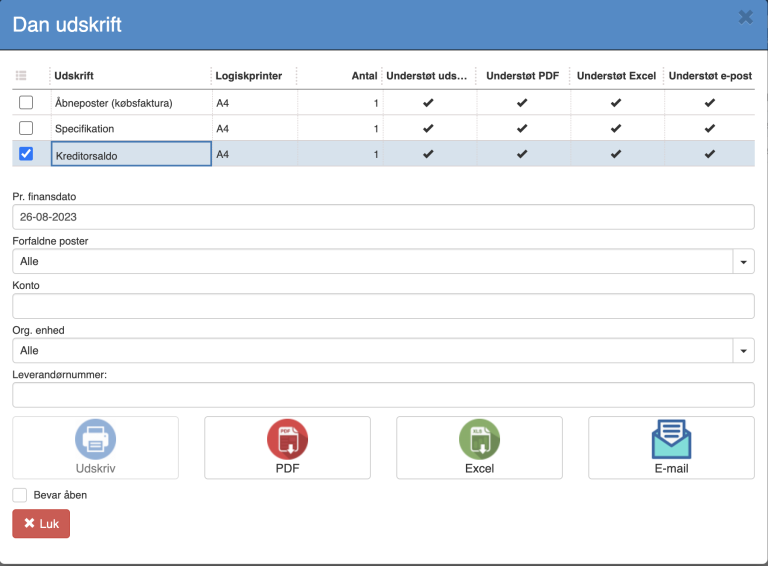
The printout can be generated as PDF, Excel or sent as an attachment by email. See print dialog.
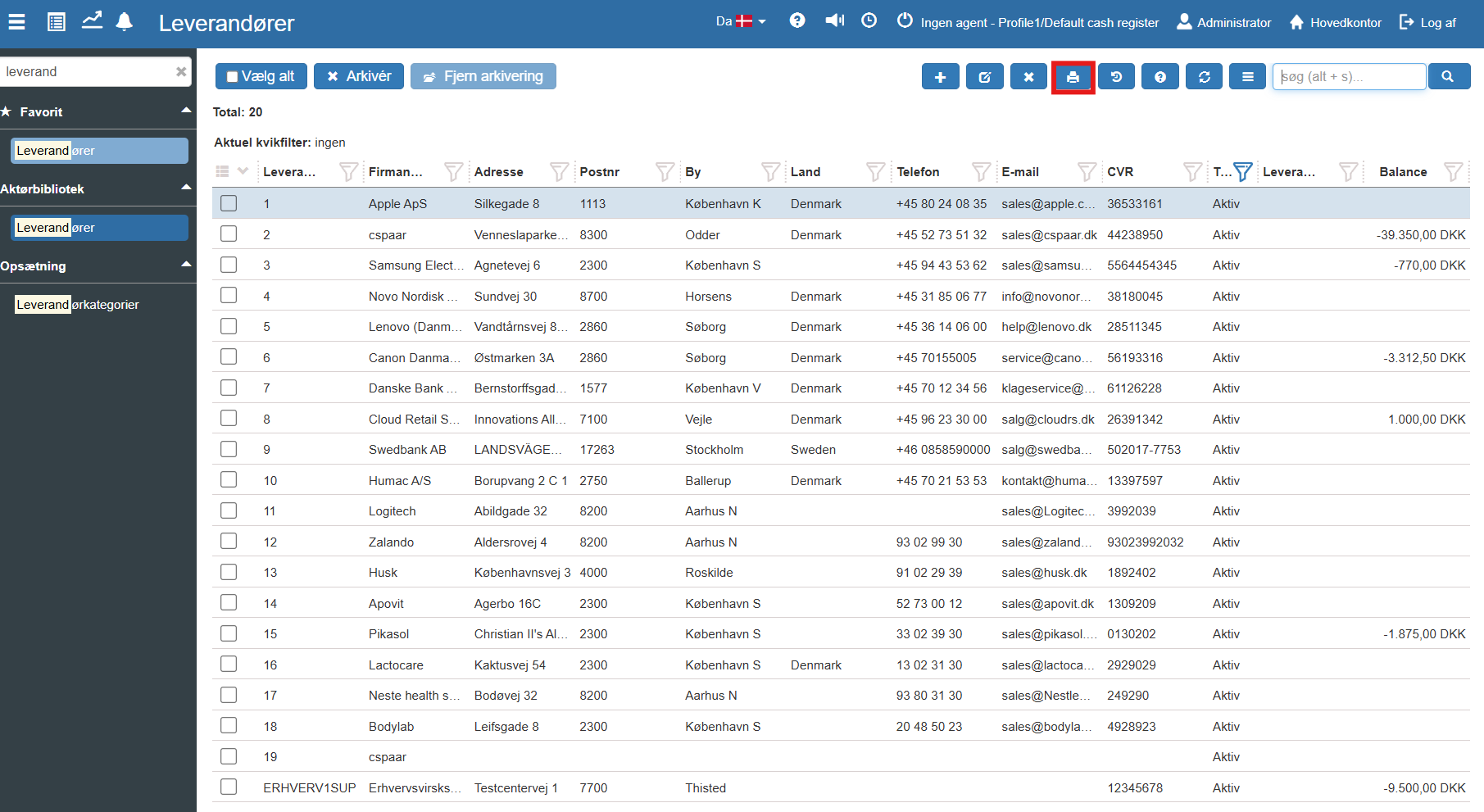
1. From Financial, go to "Actor library" -> "Suppliers".
2. From the Suppliers page, you can click the printer icon in the top right corner:
3. Select the "Creditor balance" printout
4. Fill in the fields (the fields are described below):
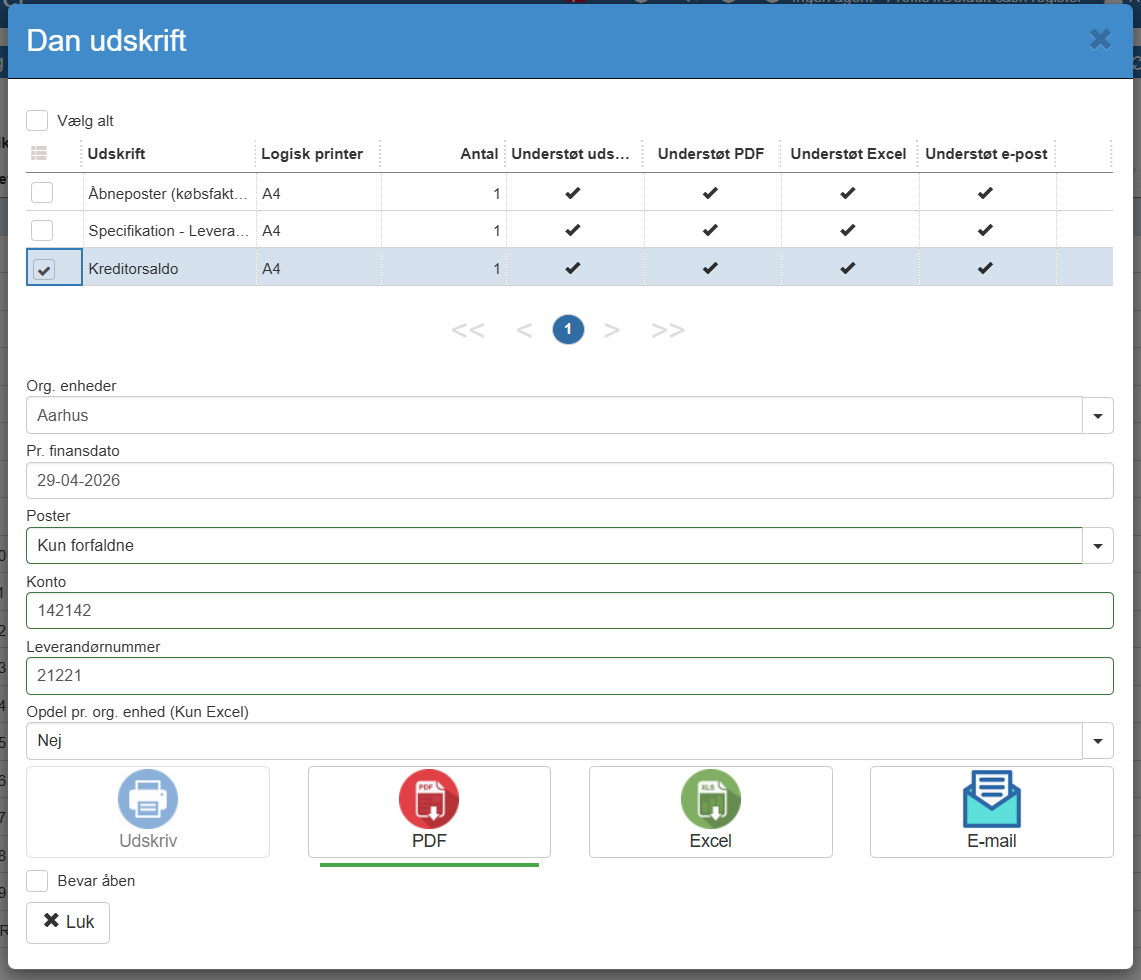
5. Click the print format you want to generate the printout in. In this case you should choose the CSV print format, since Regnskabsbasis expects a CSV file.
The printout supports the following criteria
Org. unit: You can choose to only show data from one or more of your org. units (store / department etc.)
Per financial date: Limit by financial date so that only postings with a financial date before the per financial date are included.
Due entries:
Here you can choose whether the printout should only show due entries, non-due entries or all entries with an outstanding balance
Options:
Due only: Include only creditors with due entries
Not due: Include only creditors with a balance that is not yet due
All: Include all creditors with a balance
Account: If you use several creditor control accounts, you can limit the extract to one of these.
Columns
Supplier: Supplier number
Name: Supplier name
Earliest due: Shows the earliest date on which an entry is due for this creditor
Not due: Posting text.
Balance < 1w: Amount that has been due for less than 1 week
Balance < 2w: Amount that has been due for less than 2 weeks
Balance < 1m: Amount that has been due for less than 1 month
Balance < 3m: Amount that has been due for less than 3 months
Balance >= 3m: Amount that has been due for more than 3 months
Balance: The total balance on the account after this posting
Want to know more?
Read more in these related articles:
Debtor balance
This article explains how to create a debtor balance printout in Sapera
Creditor balance
The report shows what the company owes its suppliers as of a selected financial date, aged across due intervals.
Open entries (purchase invoice)
This article explains how to create a printout of open entries (purchase invoice)
