1. From Financial, go to "Actor library" -> "Customers".
2. From the Products page, you can click the printer icon in the top right corner.
3. Select the "Debtor balance" printout
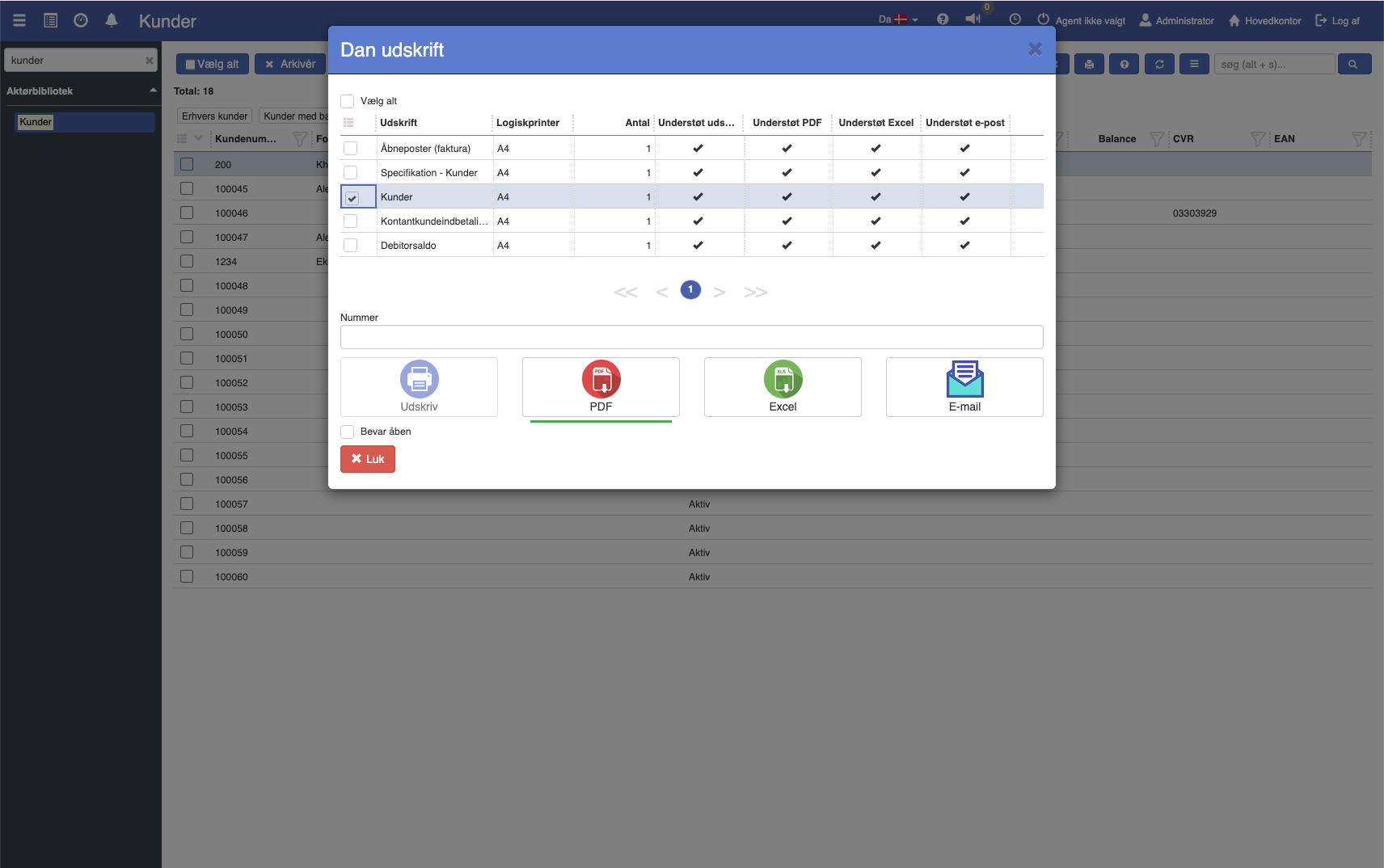
4. Fill in the fields (the fields are described below)
5. Click the print format you want to print in.
Options:
Org. unit: You can choose to only show postings from one or more of your organizational units.
Per financial date: Specify the last financial date to be included.
Customer selection:
Customers with balance: Include all debtors with a balance different from 0.
Customers with outstanding balance: Include all debtors with an outstanding balance. The amount must therefore be due before it is included.
Customers with not due: Show only debtors with a balance that is not yet due.
Customers with credit: Show only debtors that have credit balances.
Account: If you use several debtor control accounts, you can limit to a specific account.
Customer number: If desired, the extract can be limited to cover a specific debtor / customer.


Settled / not settled:
When a customer/debtor is not fully settled, for example with payments that could not be automatically matched to an invoice, the line will be shown in either red or yellow. Red indicates that the customer is not settled, and the due balance is greater than the total balance. This means the customer has paid money or has received credit. These debtors must be settled before any account statement is sent out or a reminder procedure is carried out. Yellow indicates that the customer is not fully settled, but the due amount is less than the current balance. In this case the reminder procedure or sending of an account statement can be carried out without settling these debtors.
Columns
Customer no.: Account number
Customer name.: Customer name
Not due: The part of the balance that is not yet due.
Balance < 1 w: The part of the balance that has been due for less than 1 week.
Balance < 2 w: The part of the balance that has been due for less than 2 weeks.
Balance < 1 m: The part of the balance that has been due for less than 1 month.
Balance < 2 m: The part of the balance that has been due for less than 2 months.
Balance < 3 m: The part of the balance that has been due for less than 3 months.
Balance >= 3 m: The part of the balance that has been due for more than 3 months.
Due balance: The part of the balance that is due.
Balance: The sum of entries on the debtor / customer.
Want to know more?
Read more in these related articles:
Debtor balance
The Debtor balance report shows customers' total balance as of a selected financial date, broken down into age intervals by due date, so you can see how much customers owe and how old the arrears are.
Open entries (customer)
The report shows all open (unsettled) invoice entries for a single selected customer, aged by due date. Used as a reminder and balance basis for the individual debtor.
Balance sheet
This article explains how to print a balance sheet report in Sapera
