
About card issuers
Card issuers are used to create a card name and specify a particular financial account. For example, if you create Dankort and specify a financial account, all Dankort payments will land on the specified account.
If you do not want to use card issuers, all card payments will land on the “Default bank account” configured under “Financial setup”
Creating a card issuer
Start by opening “Financial” in the menu in the top left corner.
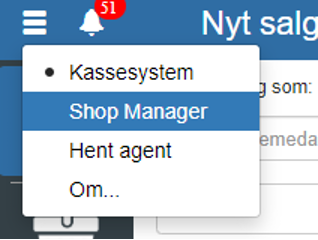
Then click “Setup” and select “Card issuers”
You can also search for “Card issuers” by clicking the search field in the top left corner.
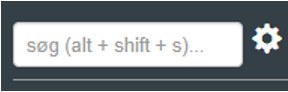
NOTE: if you cannot find “Card issuers”, it is because you lack permissions for it. In that case you can contact support to gain access.
Click “+”
REMEMBER to finish by clicking “Save”
Want to know more?
Read more in these related articles:
Card issuers
How to create, edit and delete card issuers in Sapera, and what happens when the cash-up automatically identifies unknown card issuers.
Payment options
Create and manage the payment methods available at the cash register – from cash and credit cards to MobilePay, gift cards and foreign currency. Here you control financial account linking, cash counting, cash drawer behaviour and ordering.
Payout options
Learn how to create and manage payout options in Sapera. Payout options define which payment methods the cashier can use when making a payout from the register.