You can purchase a used serial number item (own items/machine) from a customer directly via the sales order. This is typically relevant when a customer acquires a new serial item and hands in a used serial number item as a trade-in, which reduces the price of the new serial number item.
Purchase from a sales order is always used serial items (the function is used for trade-in of used serial items). For the purchase of new items, refer to the purchase invoice/purchase order.
The product category for the relevant products must be set up correctly. Note there must be;
Used-goods VAT account set up on “Used sales account”. (must be an account set up with used-goods VAT)
Sales VAT account set up on "Sales account”
Input VAT account set up on “Stock receipt account”
(see setup of product categories )
In the following use cases, the screenshots will be from the invoice module. Note that the workflows are exactly the same from the sales order.
All in all there are 4 different use cases if you want to purchase a serial item and sell it to a customer.
The dimensions are
Purchase from a business or a private individual.
Sold to a business or a private individual.
Purchase from a business can be either with VAT or without VAT.
These dimensions affect whether the sale can be made with used-goods VAT or normal VAT.
This is summarized in the table below.
The columns “Is used” and “Used-goods VAT scheme” show how these fields will be set on the serial item after the purchase.
The output VAT column shows the legal options when selling.
# | Purchased from | Sold to | Input VAT on purchase | Output VAT on sale | Is used | Used-goods VAT | Purchase can be made from |
1 | Business (VAT, deductible) | Business or private individual | 25 % (deductible) | 25 % | Used | No | Sales order or invoice |
2 | Business (VAT exempt) or private individual | Business or private individual | No VAT | Used-goods VAT scheme | Used | Yes | Sales order / invoice |
3 | Business (VAT, deductible) | Business | 25 % (deductible) | 25 % | New | No | Purchase order / purchase invoice |
New machines must be purchased from a purchase order / purchase invoice. These cannot be purchased from the sales order / invoice. However, after the purchase from the sales order, you can change the “Is used” field on the serial item to false, if desired.
When you place a serial item on a sales order line / invoice line and it is not in stock, this screen is shown.
If the customer is a private individual
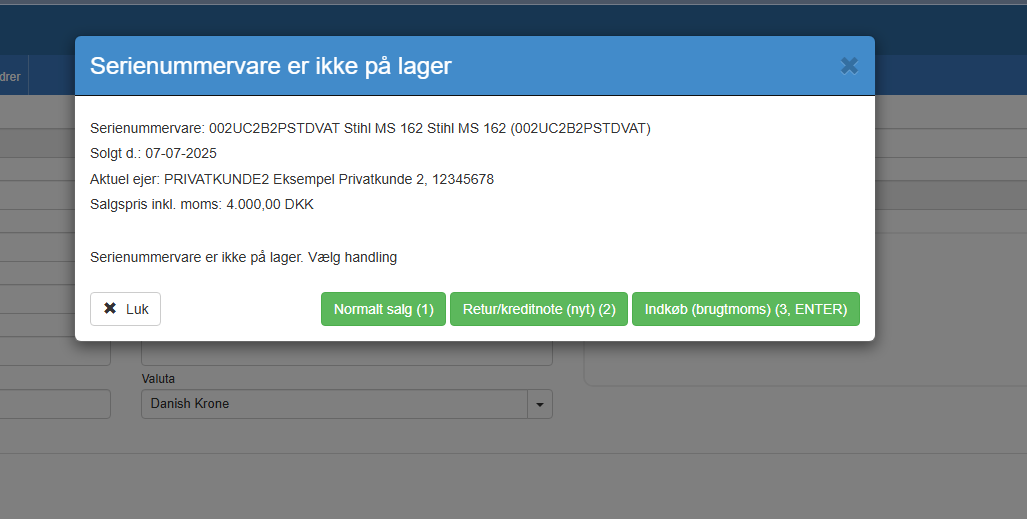
For private individuals, Purchase (std. VAT) cannot be selected as VAT cannot be deducted on the purchase.
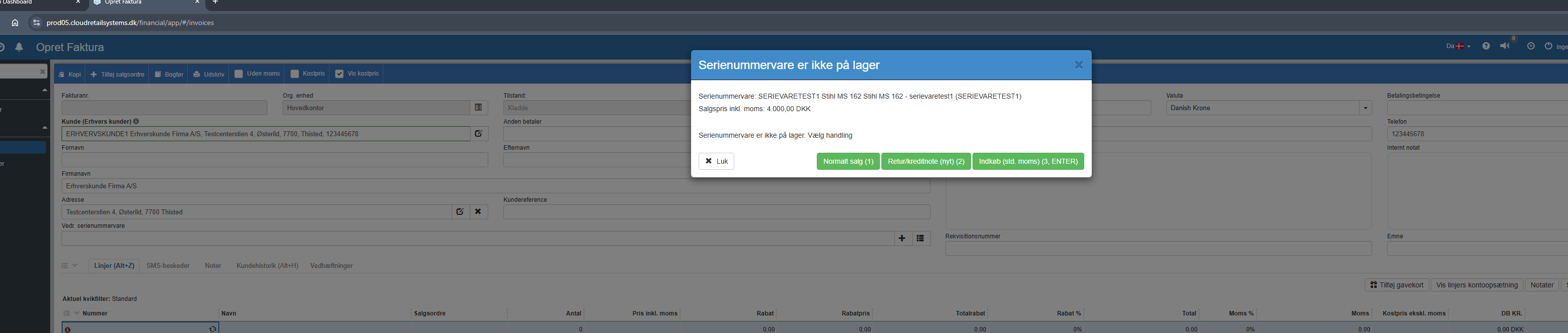
If the customer is a VAT-registered business
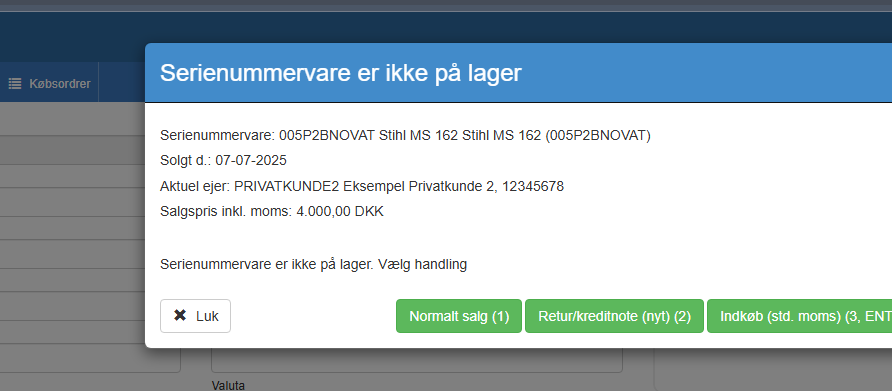
Since this is a VAT-registered business, you can purchase with std. input VAT (deductible). In this case the serial item must be sold with std. VAT.
If the purchase is to be made without VAT, then click without VAT on the line afterwards. After this, the used-goods VAT scheme will be possible in the sale - since the serial item was purchased without VAT.
Used-goods VAT may only be used if the item was purchased from:
private
non-deductible
used-goods VAT supplier)
Note return/credit note can be turned off with the following setting
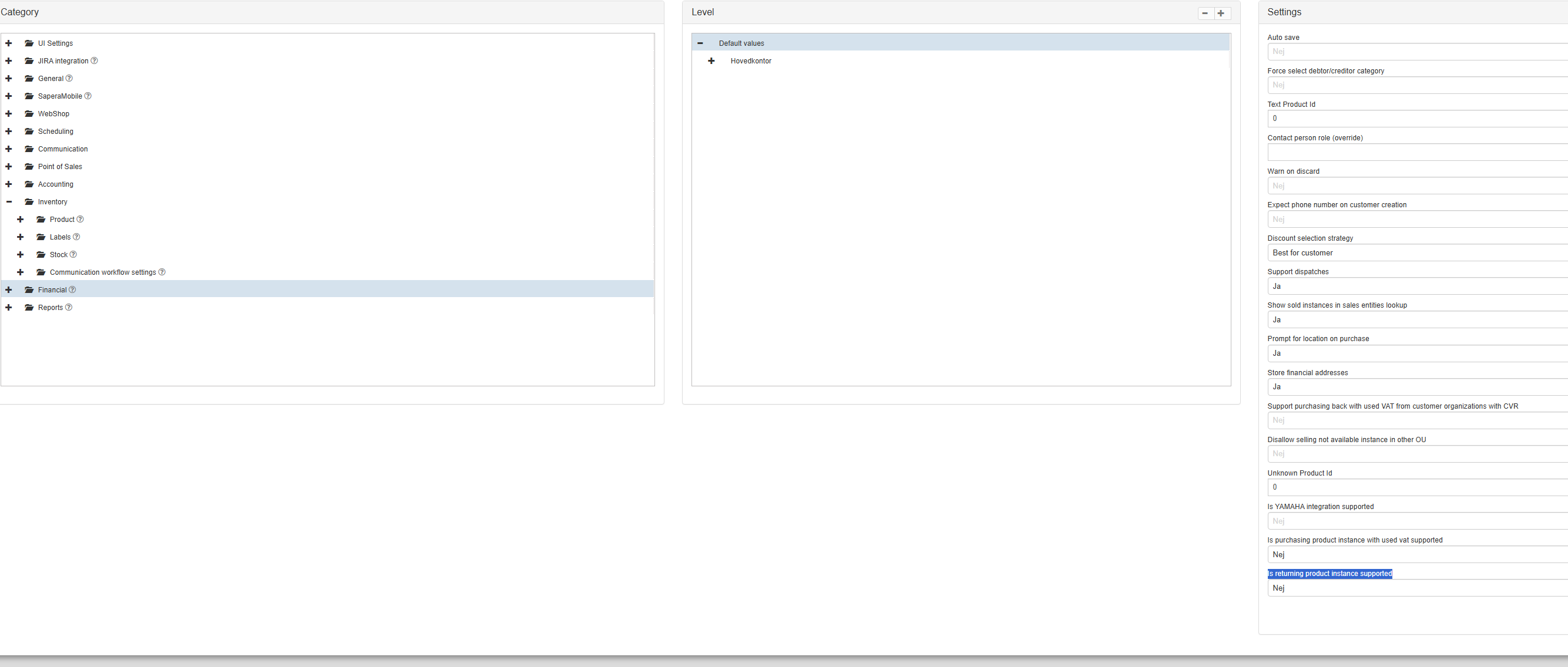
Return/credit note affects the sales account - as Sapera expects it to be a sold serial item that is being returned. This option can be turned off if you only want to handle credit notes from the invoice module (as a normal credit note invoice).
The option to support used-goods VAT on sale can likewise be turned off.

If used-goods VAT is turned off, the sale to private individuals will take place with normal VAT.
Product categories
This article explains the setup and use of product categories for managing products and finances in Sapera
