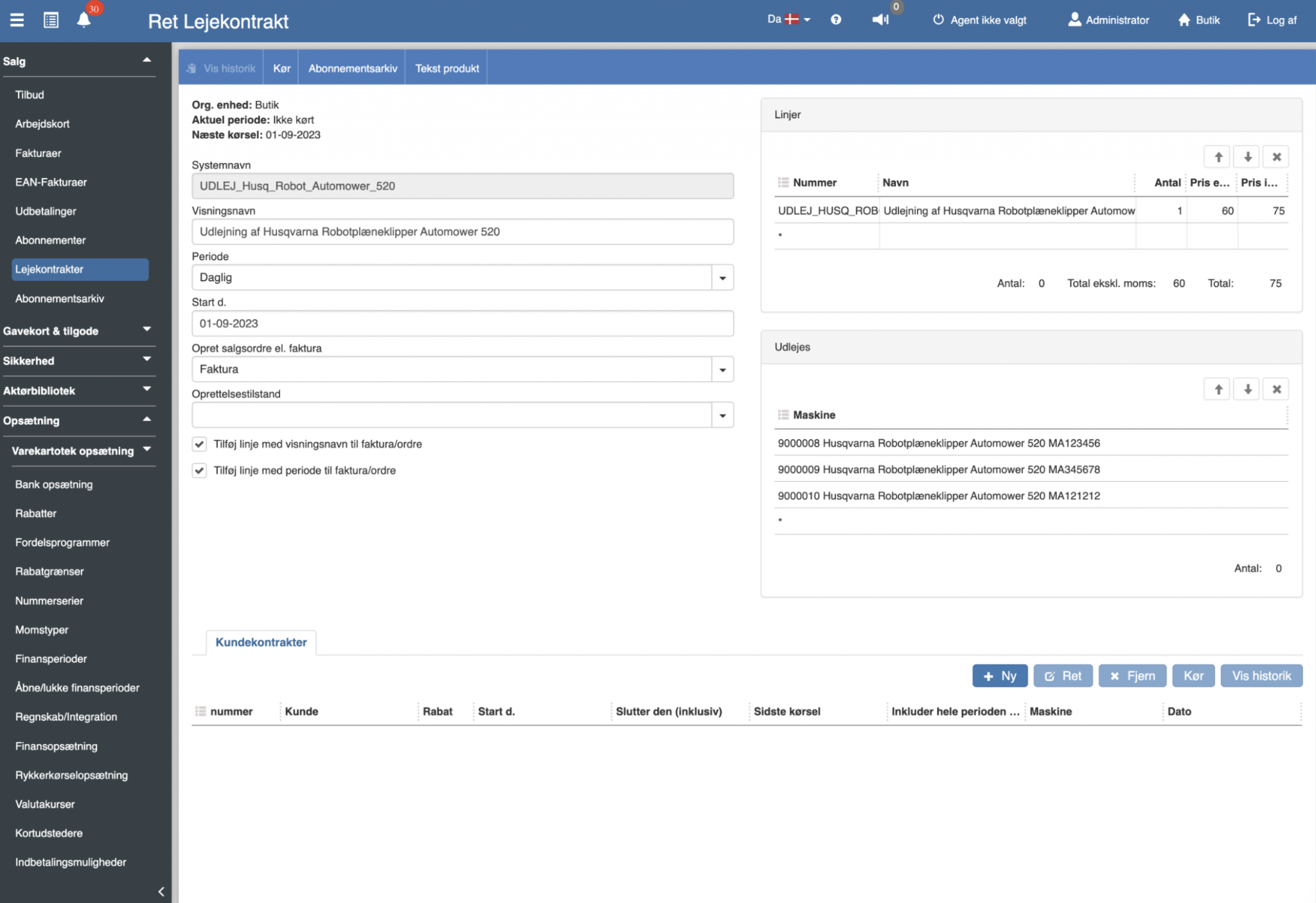
Sapera now supports rental. Lease contract management provides a method for charging for the rental of serial-number items. It is important to note that the lease contract module is an optional feature that can be purchased as an add-on in the Sapera solution. If this is of interest, you are welcome to contact the sales department. Read more about rental here.
When an invoice is printed or sent as an email – the PDF file is automatically attached to invoice > attachments and thereby also appears on the finance voucher after posting.
The same applies to the cash register end-of-day closing. Here the end-of-day printout is also automatically attached to the finance voucher and can be seen under Files on the finance voucher. Read more about automatic attachment of files in the voucher dialog.
Sapera now has a built-in standard chart of accounts. At startup you can choose to use the standard chart of accounts. Alternatively, you can map your existing accounts to the standard chart of accounts.
Read more here – View standard chart of accounts.
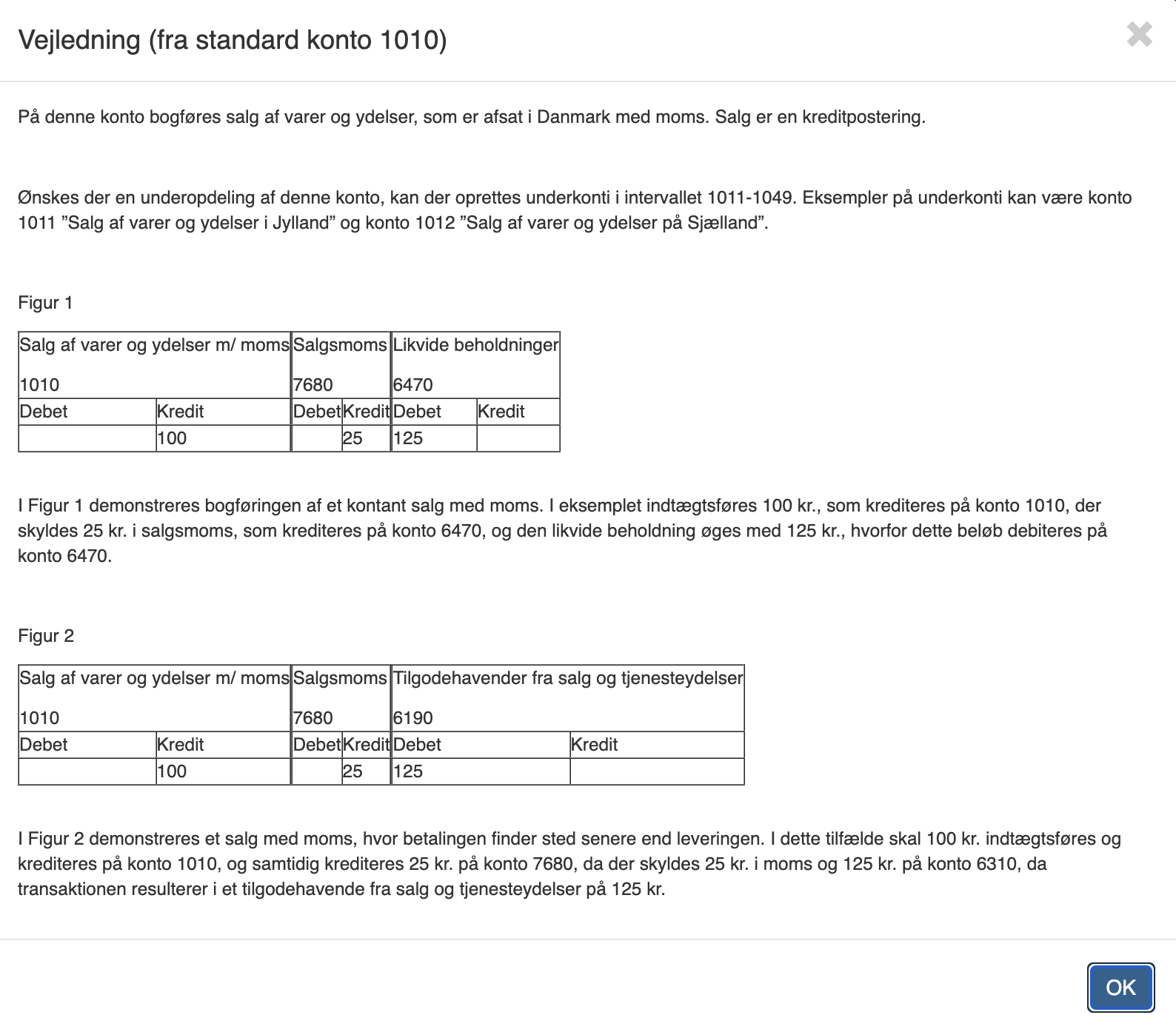
You can now enter posting guidance for each account. See New/Edit account.
If posting guidance has NOT been entered, but the account is mapped to a standard account, then the guidance from the standard account is shown. Be aware that this guidance is from the standard account. Read more about posting guidance here.
In accordance with the new bookkeeping act, Sapera no longer allows editing or deletion of system-generated entries, not even from a posting journal before final posting.
If there is a need to correct entries, a reversing entry should be created instead.
A setting has also been introduced at account level, so it is possible to specify whether postings may be created on the account, or whether the postings may only be posted when the voucher sum is 0. The purpose is, for example, to be able to set error accounts to either give error messages as soon as entries are created for invoices, purchase invoices, end-of-day closings, etc. on the account in question. Alternatively, the setting allows creation of entries, but prevents posting from the posting journal until the voucher sum is 0 for the current account (using correction entries). The latter option has the advantage that the user is not blocked from completing e.g. an invoice, but the disadvantage is that the bookkeeper later has to correct the misconfiguration through reversing entries.
Sapera now supports automatic VAT reporting through the tax authority's API. Read more here.
We have improved the bank reconciliation in Sapera. Read more here.
On new / edit account the option “Creation of postings” has been added
This setting is used to restrict the creation of postings on this account. You can choose between:
Allow: This account can be used without restriction.
Prevent: Postings can NOT be created on this account. If this account is part of, e.g., the setup that invoice posting depends on, posting the invoice will fail.
Prevent if voucher sums differ from 0: Invoices, purchase invoices and cash reconciliations will not fail – the postings will be created and placed in the journal – even if the posting journal is set to automatic posting – however, these entries can NOT be posted until reversing entries have reconciled them – so that the total voucher comes to 0.
Sapera now supports importing and exporting header information in SAF-T format.
See accounts/integration.
Edit discount – add products
Products can now be added to a discount either by entering/scanning the product – or by searching for the product(s) using the product search dialog.
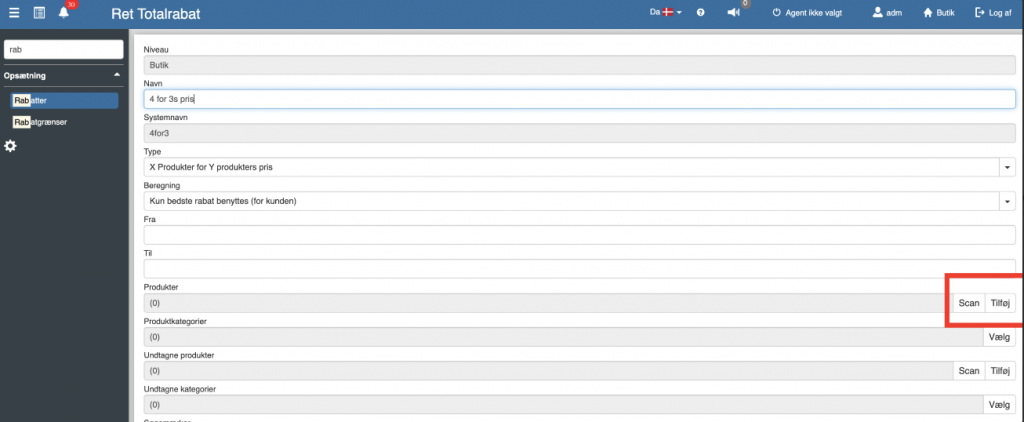
You can now add products to a discount by scanning these products (Scan).
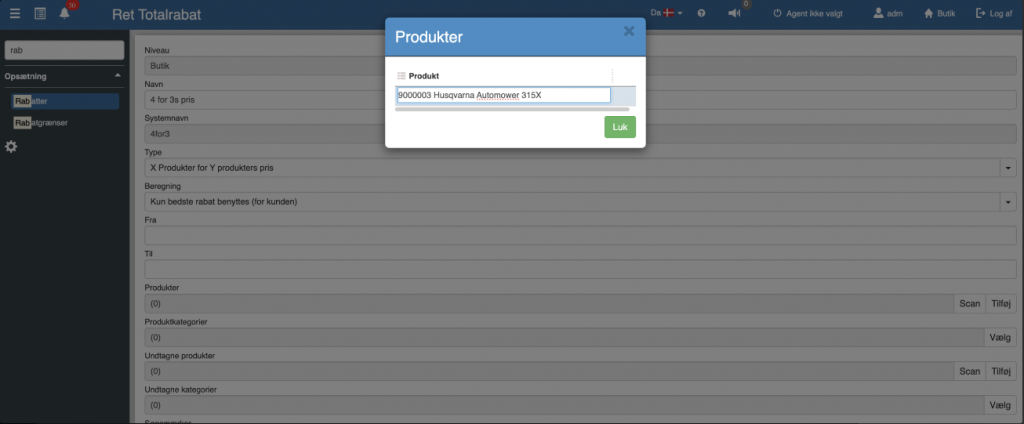
It is now possible to add products to a discount using the normal Product search dialog (Add).
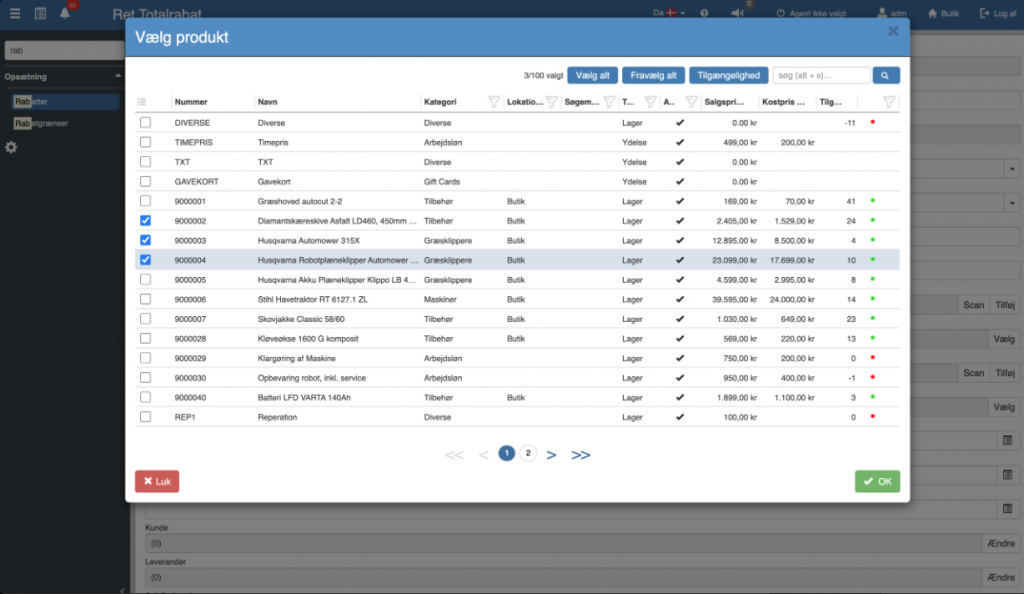
Read more about discounts here.
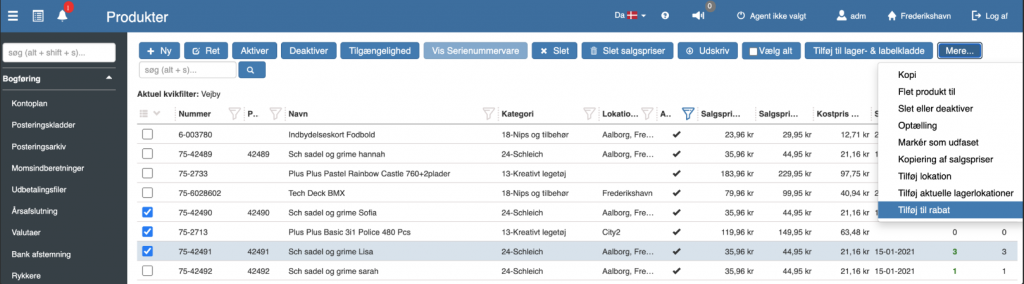
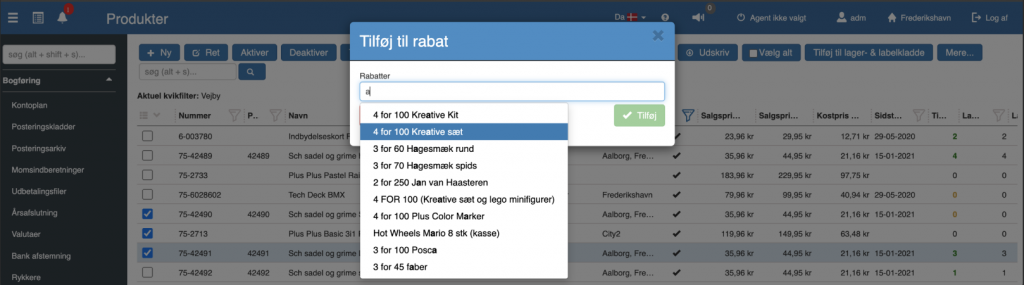
You can now easily add products to a specific discount by selecting multiple products and then choosing “Add to discount” from the menu.
Add products to the inventory journal
It is now simple to include products in the inventory journal by using the Product search dialog. This is handy if, for example, you want to count all products in a particular category or based on other criteria.
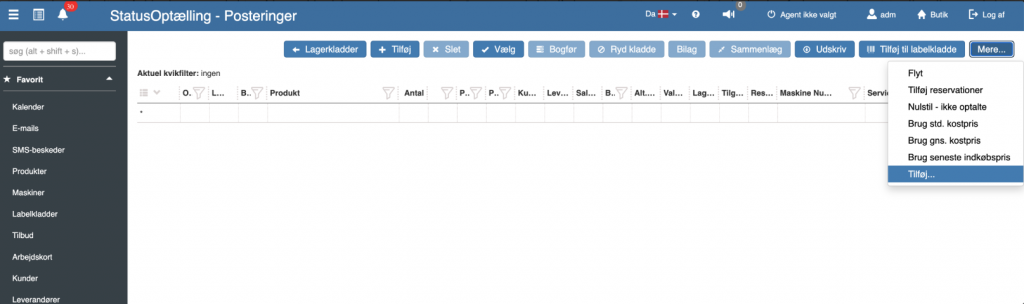
The standard Product search dialog is then shown.
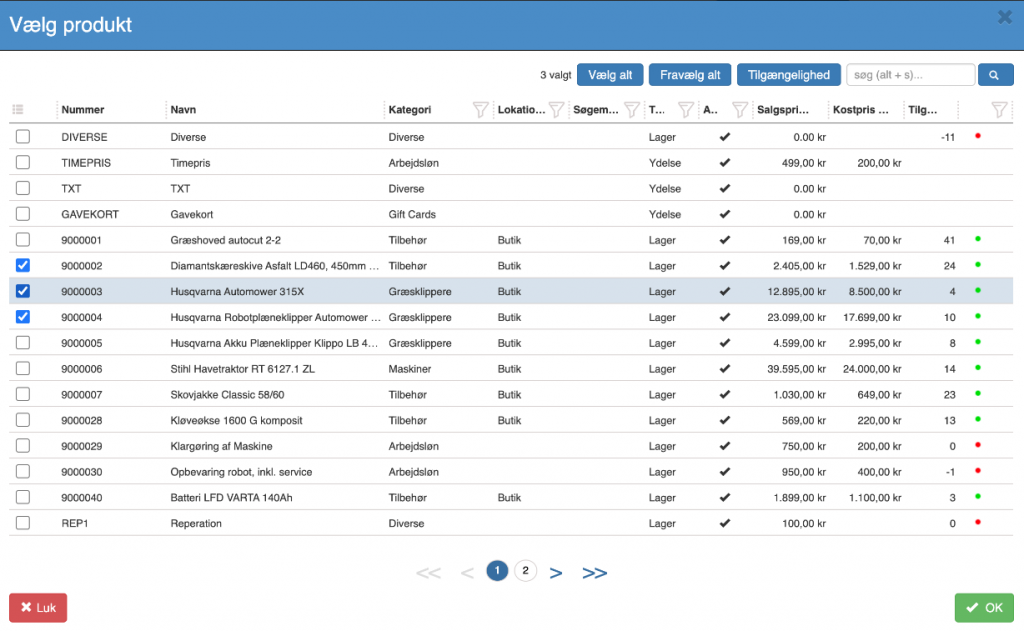
When you click “OK,” the selected products are added to the inventory journal.
A new column ‘Quantity not confirmed’ has been introduced that can be used to filter out the rows inserted into the inventory journal in this way – where the correct quantity has not yet been confirmed.
See add products to the inventory journal.
Add reservations can now be filtered on whether they are actually counted in the inventory journal. “Show only counted”
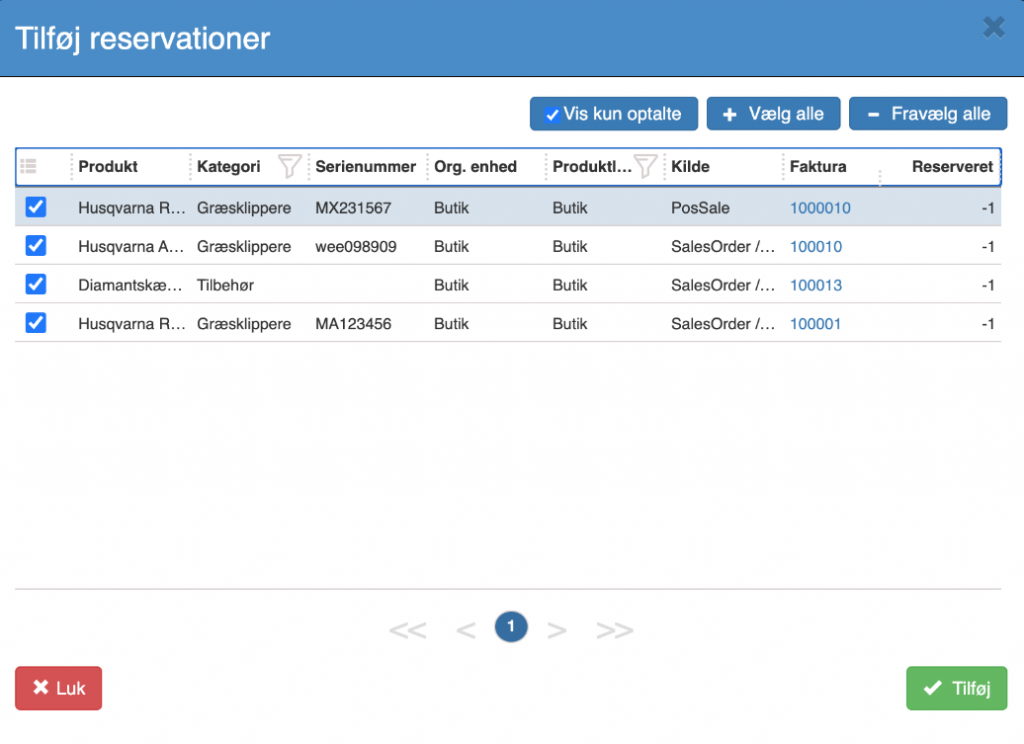
The following columns have now been added to inventory journal postings.
Reserved: Quantity reserved.
Available: Quantity available (Stock count – reserved).
Movement: The movement refers to the change in the stock count that the current journal posting will cause.
Stock count after posting: This number is calculated by taking the existing stock count and adding the quantity from the current journal posting.
See inventory journal postings.
Sapera can now write down items that have not been sold since an entered cut-off date.
Read more here.
Cash payout from the cash register now allows attachment of the receipt.
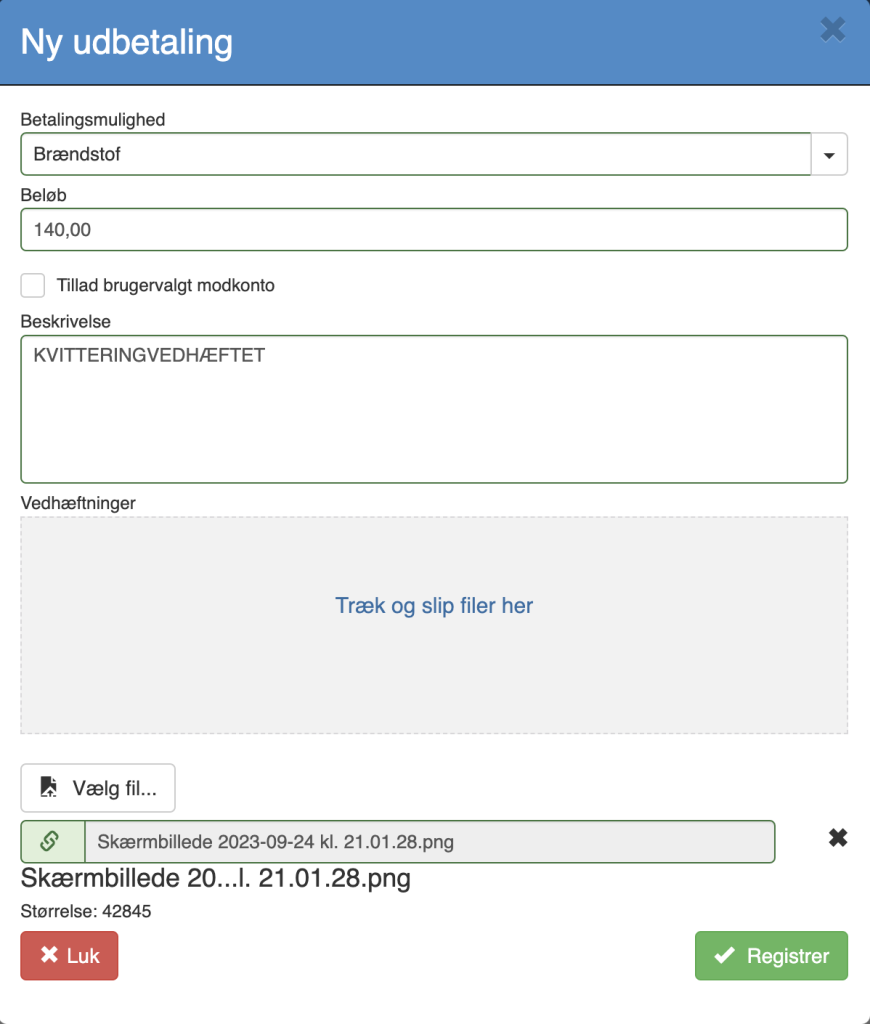
See more here.
In many places in Sapera there will now be a help icon.
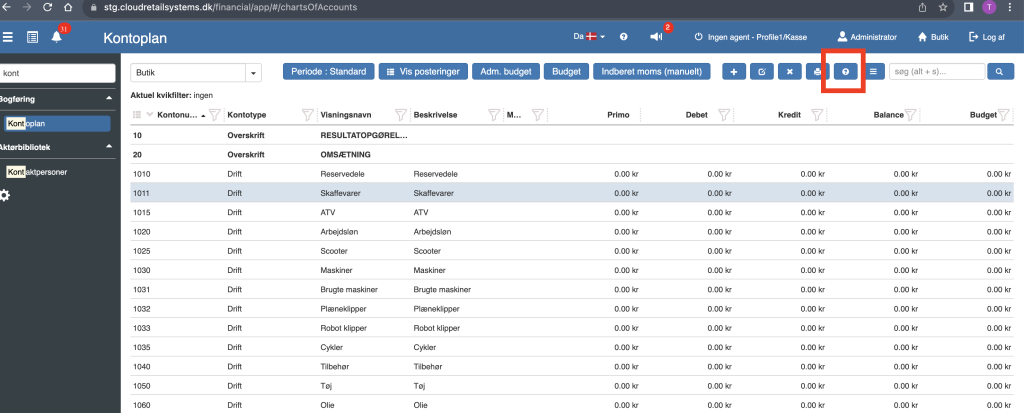
Clicking this icon will open a help page.
Our customers can now reply to the notifications we send out.
E.g.
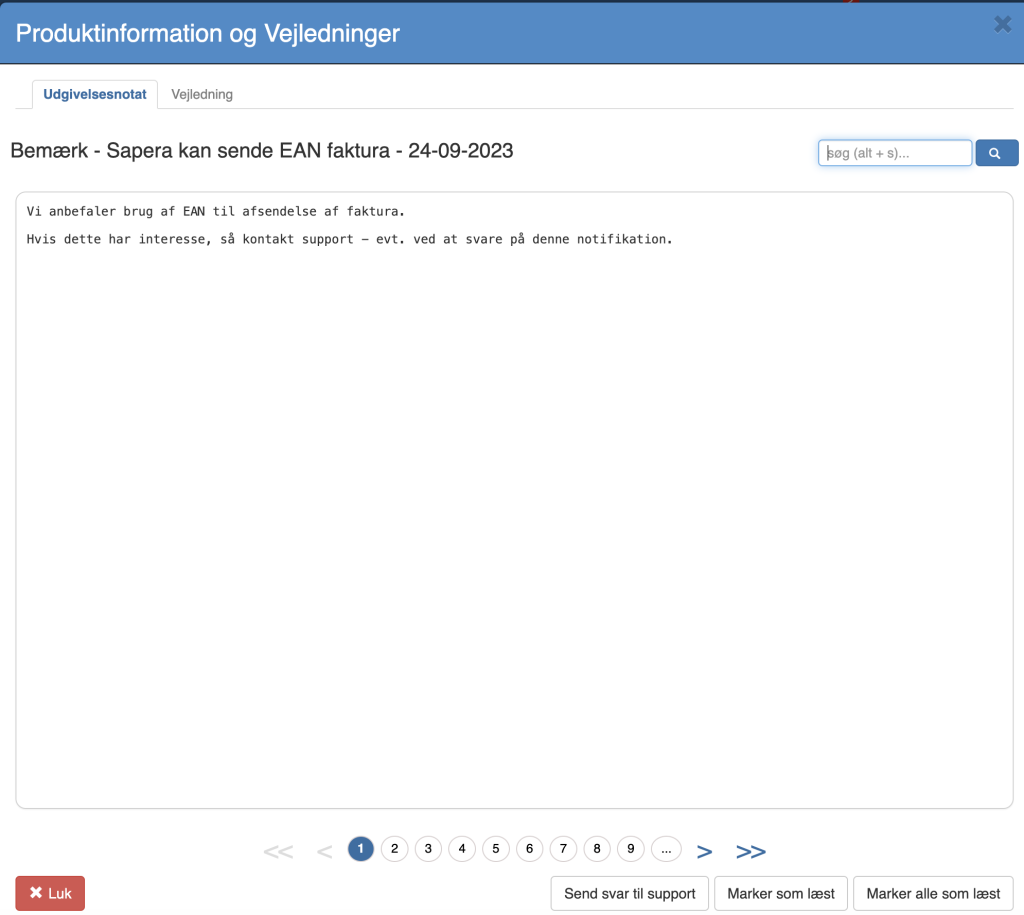
Clicking Send reply to support opens the following dialog
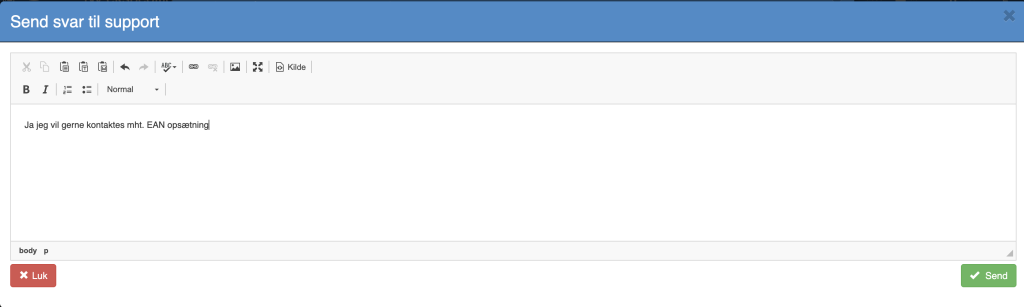
When you click send, [email protected] receives this message including info about the sender. (store / user)
Setting up these notifications with a reply option is like normal notifications – except you tick “Is it possible to send a reply to support”
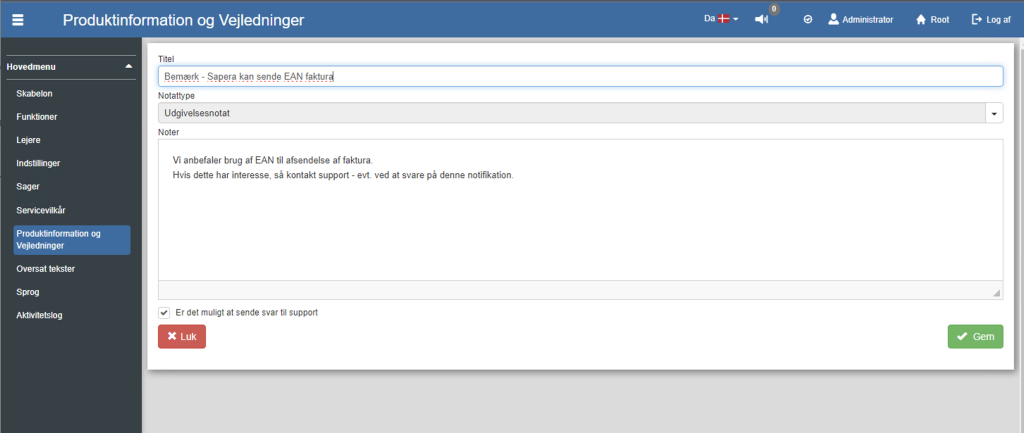
Edit product -> the serial-number items tab now has the option to open the serial-number item by right-clicking the row (context menu)
A validation has now been added in the count journal so you cannot select an inventory date before an earlier stock count (this would give an incorrect result)
Want to know more?
Read more in these related articles:
Sapera - May 2023
Here you find the most important news and improvements in the Sapera version for May 2023.
Sapera - April 2023
Here you find the most important news and improvements in the Sapera version for April 2023.
