Export of purchase orders to CSV files in the format expected by Stihl and Husqvarna.
This requires a subscription.
You can now specify another payer when creating a purchase invoice.
There is now the option to open serial-number items directly from the cash register.
This can be done via the [Open serial-number items] button.
A due date is now set for cash register sales from a customer account.
Now create a customer with SMS.
Sapera would not accept preferred communication as phone when only SMS was entered.
This has now been fixed and put into operation.
A speed improvement has been made regarding retrieval of the sales top list via, among other things, the top print menu.
Fix for switching between “with VAT” and “without VAT” on a purchase invoice. You can now freely switch between with VAT and without VAT, without the total excl. VAT amount changing.
Quotes can now be copied.
Tabs on the product page were not always marked in bold. Even if they contained data. This has now been fixed and all tab headings with content will now be shown with a bold font.
Receipt of serial items has now been improved. In the last release, receipt of serial items was improved so that you could scan the received serial items and optionally put them in stock without writing a serial number (defer the choice of serial number to e.g. the sale). Now the receipt has been built upon further, so you can choose among already created items. This is useful if the items are automatically imported from “Synctool” or are otherwise already created in Sapera.
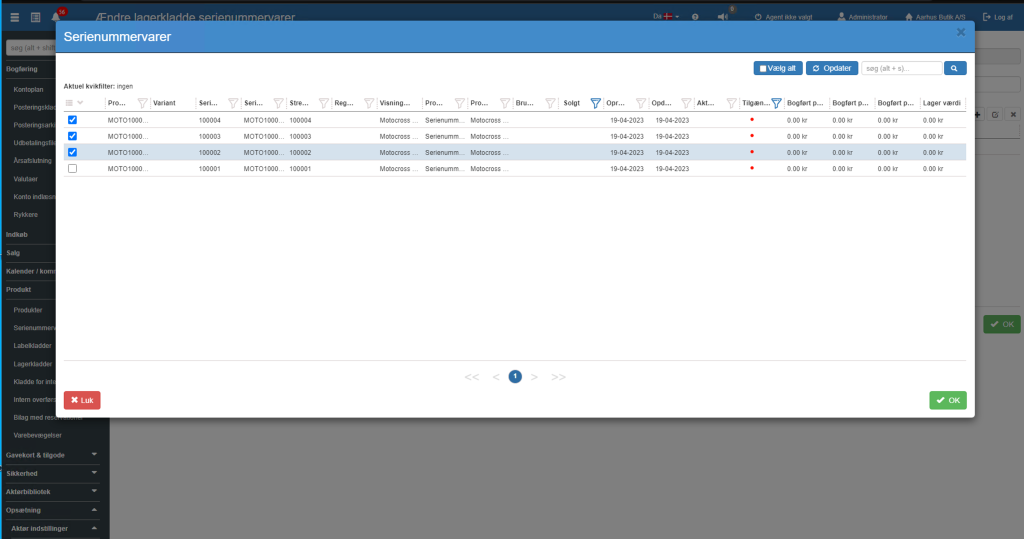
Serial items are selected here:

These are transferred to the receipt journal.
Want to know more?
Read more in these related articles:
Sapera - May 2023
Here you find the most important news and improvements in the Sapera version for May 2023.
Sapera - October 2023
A review of the newest features, changes and improvements in Sapera from October 2023
