
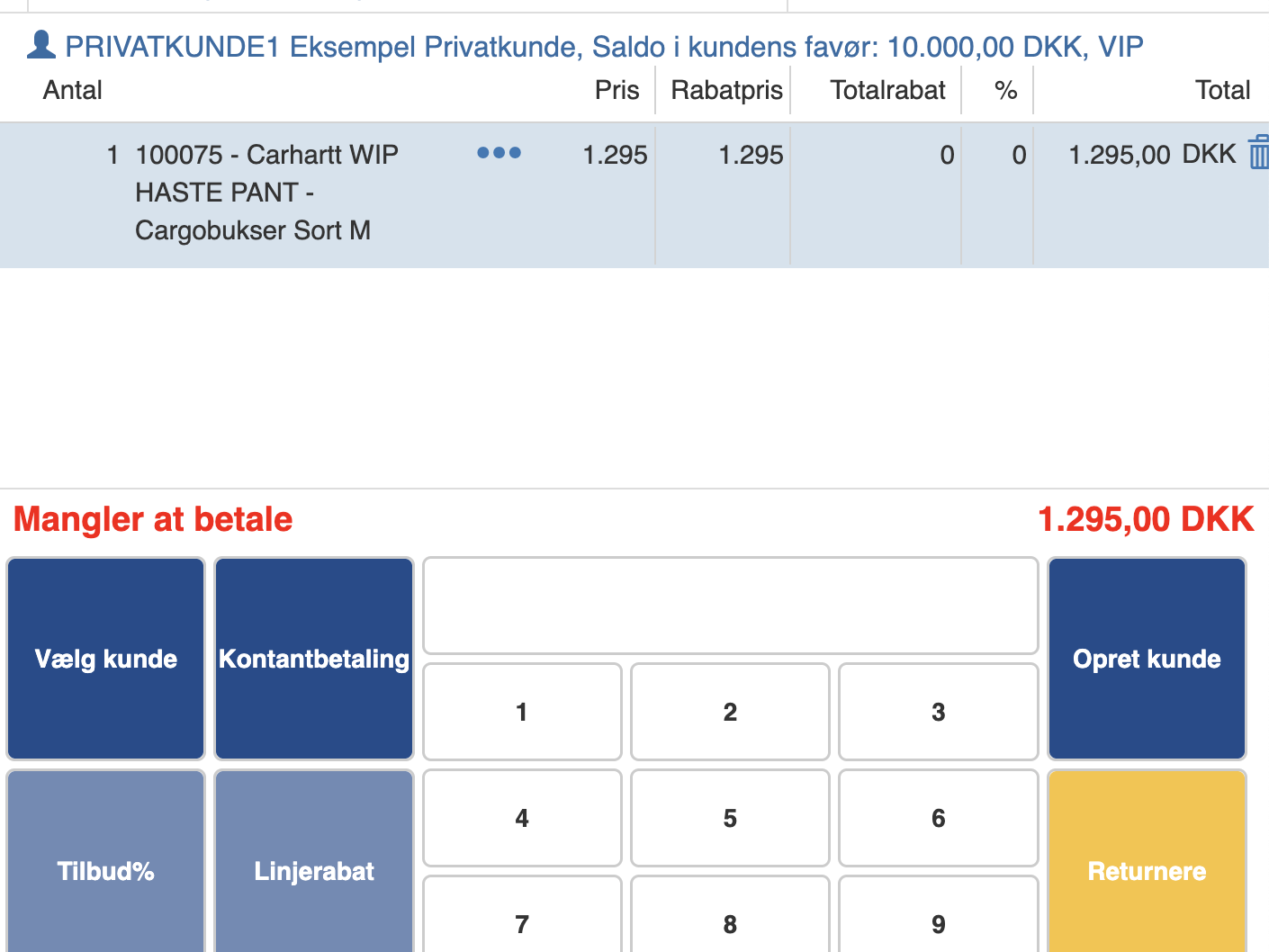
If you want to transfer a sale to an invoice, you must first add a customer to your ongoing sale.
You do this by entering the desired items and then clicking “Select customer”
Search for and select the desired customer, then click “OK”
The customer will now appear at the top of the ongoing sale.
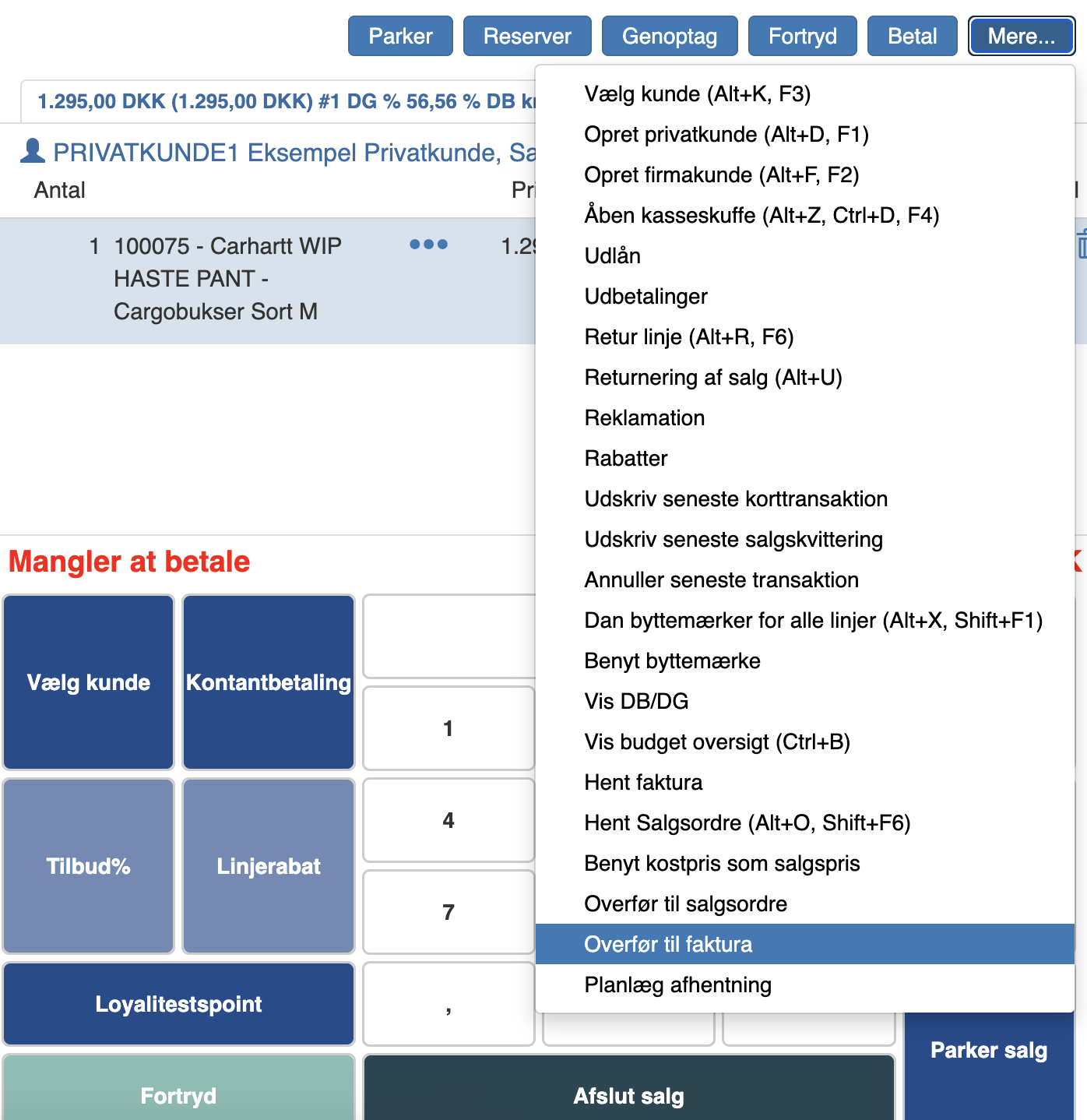
To transfer it to an invoice, click “More” and then “Transfer to invoice”
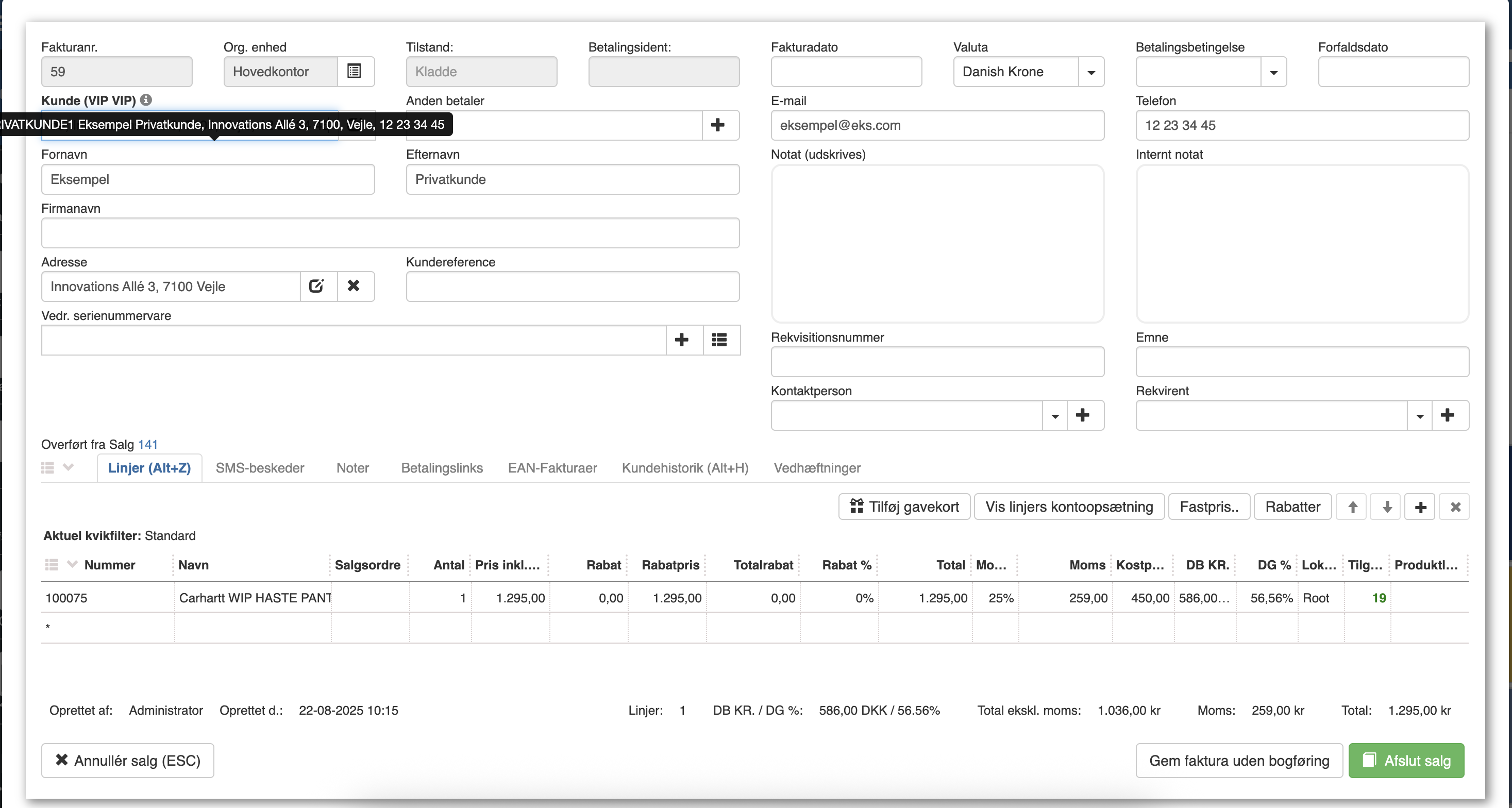
The new invoice will now be opened.
Want to know more?
Read more in these related articles:
Creating an invoice and paying it
Creating an invoice and paying it
Creating an invoice
In this guide we will go through how to create an invoice in Sapera.
Deposit to customer account
Deposit to customer account