
When a customer wants to return some items, you can normally scan the receipt and the items will come in with a minus in front.
Alternatively, you can re-enter the items that are to be returned.
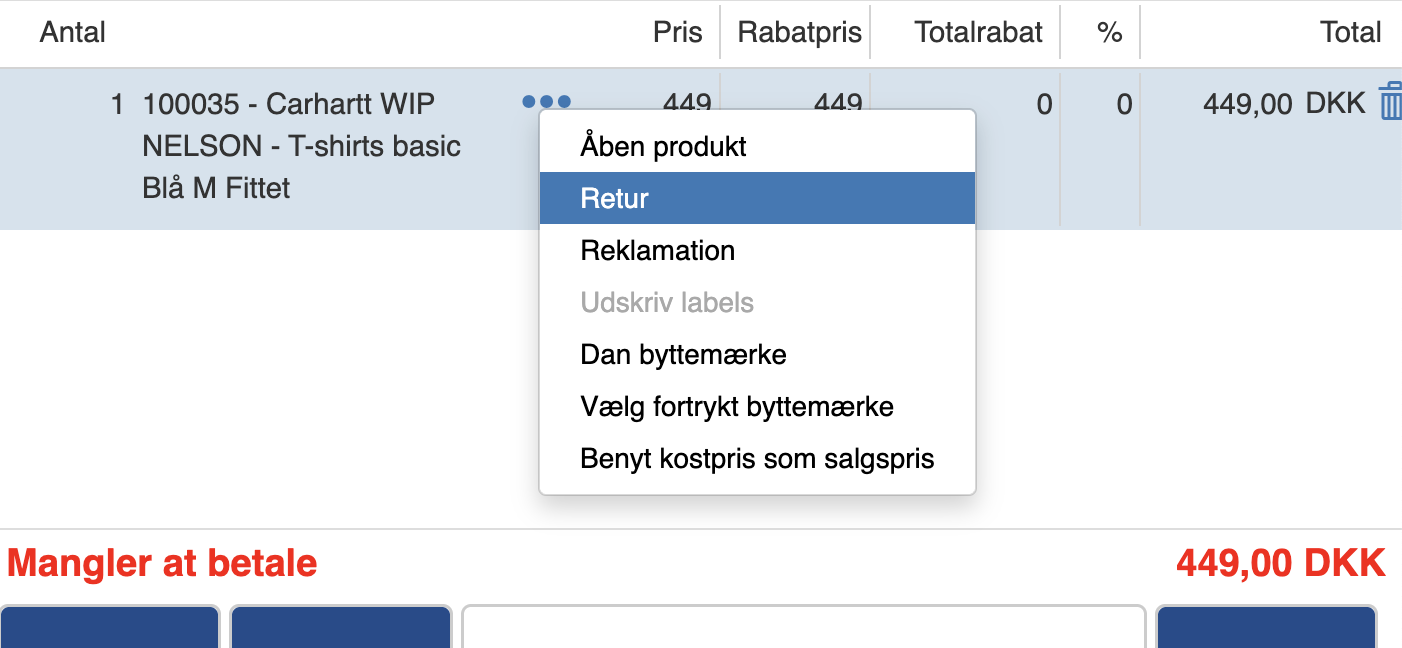
Then click the three dots next to the item's name and click “Return”
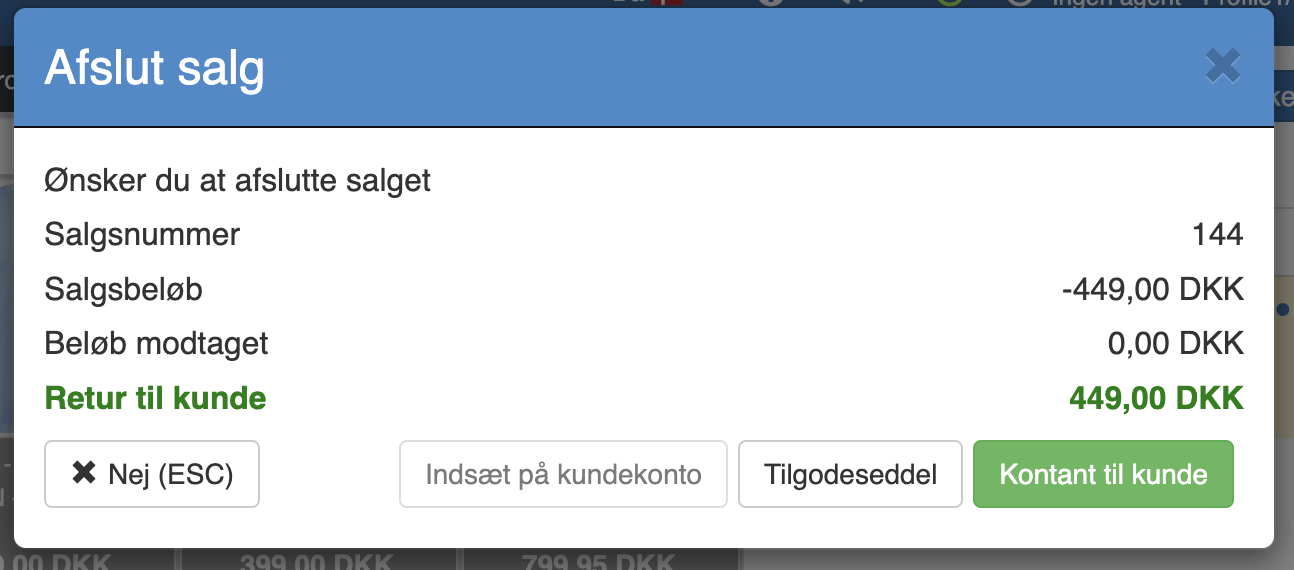
When you then click “Complete sale”, you get the options “Credit note” and “Cash to customer”, where you select what the customer wants.
Want to know more?
Read more in these related articles:
Return an order
Return an order
Returning a sale
This article describes the procedure for manually returning items using the return function in the Pos.
How do I make a return sale in Sapera?
This article reviews how to make a return sale in the Pos