
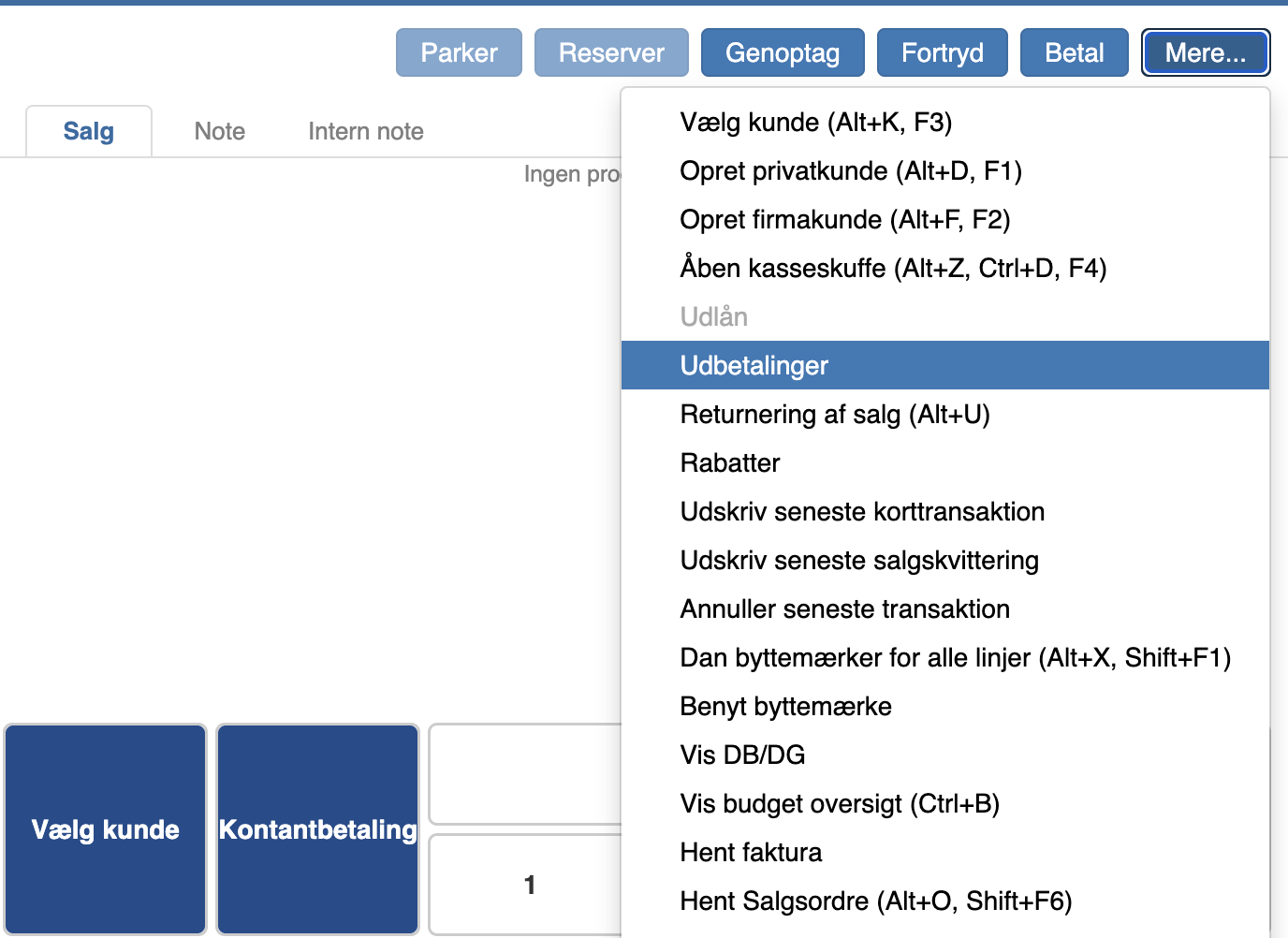
If you want to make a payout at the Pos - taking money from the till to be used for an expense - click “More” and then “Payouts”
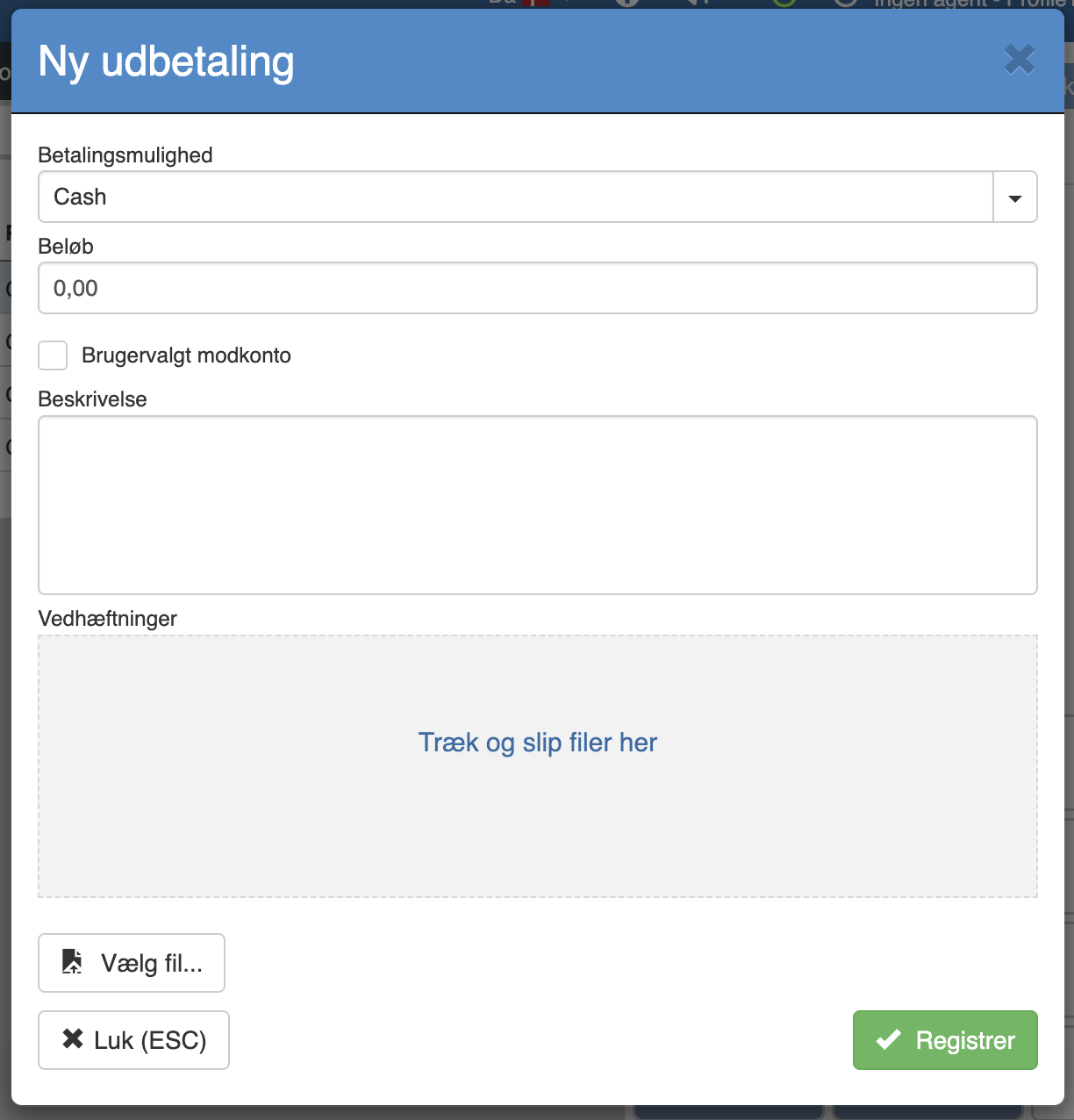
Here you fill in the amount, a description of what it was used for and optionally a receipt. Then click “Register”
The payout will now appear in the till report.
Want to know more?
Read more in these related articles:
Payout
This article reviews how to create a payout in the Pos, including selecting payment option, entering the amount, contra account, description and attaching a receipt.
Till reconciliation
This article shows how to perform an end-of-day in the Pos module
End-of-day
Review of the end-of-day list view and edit view in the Pos app: columns, actions, fields, states, error scenarios and permission requirements.