
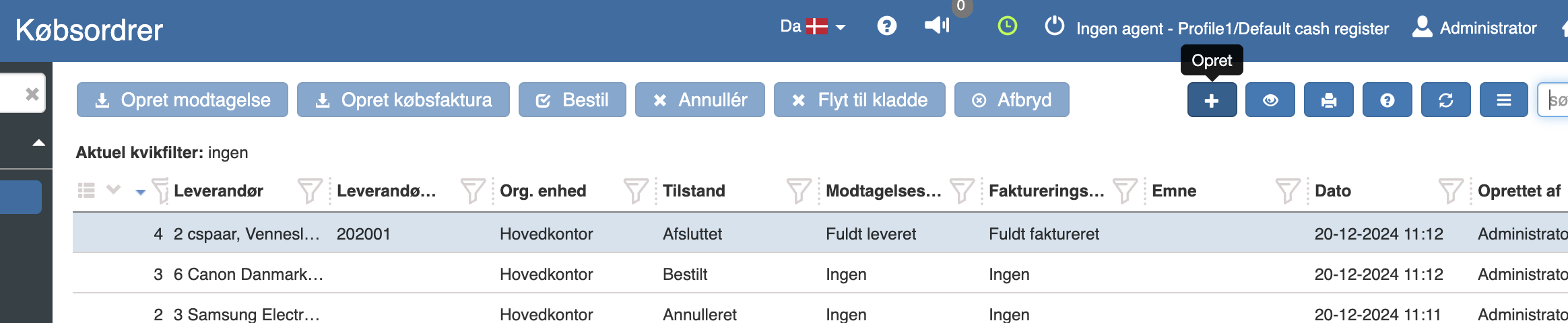
You find your purchase orders under “Financial” → “Purchasing” → “Purchase orders”
Create a new purchase order by clicking “+”
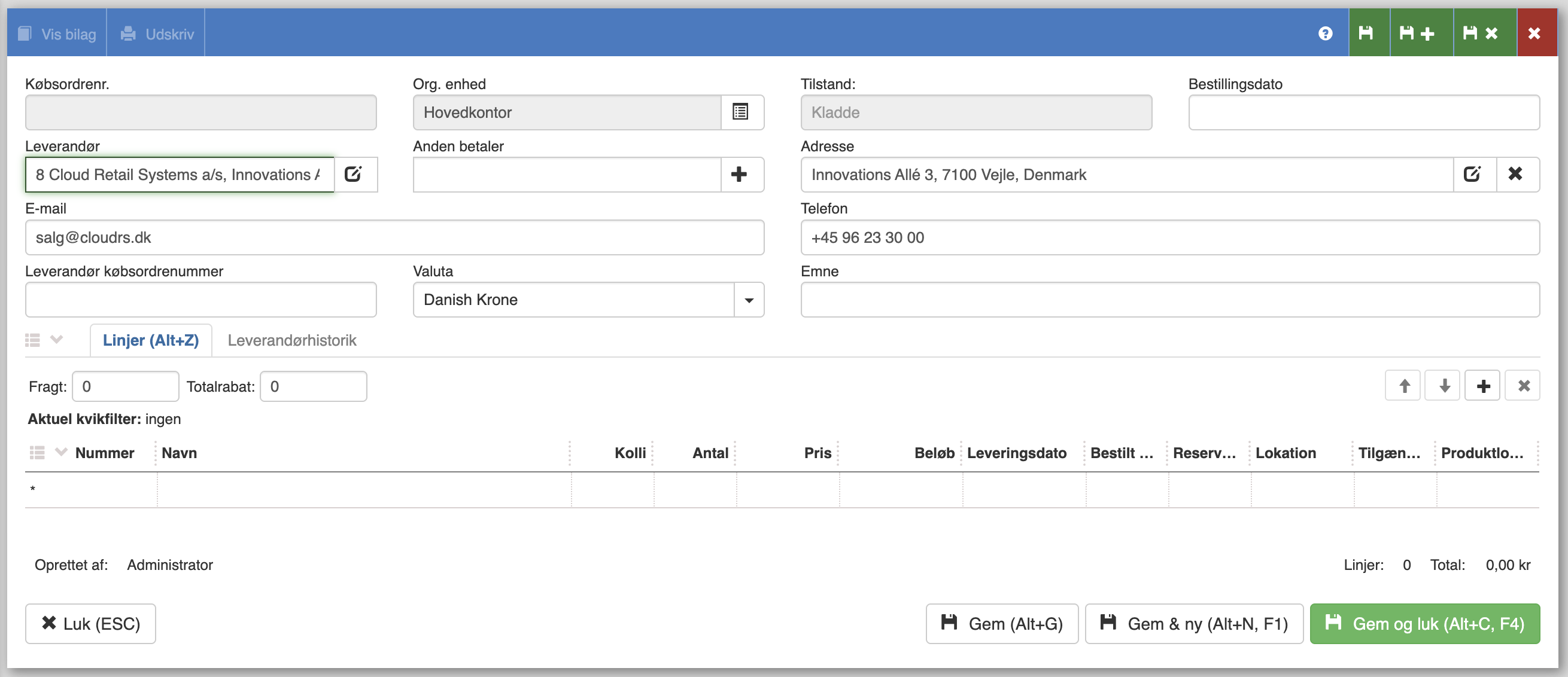
Here you fill in the required fields - including the supplier. Then you can fill in the items you want to order by entering the item number.
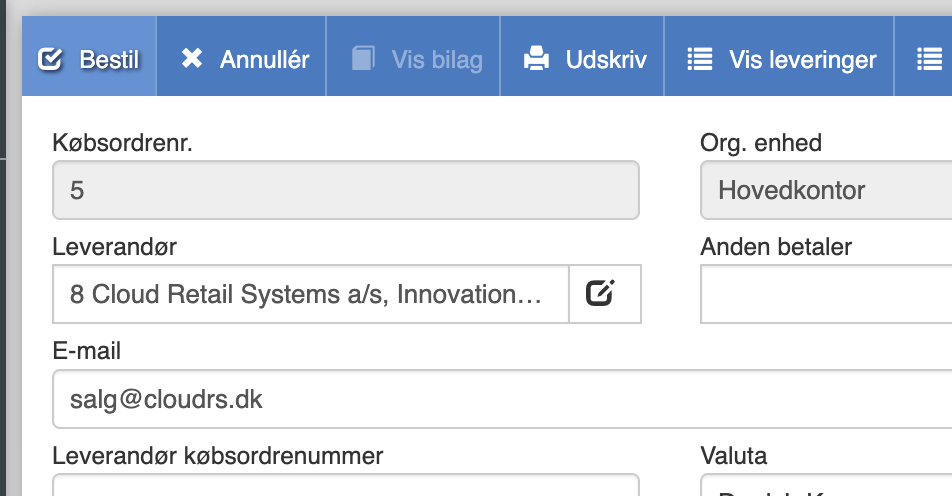
When you have filled in all the desired items, you can click “Order” in the top left corner.
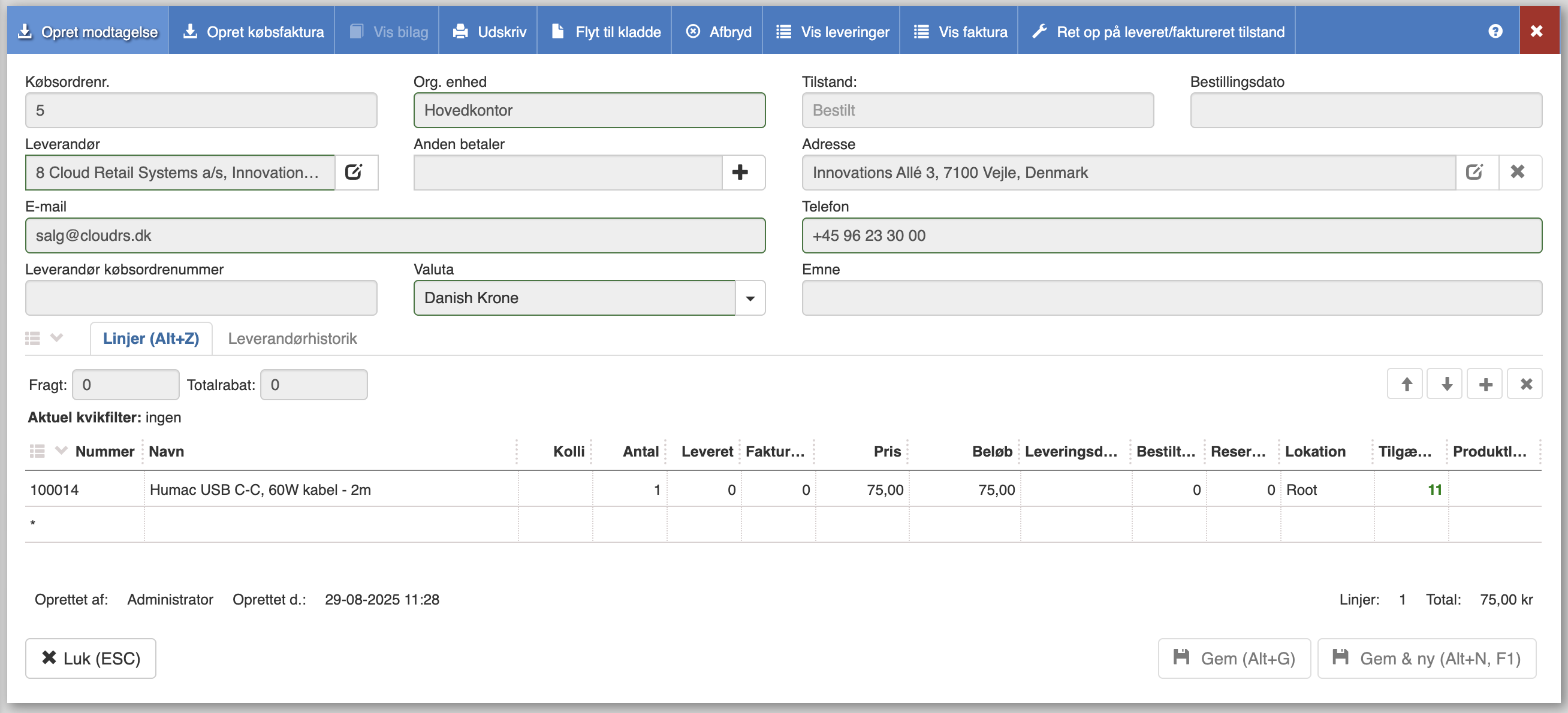
Once you have received the items, you can create a receipt from within the purchase order.
Here you fill in how many you have received and then click “Save and close”
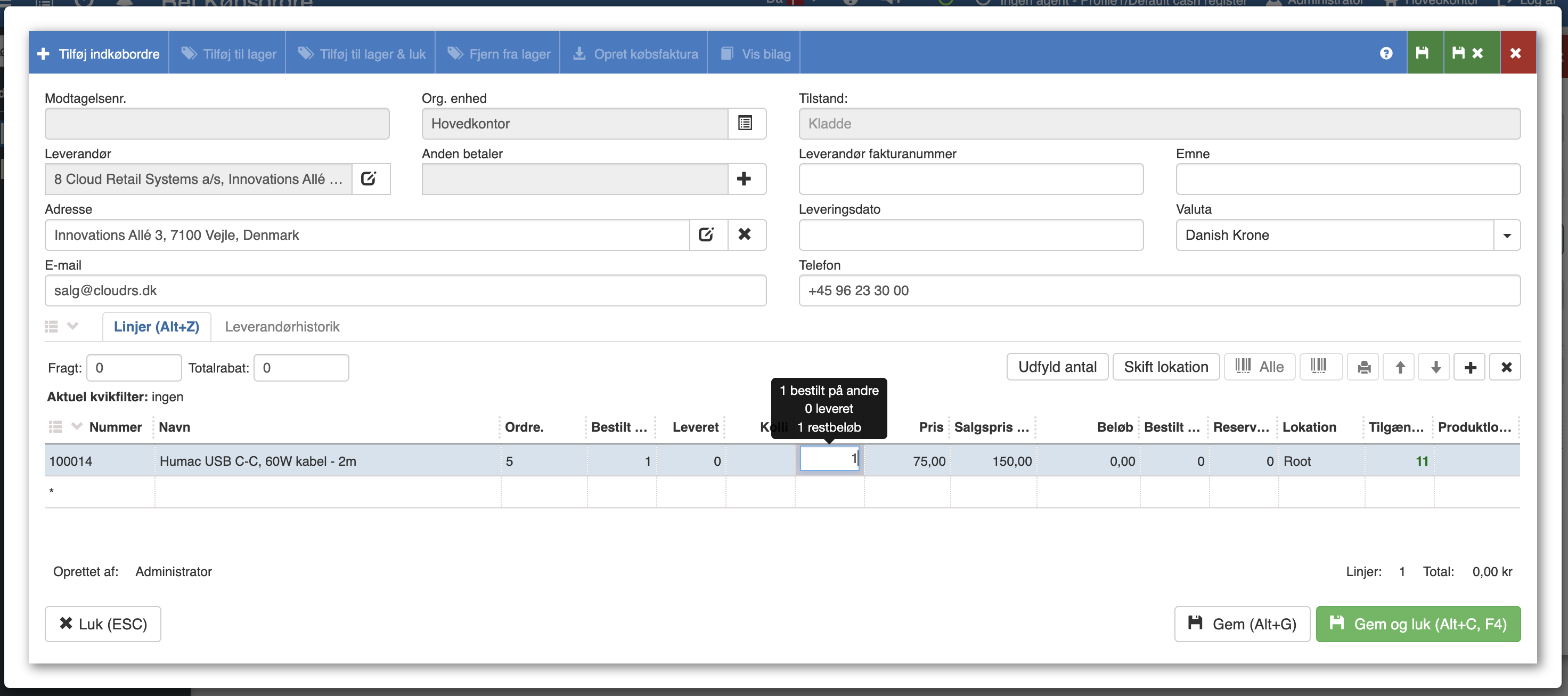
Finally, you need to create a purchase invoice for the items you have received (still from within the individual purchase order).
You can fill in the “Expected gross amount” field by clicking the arrow to the right of the field.
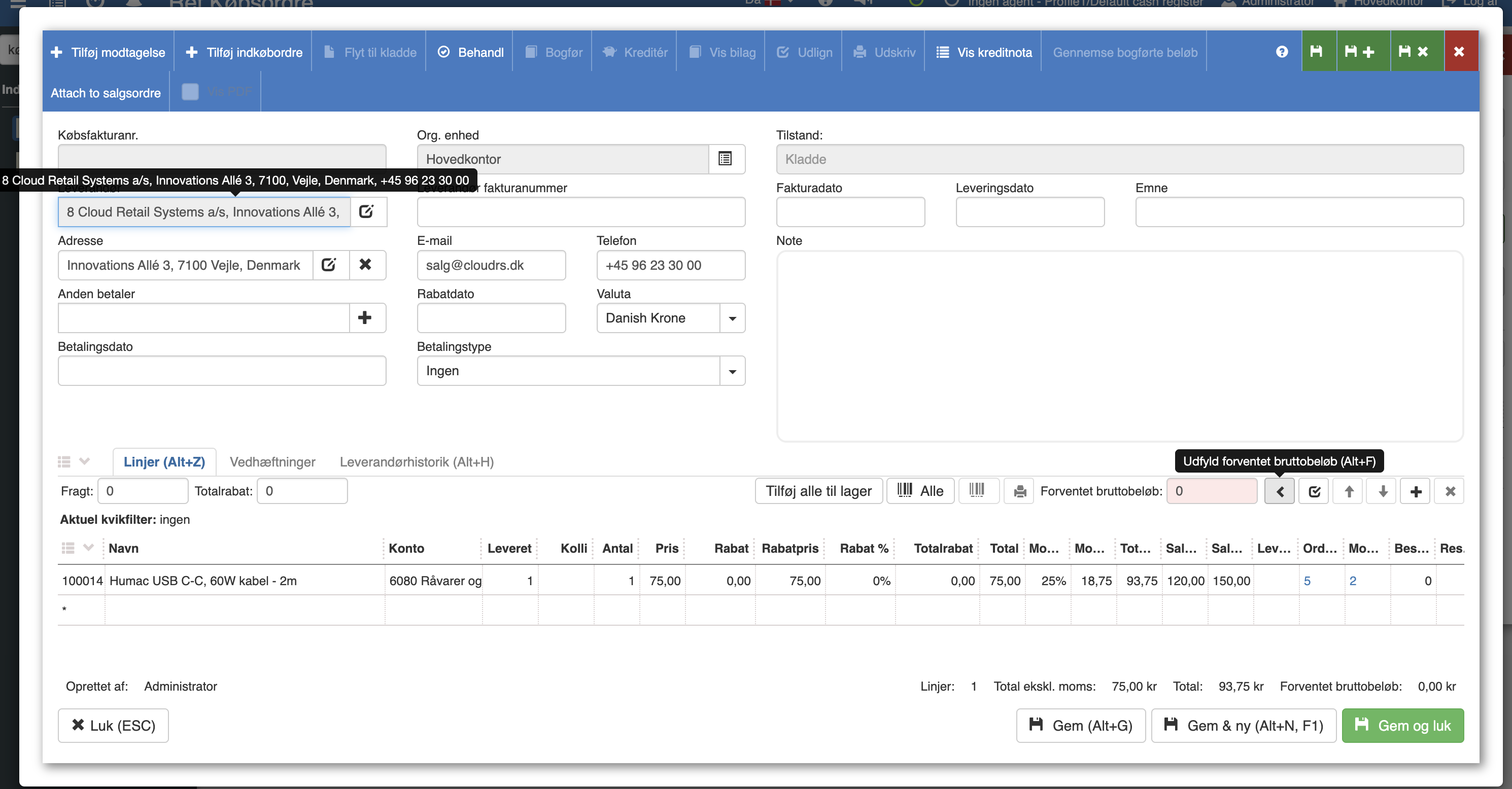
When you have filled in the required fields, you can click “Process”, after which you can choose to post it.
Want to know more?
Read more in these related articles:
Create purchase invoice from receipt
This quick guide goes through step by step how you turn a registered goods receipt into a finished purchase invoice in Sapera.
Receipts
How to register and manage goods receipts from suppliers in Sapera — from creation to stock registration and invoicing.
Creating a purchase invoice
In this quick guide we will go through how to create a purchase invoice in Sapera.