
If you want to create a new invoice from a sales order, this can easily be done by clicking the blue "+" icon in the top right corner.
The following menu will now open, where you have the option to create a new invoice from a sales order by clicking “from sales order”:
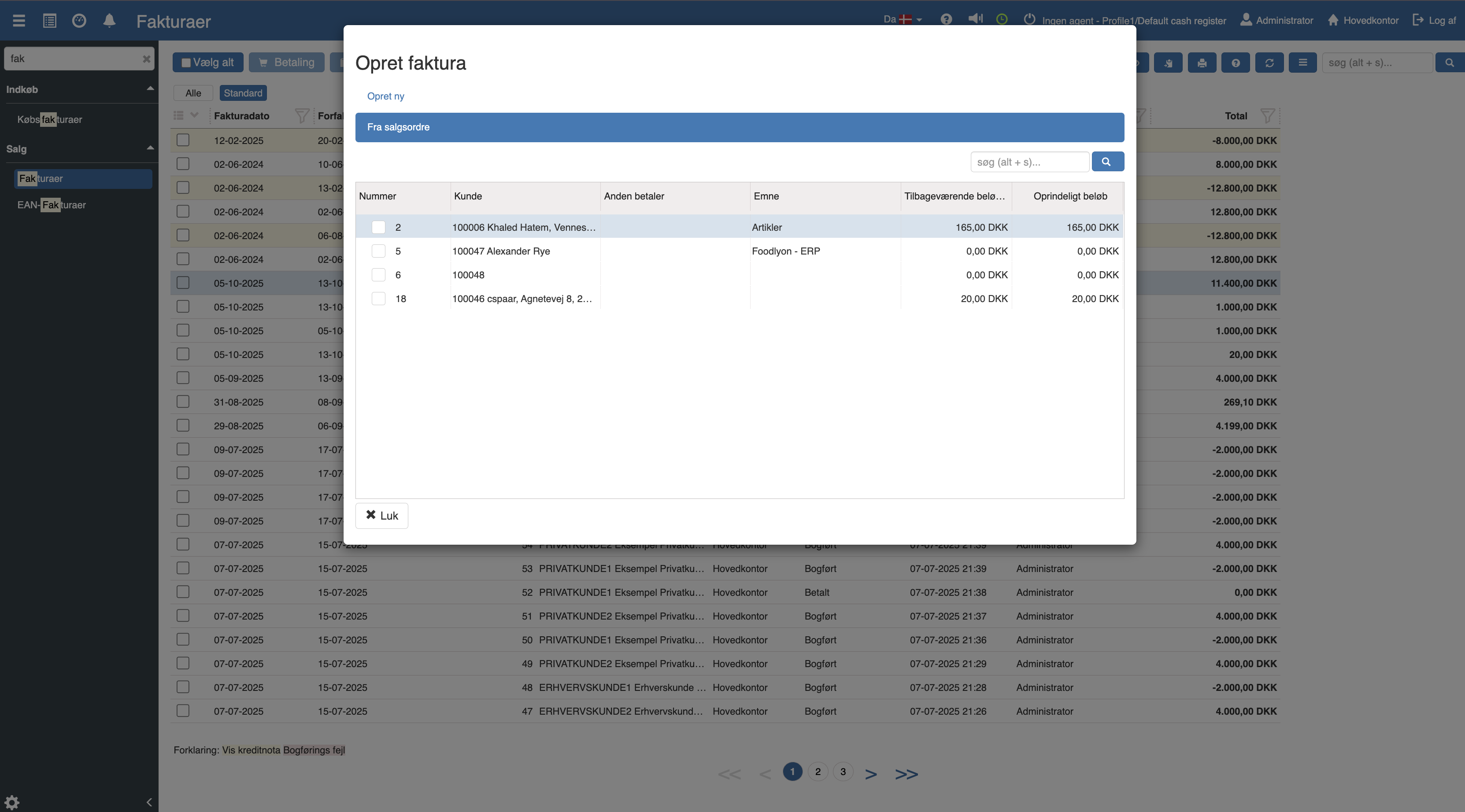
Select "From sales order", click the relevant sales order and check it off. You will now be taken to the following menu:
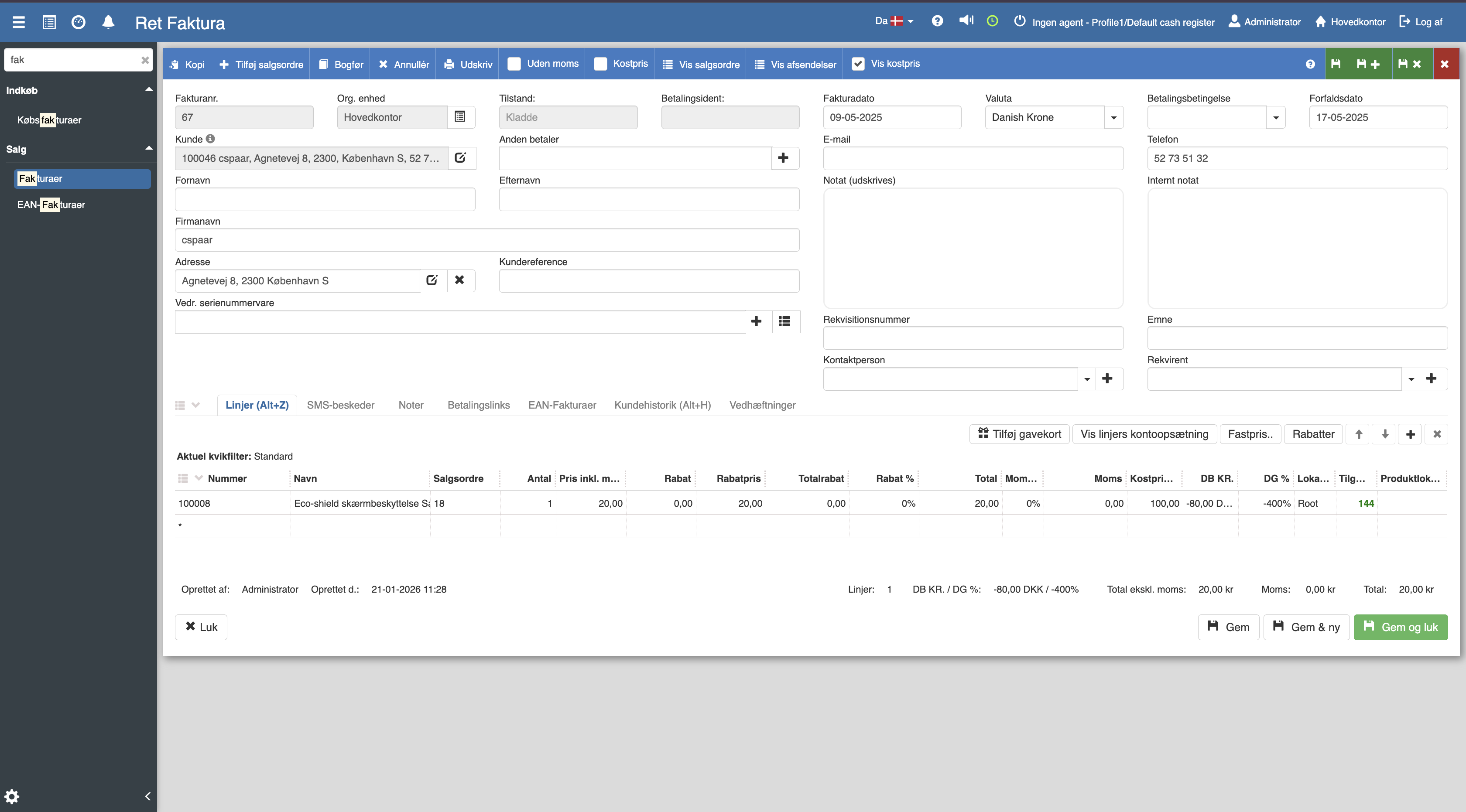
Fill in the fields of the invoice, then click “Save and close”. You have now created an invoice from a sales order.
Want to know more?
Read more in these related articles:
Invoicing from a sales order
This quick guide walks through the order flow from when the order is started and the work is reported done, until the final invoice is generated.
Conversion to invoice
This article explains the process of transferring a started POS sale to an invoice, including selecting a customer and completing the order.
Creating an invoice
In this guide we will walk through how to create an invoice in Sapera.