
If a customer wants to receive an invoice instead of a regular POS receipt, or if the sale is to be paid by credit, the transaction can be converted directly from the POS to an invoice order.
Preparing the sale
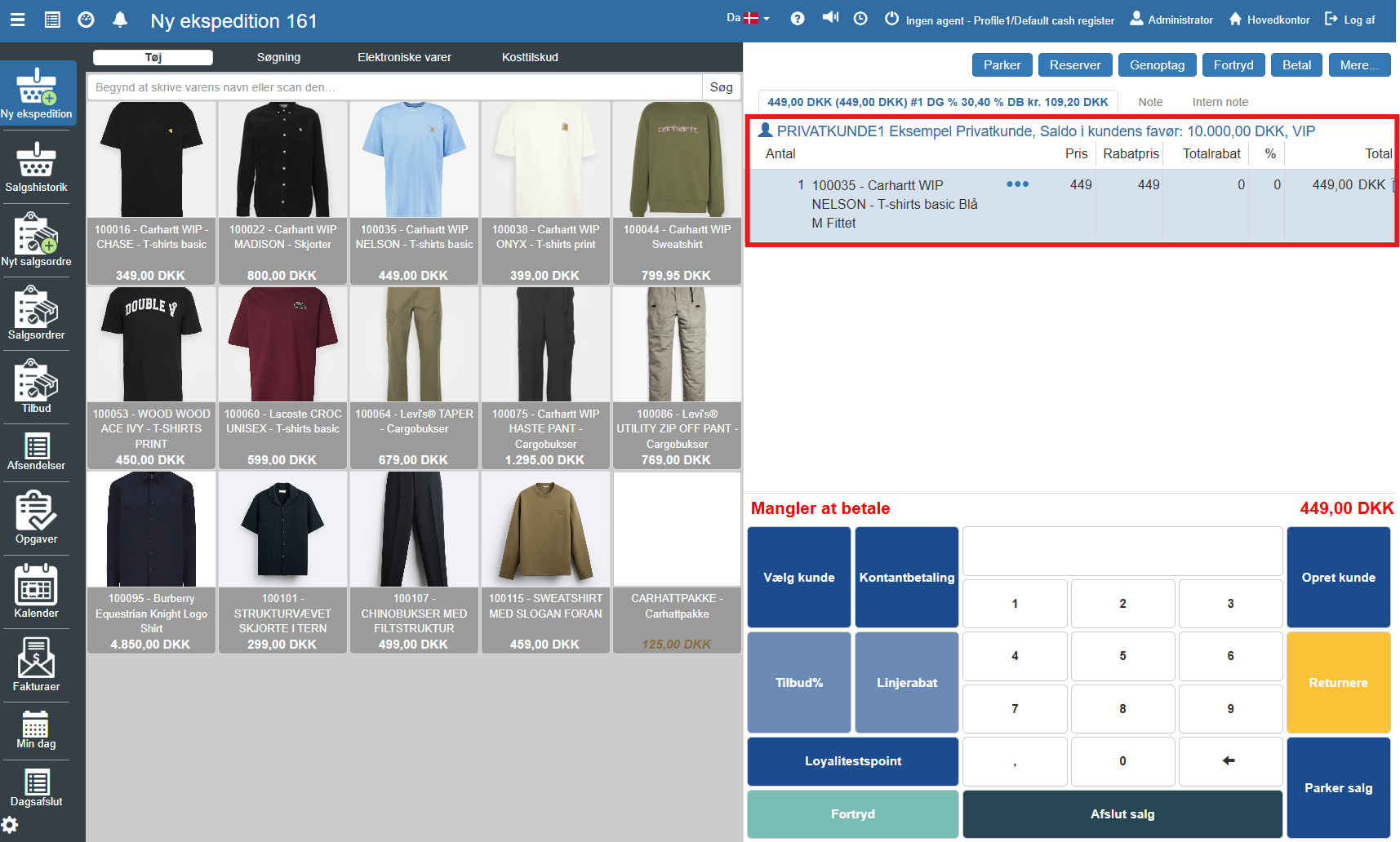
Before the sale can be transferred, the contents and the recipient must be defined in the POS:
Register items: Scan or enter the items the customer wants to buy so they appear on the sales list.
Select customer: An invoice requires that a specific recipient is associated. Click Select customer in the blue function panel and search for the existing customer, or create a new one via Create customer.
Transfer to invoice
Once items and customer are in place, the transaction is moved away from the POS and into the invoice flow:
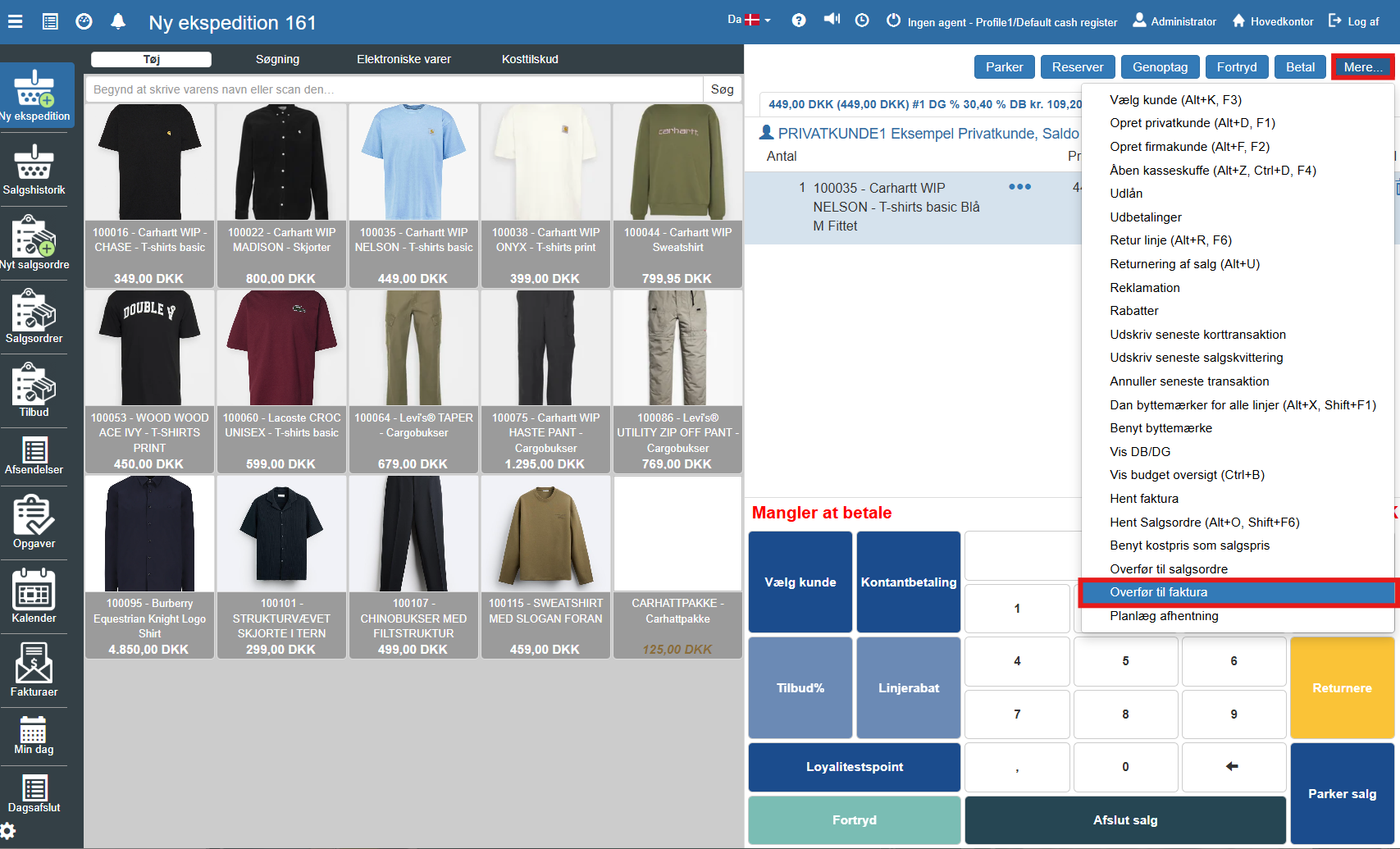
Click the button More... in the top right of the menu bar.
Select the item Transfer to invoice in the menu that unfolds.
Creation and completion
A new window opens, where the invoice details can be reviewed and edited (e.g. delivery address, requisition number or payment terms).
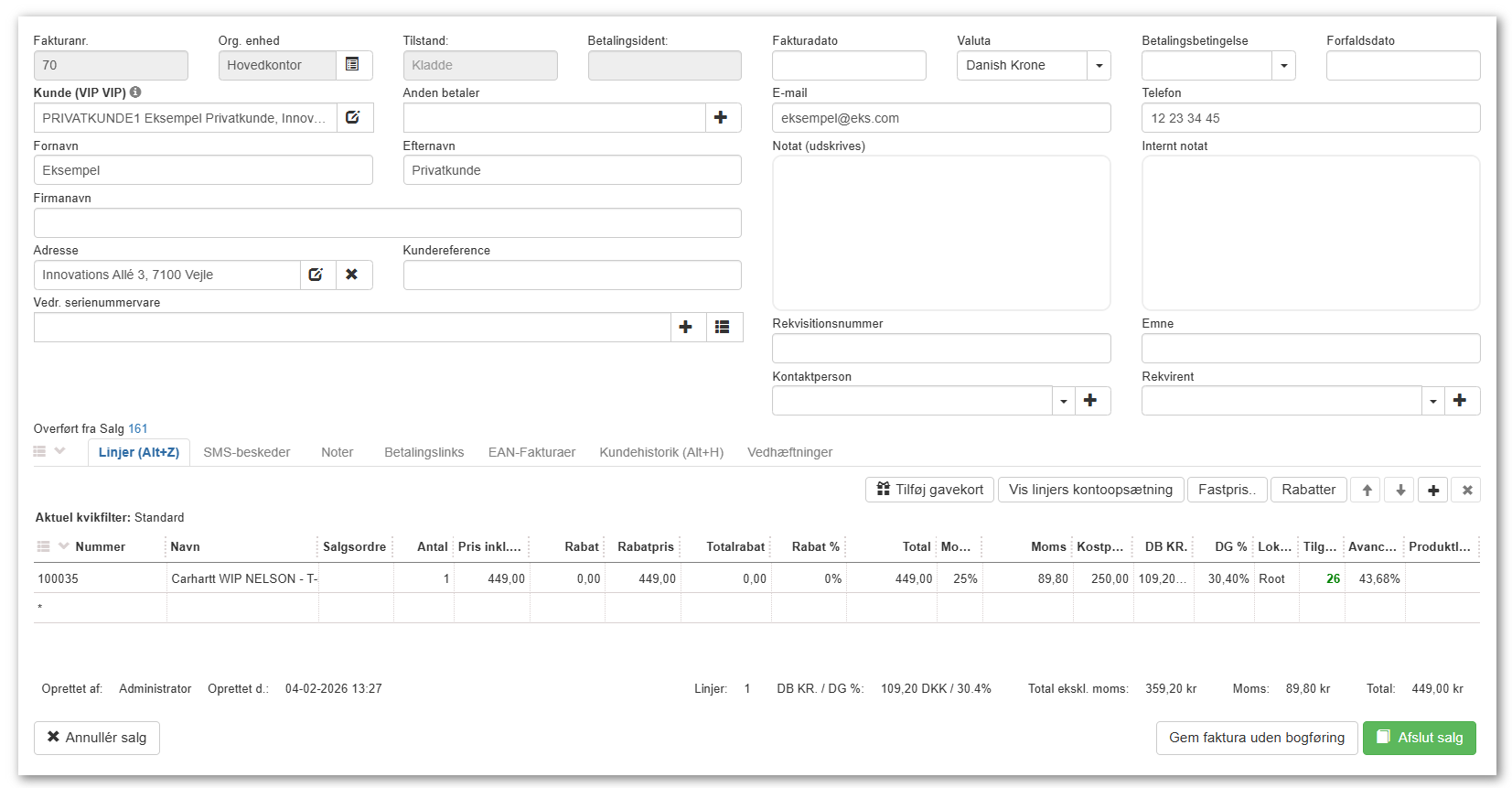
When the information is correct, the creation is completed by selecting one of the following actions (depending on setup and needs):
Save invoice without posting: Creates the invoice as a draft/order that can be worked on further later.
Complete sale / Post: Creates and finalizes the invoice immediately.
Post-processing
When the creation is completed, the order will no longer be in the POS. It can then be found and managed under the module Invoices.
Read more about handling invoices in this article:
Invoices
This article explains what invoices and credit notes are, and how you create them in Sapera