
If you want to create a new purchase invoice, this can easily be done by clicking the blue “+” icon in the top right corner.
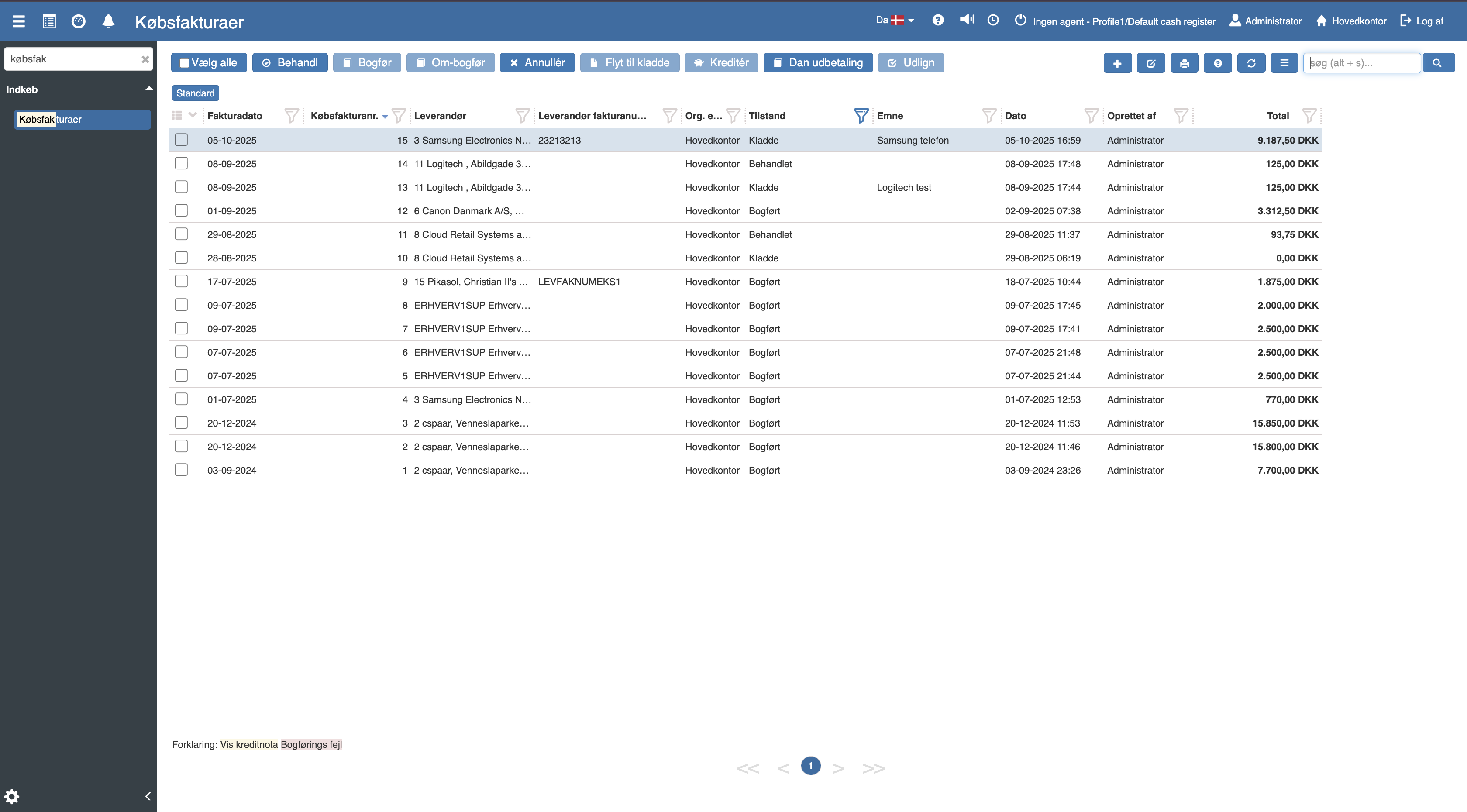
The following menu will now open, where you have the option to create a purchase invoice from a purchase order or a receipt.
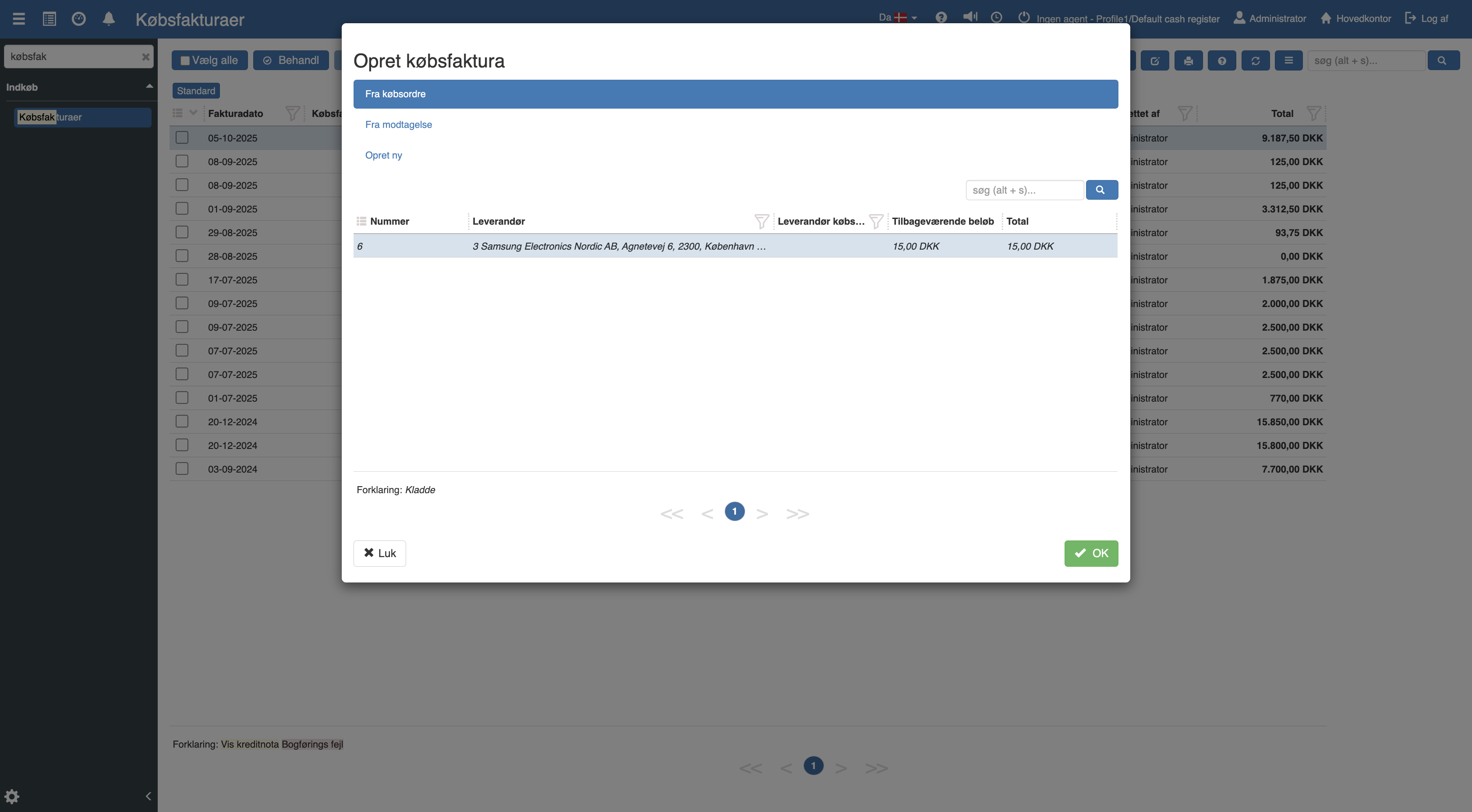
Select the desired purchase order or receipt and click “OK”.
If you want to create a purchase invoice manually, you can instead select “Create new”, after which you will be taken to the following menu:
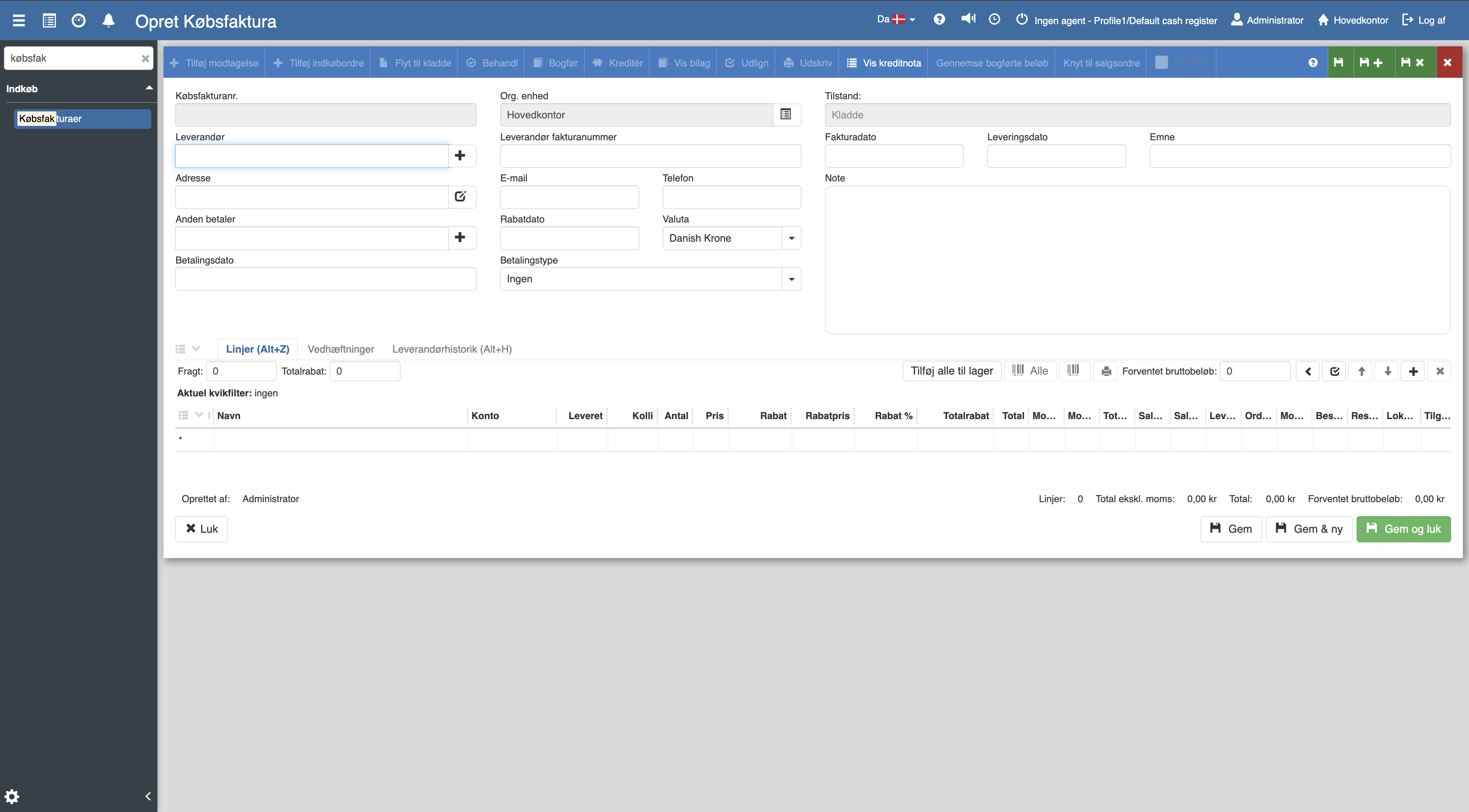
Fill in the relevant fields and finish with “Save and close”.
Want to know more?
For a walkthrough of fields, handling payments, crediting and advanced functions, see the full article about purchase invoices:
Purchase invoices
This article explains how you handle and create purchase invoices in Sapera