
When a customer is no longer active, or should only be visible in certain departments, you can choose either to deactivate or archive the customer profile. The difference lies in where the customer is hidden:
Deactivation (Local hiding): Typically used if your company has multiple departments or stores (actor division levels). If you deactivate a customer, the customer is only hidden in the current organizational unit, but remains visible in others.
Archiving (Global hiding): Archiving applies to all organizational units. The customer is thus hidden globally across the entire company.
How to deactivate or archive a customer
To hide a customer from the overview, follow these steps:
Open the main menu (Financial) and expand Actor library.
Click Customers to open the customer overview.
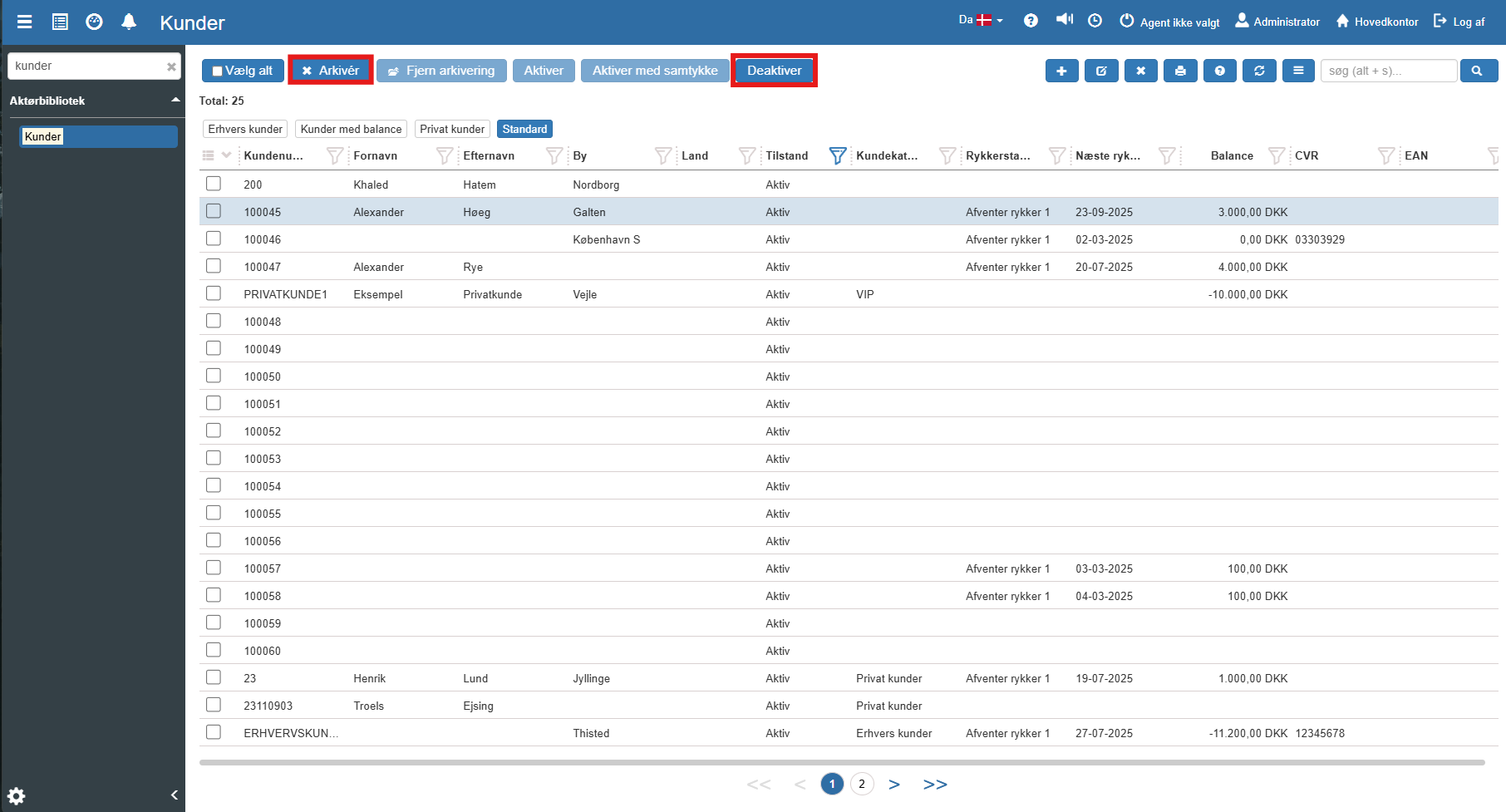
Search for and select the customer you want to remove (the line is marked with a light blue color).
Click the Deactivate or Archive button in the top menu, depending on your needs. The customer is now hidden from the default view.
How to undo (Reactivation)
If you change your mind and want to bring the customer back, the action can easily be rolled back:
To find a hidden customer, use the filter icon on the "Archived" (or "Deactivated") column and adjust the view so the hidden customers appear in the overview.
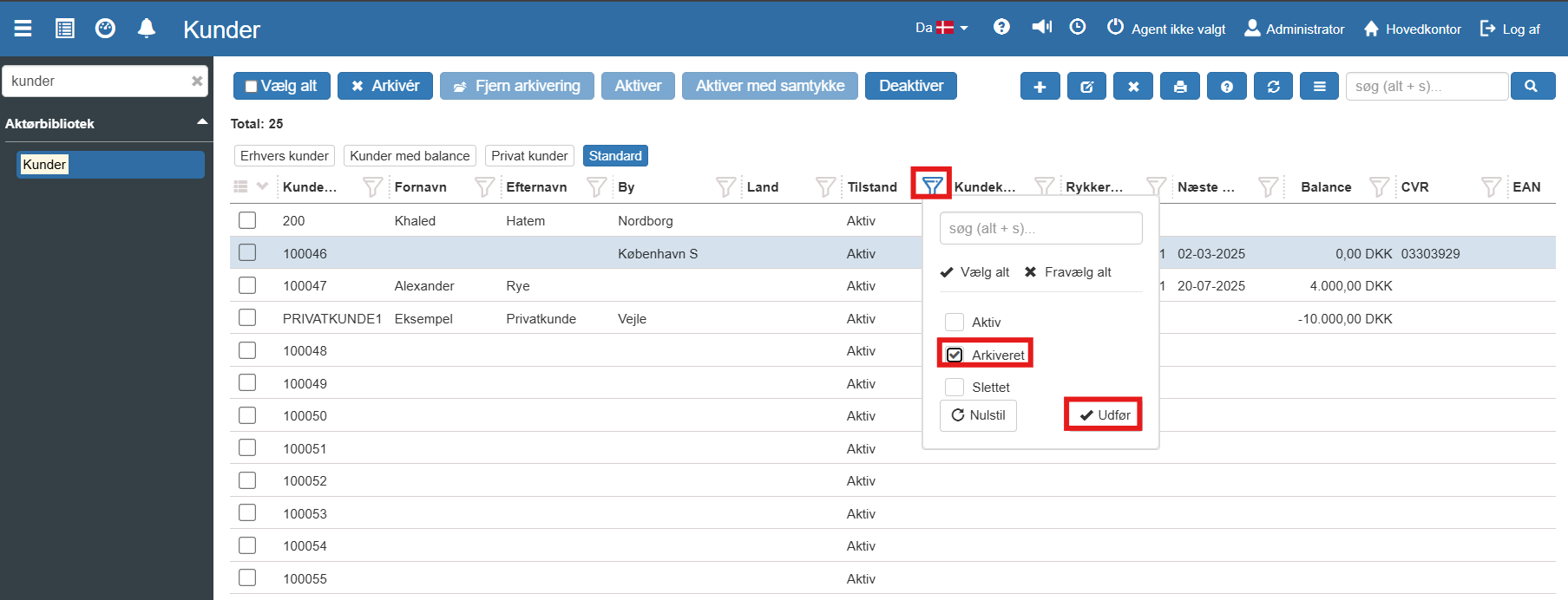
Select the relevant customer.
Click the Activate or Remove archiving button in the top menu. The customer will now be visible and active in the system again.
Want to know more?
Read more in these related articles:
Edit customer
This article explains how to update master data and edit details on an existing customer in Sapera.