
Note
An EAN invoice (also known as an OIOUBL invoice) is an electronic invoice that is transferred directly via the public EAN network instead of being sent as a PDF or on paper. It is primarily used when trading with public institutions and certain larger companies.
When you invoice a customer in Sapera who has an EAN number registered, the system automatically takes care of generating and sending the EAN invoice electronically, provided the requirements are met.
Requirements for EAN invoicing
To ensure successful sending, the following must be in place:
The customer must have a valid EAN number registered on their customer account.
The invoice must be in the correct format (OIOUBL).
Relevant metadata must be filled in (e.g. reference, contact person and order number), as this is often required by the public recipient for them to approve the payment.
Navigation
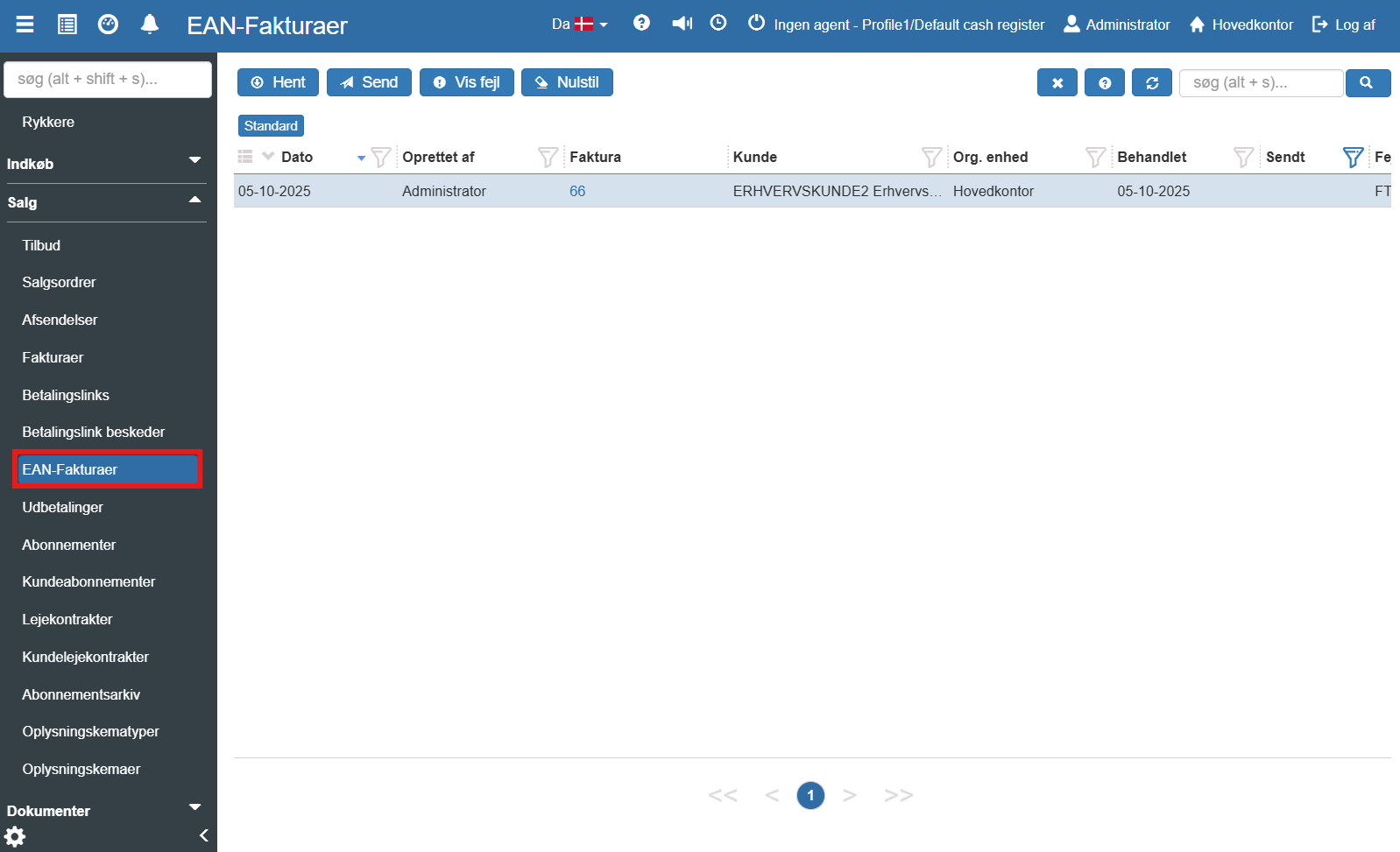
You find the module by opening the main menu on the left, expanding Sales and clicking EAN Invoices. Here you get a combined overview of your EAN shipments:
Functions in the EAN overview
At the top of the module you find a row of buttons that make it easy to manage, resend and troubleshoot your EAN invoices:
Download: Downloads the selected EAN invoice in the list as an XML file.
Send: Manually sends the selected invoices. This is especially useful if an invoice needs to be resent, or if for some reason it was not sent automatically during posting. Under App Builder settings, EAN invoices can be set up to be sent automatically.
Show error: An important troubleshooting tool. If a shipment fails, you can select it and click here to see the reason (e.g. an invalid EAN number or a missing reference).
Reset: Clears active filters and searches so that all registered EAN invoices are shown in the overview again.
Delete: Removes the selected EAN invoice from the overview itself.
Want to know more?
This guide covers the basic functions in the EAN overview. For an in-depth walkthrough of the fields, you can read our full article here:
EAN Invoices
In this article we explain how to handle and send EAN invoices in Sapera