Exchange rates in Sapera are part of the setup module that allows businesses to manage the conversion between different currencies. The feature is essential for businesses that operate internationally or trade with foreign customers and suppliers.
With the exchange rate setup you can define which currency should be used as the basis (base currency) and which currencies should be converted to and from. For example, a business can choose Danish kroner (DKK) as the base currency and create rates for conversion to euros (EUR) and US dollars (USD).
The "Currency" field specifies which currency the rates apply to. "From" and "To" define the interval in which the rate is valid, so that historical rates can be saved or future rates planned. "Rate" specifies the conversion rate between the base currency and the selected currency.
By setting up exchange rates correctly, you ensure that prices, invoices, and other financial data are handled accurately across currencies. This creates more efficient and error-free financial management, while ensuring the business complies with international standards for currency conversion.
1. From Financial, go to "Setup".
2. Navigate to "Exchange rates".
3. You are now on the "Exchange rates" tab, where an overview of your created exchange rates in Sapera is visible.
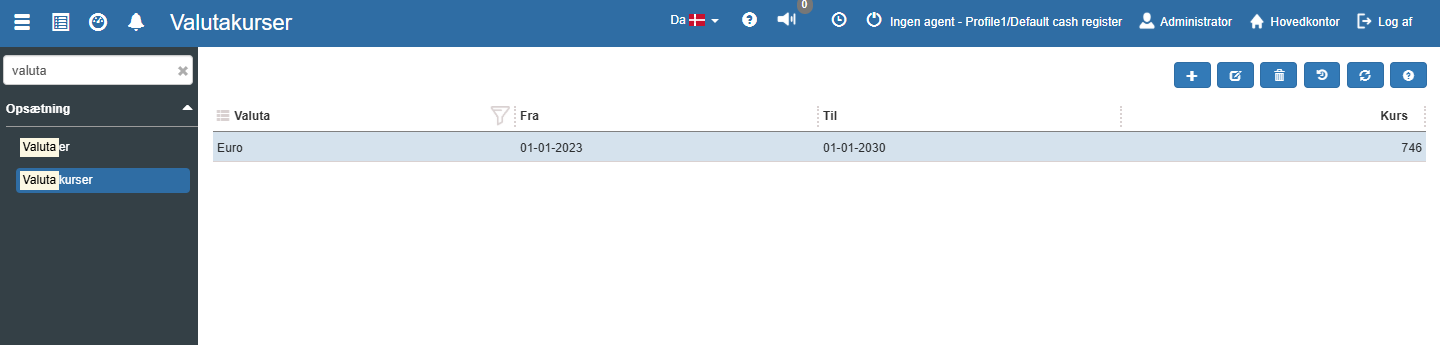
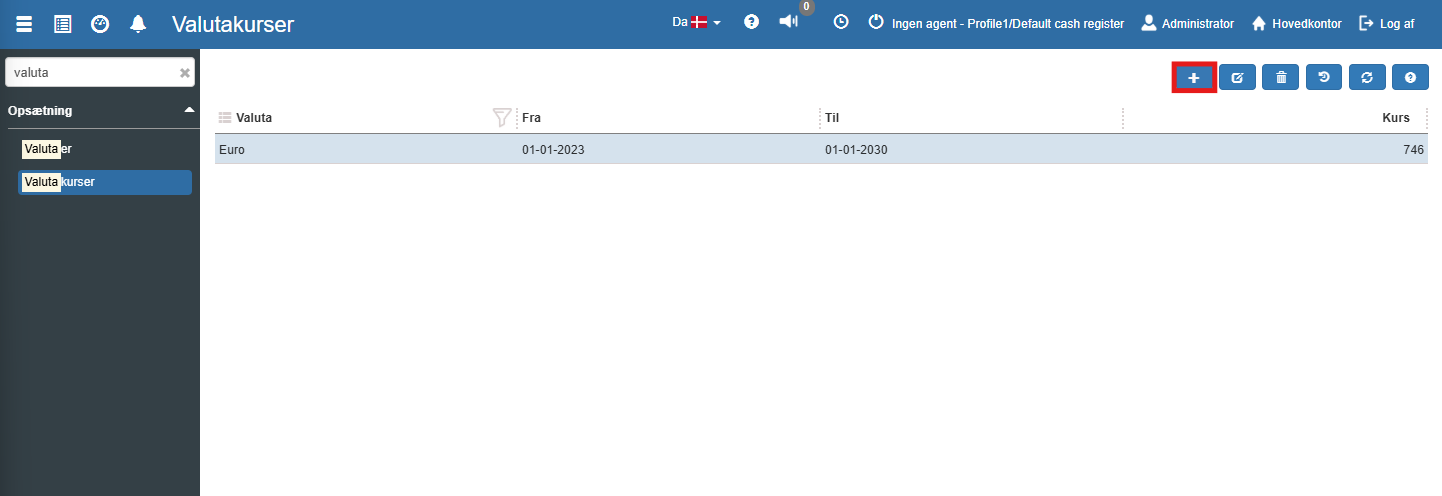
If you want to create a new exchange rate, this can easily be done by clicking the blue "+" icon at the top right:
The following menu will now open, where you have the option to create a new exchange rate:
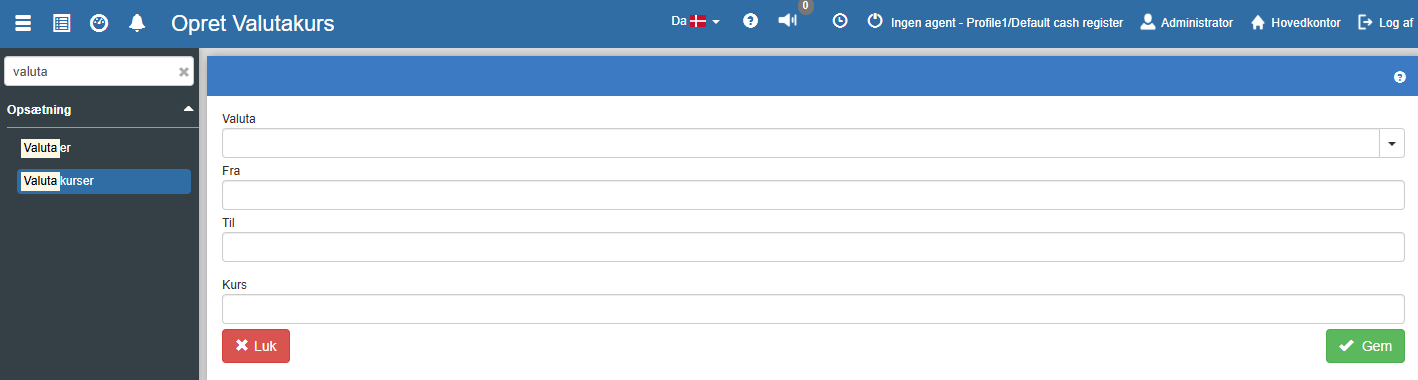
Fill in the fields and finish with "Save".
Currency: The currency in focus, e.g. Euro.
From: The start date from which the set rate should apply.
To: The end date until which the set rate should apply.
Rate: Specifies the price in Danish kroner to buy 100 units of the selected currency.
Want to know more?
Read more in these related articles:
Currencies
Currencies
Bank setup
How to create and edit bank accounts for outgoing payments in Sapera, including bank format, registration number, account number, folder, and journal.
Financial setup
The financial setup determines which general ledger accounts and posting journals Sapera uses when the system automatically generates entries for sales, purchases, day-end closing, stock adjustment, and year-end closing. Here you configure default accounts, journals, and integration settings per organisational unit.
