Currencies in Sapera are a setup feature that enables the management of different monetary units used in the system to handle transactions and reporting across countries and regions. The feature is essential for businesses that operate internationally or handle payments in several different currencies.
With Sapera you can add, remove, or edit currencies yourself, so they fit your business's needs. Each currency has its own specific settings, including system name, display name, and placement of the currency symbol, which ensures correct display and posting of amounts in the selected currency. In addition, each currency can specify the names of its main and minor units (e.g. "kr" and "øre" for Danish kroner).
You also have the option to select one currency as the default currency, which will be used as the main currency in the system. This makes it easier to ensure accuracy and consistency in accounting and helps adapt to different markets where specific currencies and rules apply.
1. From Financial, go to "Setup".
2. Navigate to "Currencies".
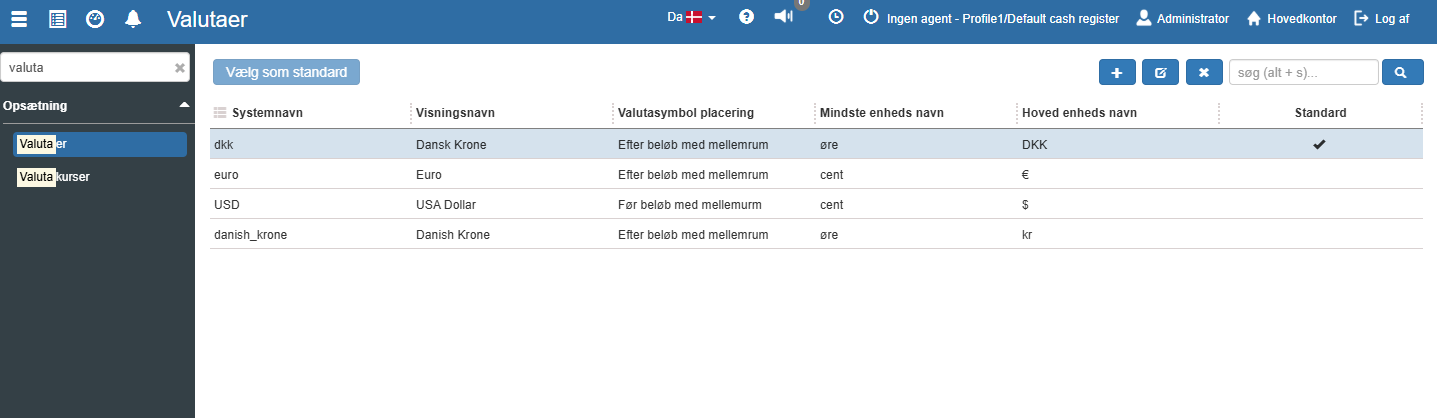
3. You are now on the "Currencies" tab, where an overview of your currencies in Sapera is visible.
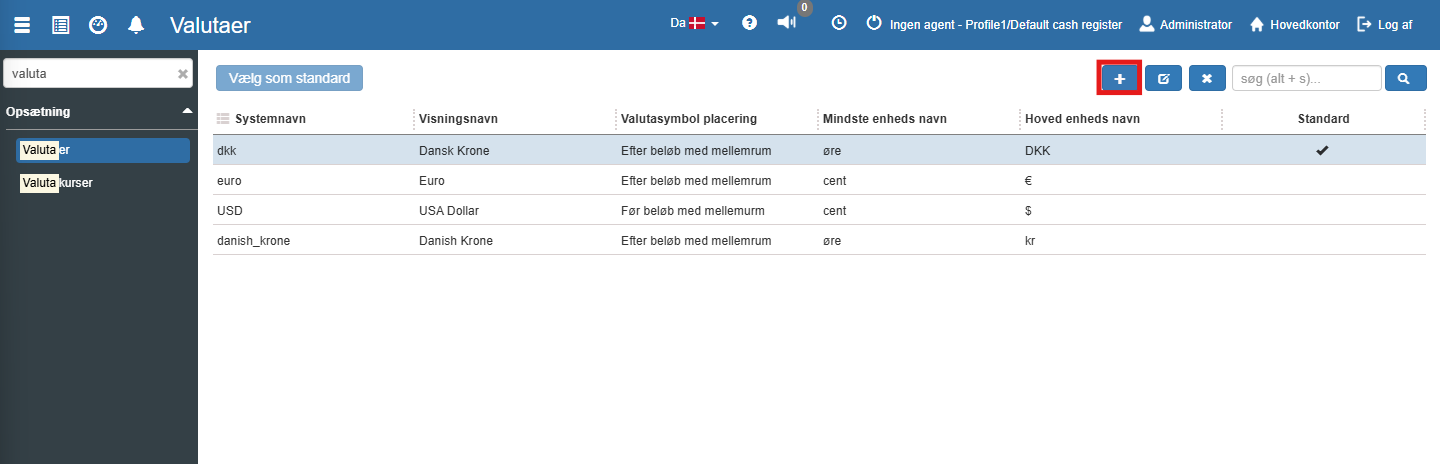
If you want to create a new currency, this can easily be done by clicking the blue "+" icon at the top right:
The following menu will now open, where you have the option to create a new currency:
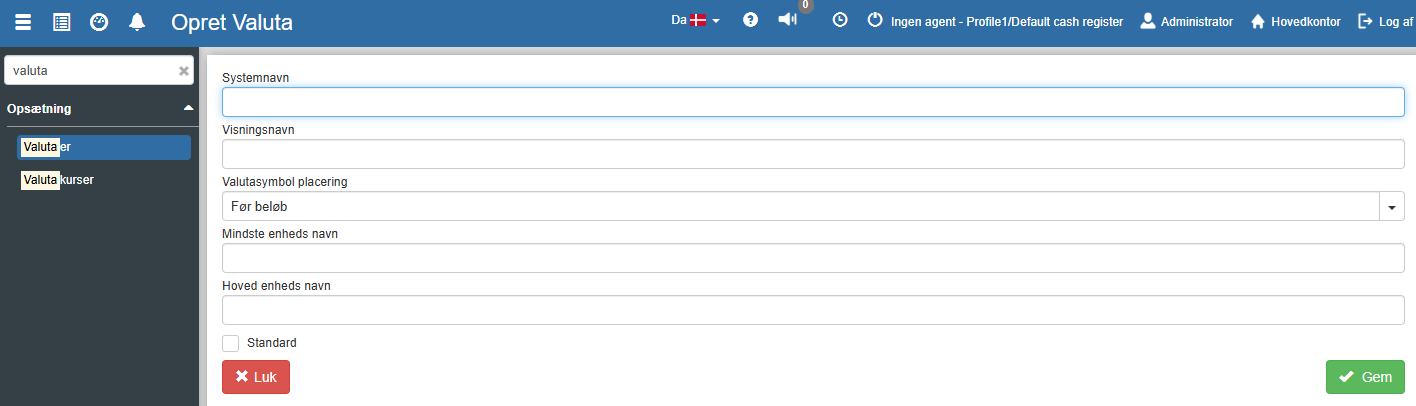
Fill in the fields and finish with "Save".
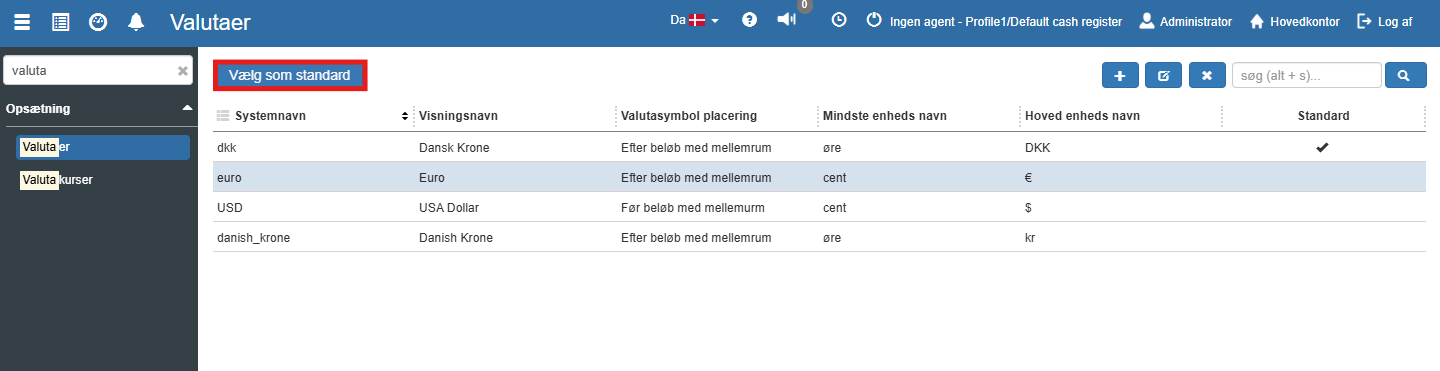
If you want to use the newly created currency as the default, this can be done by ticking the "Default" box. Alternatively, you can select the desired currency and then click the "Set as default" button:
System name:
The unique internal name used to identify the currency in the system.
Display name:
The user-friendly name for the currency, displayed in the system. For example "Euro" or "Danish Krone".
Currency symbol placement:
Specifies where the currency symbol should be placed relative to the amount. The following options are available:
Before amount
After amount
Before amount with space
After amount with space
Minor unit name:
The name of the minor unit for the currency, e.g. "cent" for Euro or "øre" for DKK.
Main unit name:
The name of the main unit for the currency, e.g. "kr" for DKK or "€" for Euro.
Default:
Tick this if this currency should be the default currency in the system. The default currency is used as the basis for transactions unless otherwise specified.
Want to know more?
Read more in these related articles:
Exchange rates
This article explains how exchange rates are created and used for conversion in Sapera
Financial setup
The financial setup determines which general ledger accounts and posting journals Sapera uses when the system automatically generates entries for sales, purchases, day-end closing, stock adjustment, and year-end closing. Here you configure default accounts, journals, and integration settings per organisational unit.
