When you create a customer in Sapera, the customer will by default inherit a number of default settings from the customer category they belong to. With the module Customer setup you can, however, override these default choices and tailor the settings for the specific customer – and even differentiate them per organisational unit.
Navigation
You find the module by navigating to Actors library → Customers:
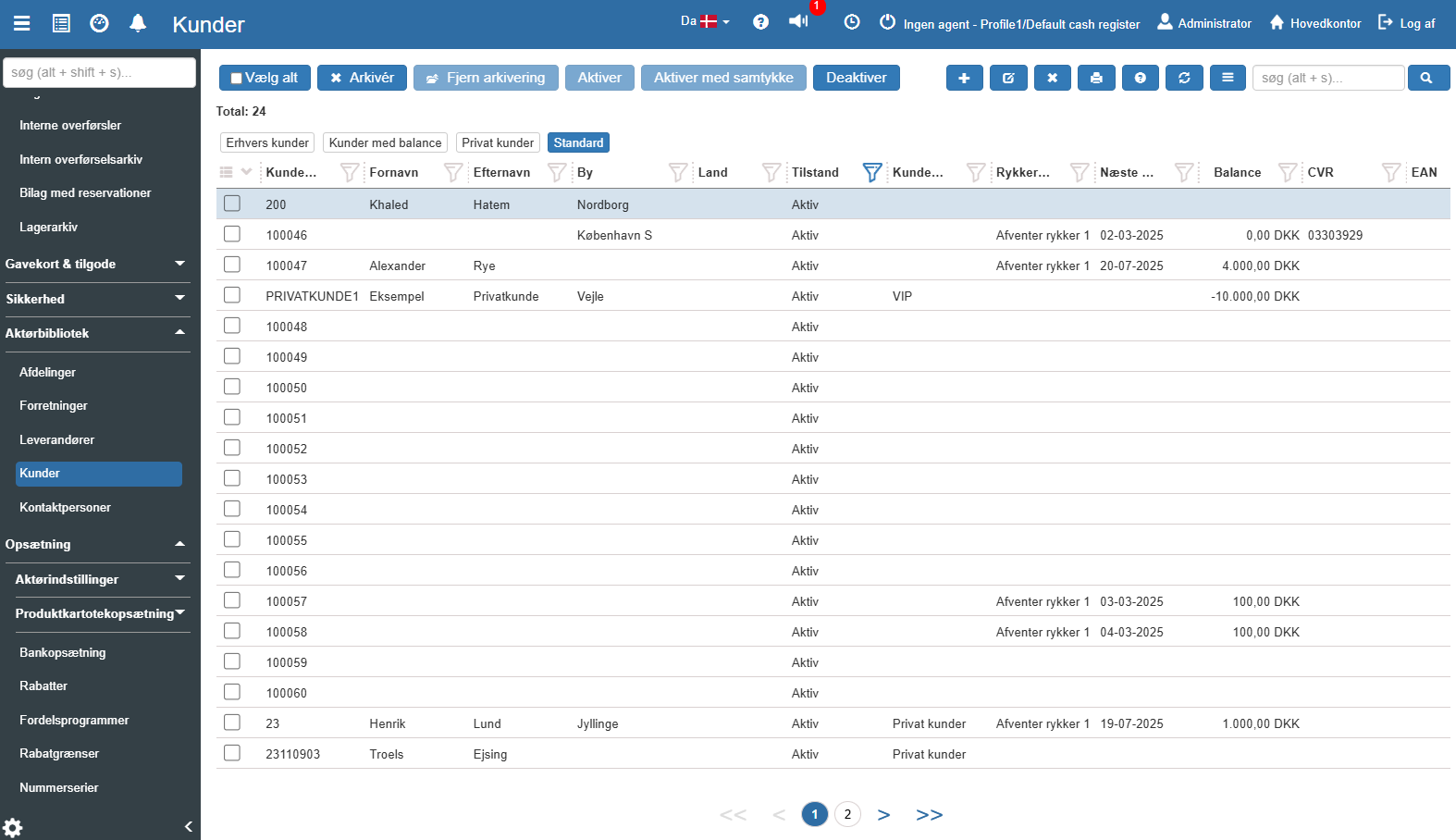
Open the desired customer, and on the customer card itself, click the menu item "Customer setup":
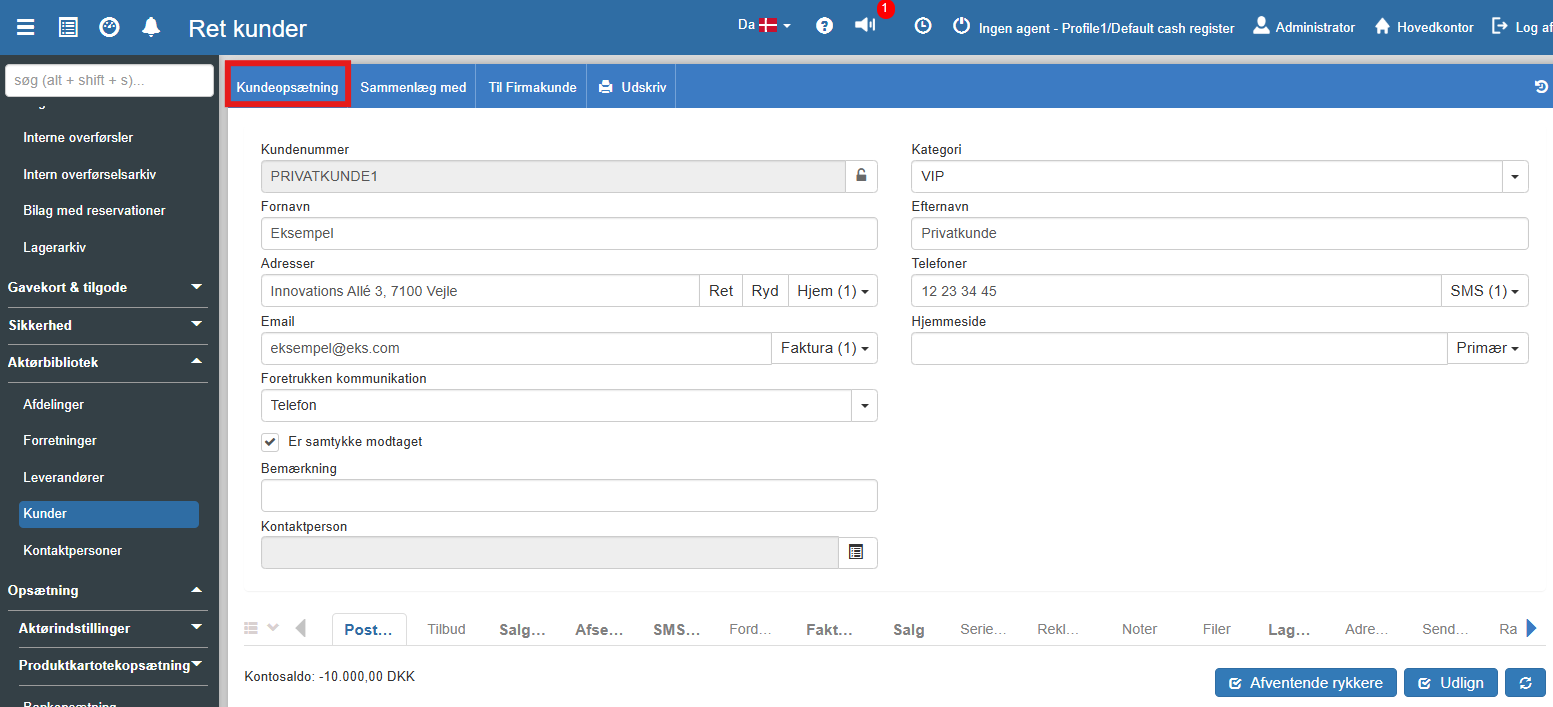
Inside the customer setup you have a wealth of options for specific settings for the selected customer:
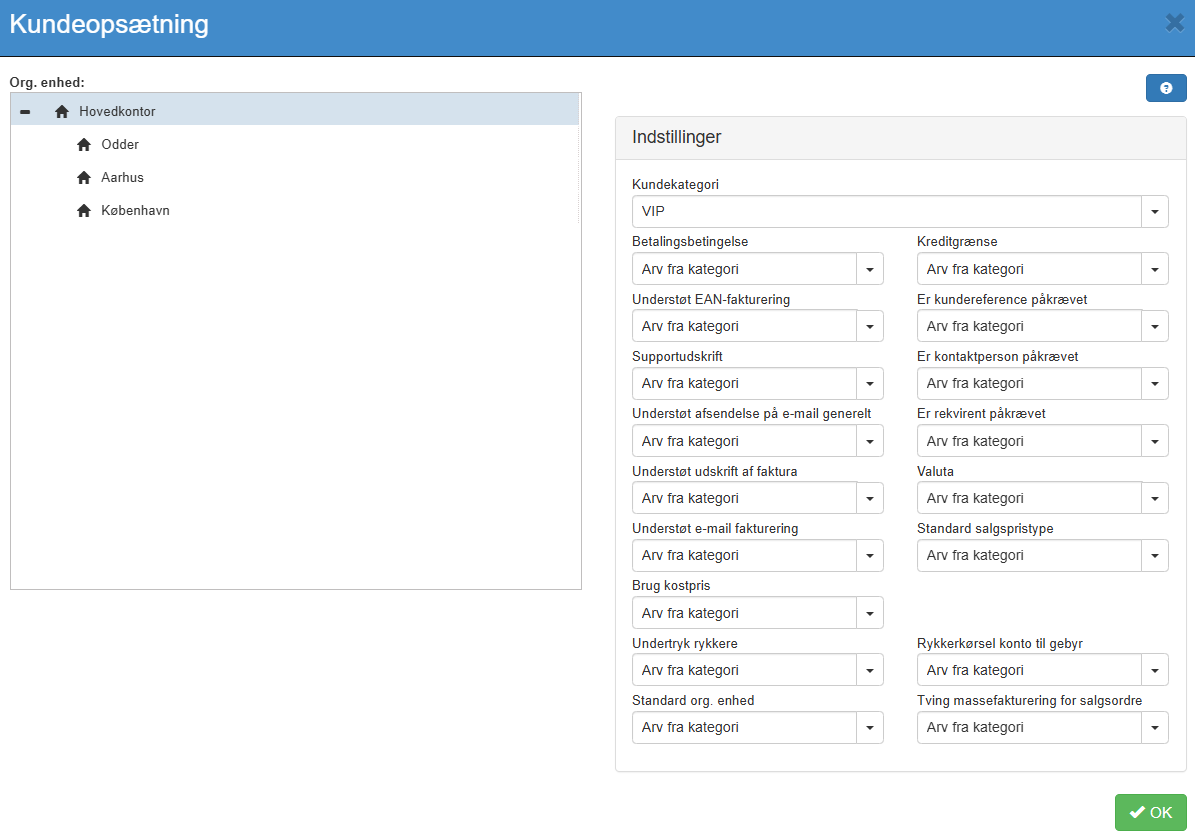
Below you find a description of the fields you can customise on the individual customer, divided into logical categories:
Categorisation and Finance
Customer category: Specifies what type of customer this is (e.g. private customer, business customer or one of your own created categories).
Payment term: Defines the customer's payment terms, e.g. how many days of credit the customer has to pay an invoice.
Credit limit: Specifies whether the customer has a fixed credit amount limit, or whether the limit may be exceeded.
Currency: Specifies which currency should be used for this particular customer's transactions.
Default sales price type: Here you can attach specific price lists to the customer, such as fixed B2B prices, campaign prices or "Black Friday" prices.
Use cost price: Defines whether the customer's prices should be calculated based directly on the cost price of items or services.
Invoicing and Communication
Support EAN invoicing: Specifies whether the customer can receive electronic invoices via the public EAN system.
Support email invoicing: Specifies whether invoices should/can automatically be sent directly to the customer via email.
Support sending by email: Determines overall whether invoices and other communication may be sent to the customer electronically.
Support invoice printing: Indicates whether invoices are allowed to be printed physically for this customer.
Suppress reminder: Specifies whether the customer should not receive automatic reminders for unpaid invoices (e.g. for special agreements).
Reminder run fee account: Specifies which specific finance account should be used to handle reminder fees for this customer.
Order requirements and Master data
Default org. unit: Identifies which organisational unit (department or location) the customer is associated with by default.
Is customer reference required: Determines whether a reference (e.g. a PO number) must always be filled in for a transaction to be completed.
Is requisitioner required: Defines whether a specific requisitioner/orderer must always be specified on orders.
Contact person required: Specifies whether the system should require that a specific contact person has been added and selected for this customer when trading.
Want to know more?
Read more in these related articles:
Edit customer
This article explains how to update master data and edit details on an existing customer in Sapera.
