
What are warehouses?
In Sapera, the "Warehouses" feature is a central part of the product catalog setup and is used to manage the company's inventory locations. Warehouses represent the physical or virtual places where goods are stored, and they play a crucial role in the company's inventory management.
This feature makes it possible to create and define warehouses that can be used in connection with products, purchase orders and internal stock operations. Each warehouse is given a unique system name and display name, ensuring clear identification and separation between different inventory locations. The purpose of warehouses is to ensure an accurate inventory count and to support internal processes such as goods receipt, transfers between warehouses and order handling. The feature contributes to efficient product management and ensures that the correct warehouse is always linked to the correct process.
How do I access warehouses?
1. From Financial, go to "Setup".
2. Navigate to "Product catalog setup" -> "Warehouses".
3. You are now on the "Warehouses" tab, where an overview of your warehouses in Sapera is visible.
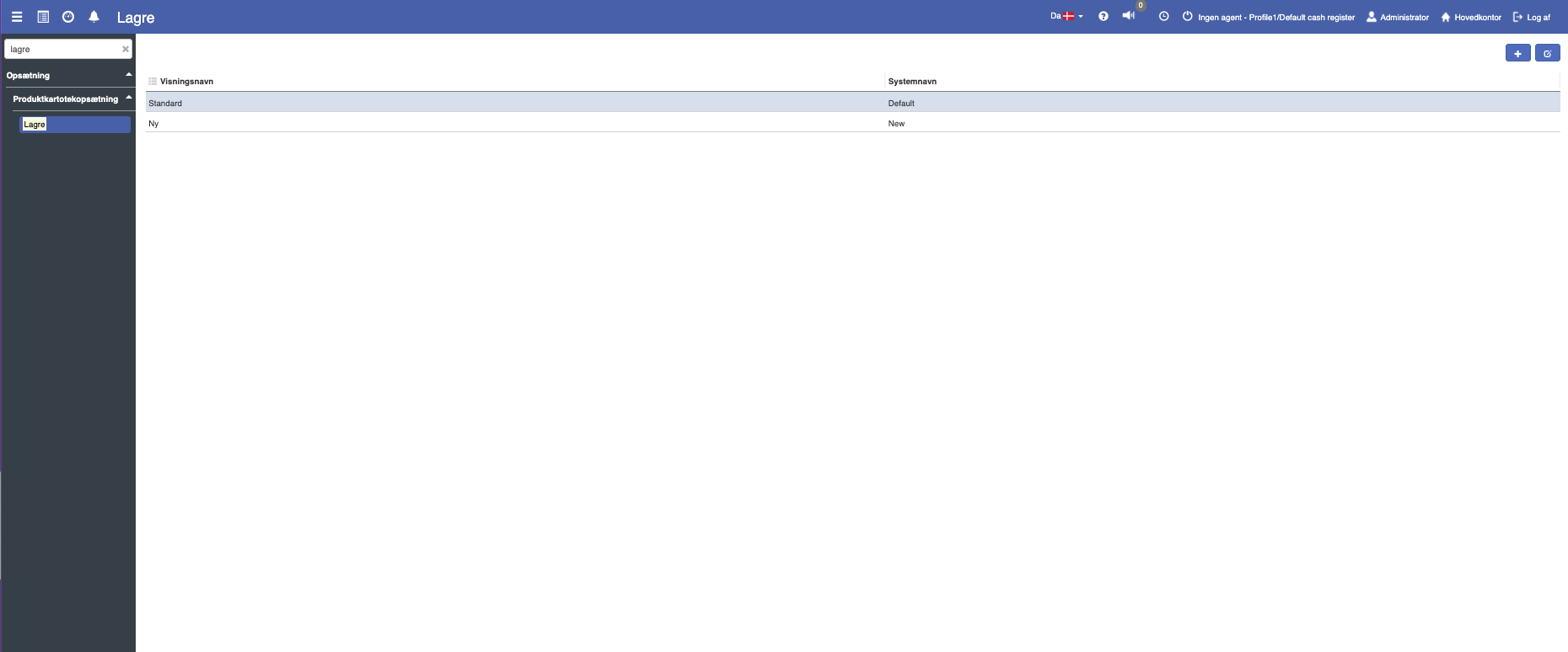
How do I create a new warehouse?
If you want to create a new warehouse, this can easily be done by clicking the blue "+" icon in the top right.
The following menu will now open, where you have the option to create a new warehouse:
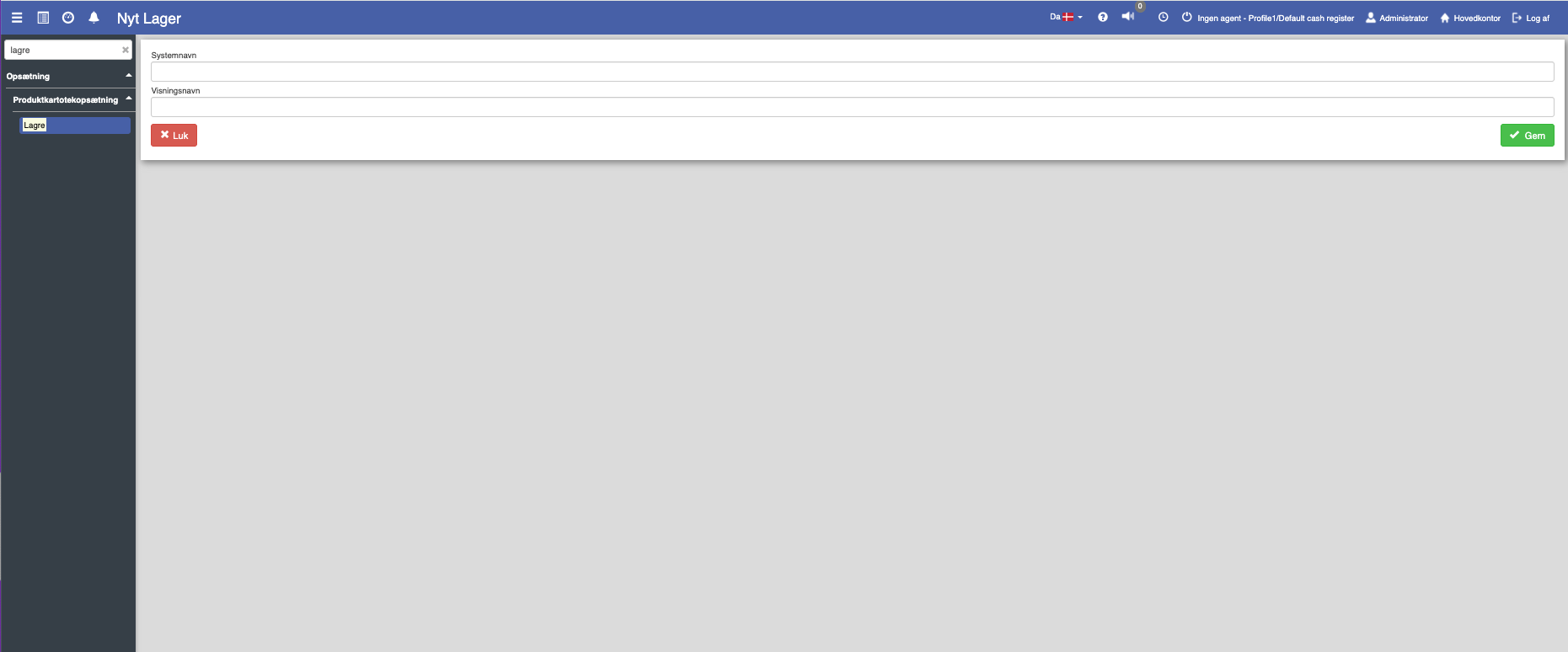
Fill in the fields and finish with "Save".
Field descriptions
Display name:
The name presented to users in the system interface. This should be clear and descriptive, so it describes the purpose of the warehouse.
System name:
An internal name used to identify the warehouse in the system. This name must be unique and must not contain spaces, "æøå" or special characters.
Want to know more?
Read more in these related articles:
Inventory setup
This article explains how inventory setup is used to define and manage inventory processes in Sapera
Warehouses (inventory setup groups)
Create and manage warehouses (product locations) that determine the inventory setup for organizational units in Sapera.
One or more warehouses?
This article explains how to set up and use warehouses and locations in Sapera