Label journals are an incredibly practical tool when you need to print many price tags or barcodes at once. Instead of printing them one at a time, you can collect an entire batch of items (e.g. for a new collection or a range of sale items) in a journal and send them to the printer all together.
Navigation
You find the module by opening the main menu on the left, expanding Product and clicking Label journals. Here you get an overview of your current journals.
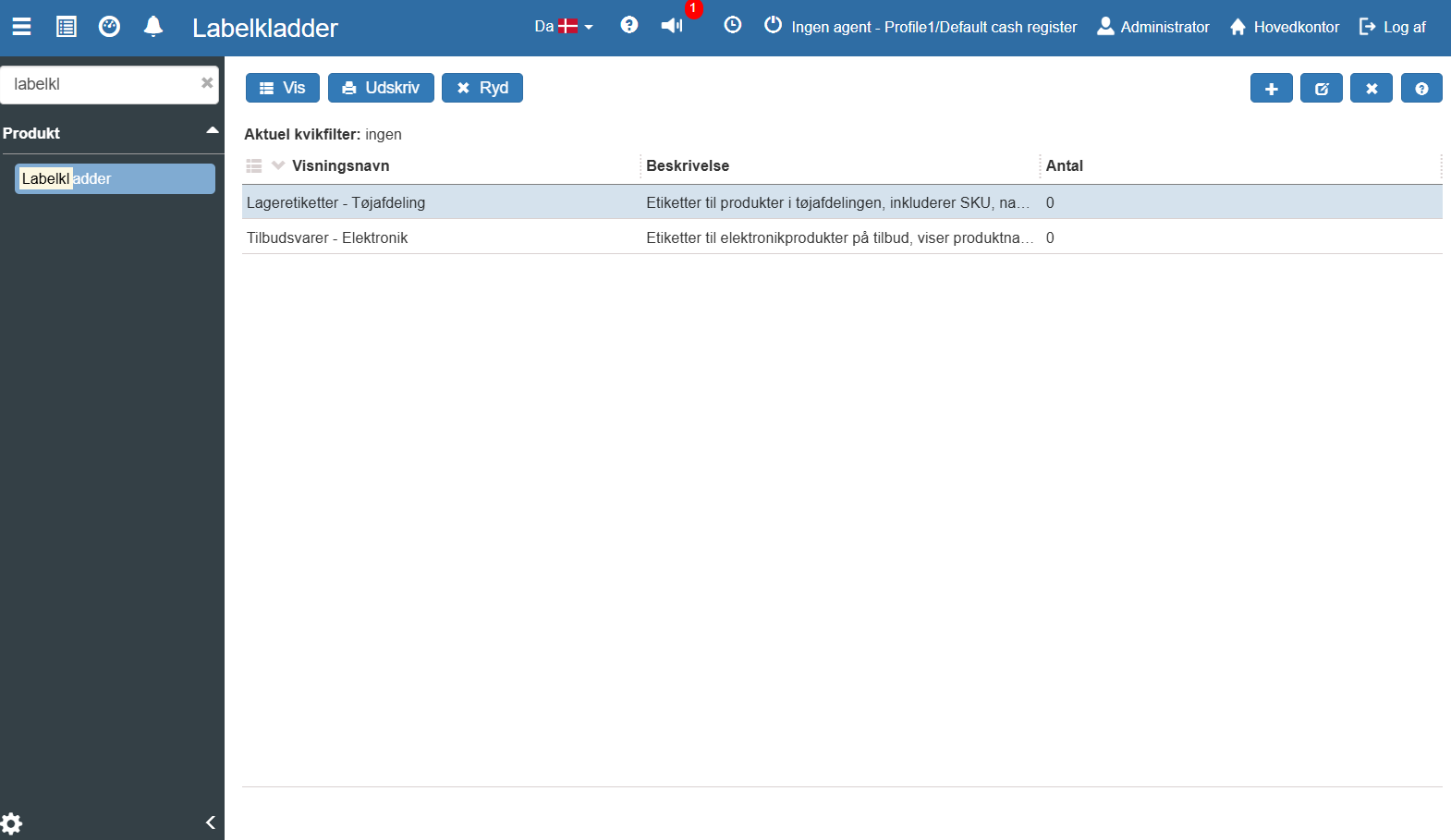
If you need a new journal to collect labels in, do the following:
Click the blue Create icon (+) at the top right of the overview.
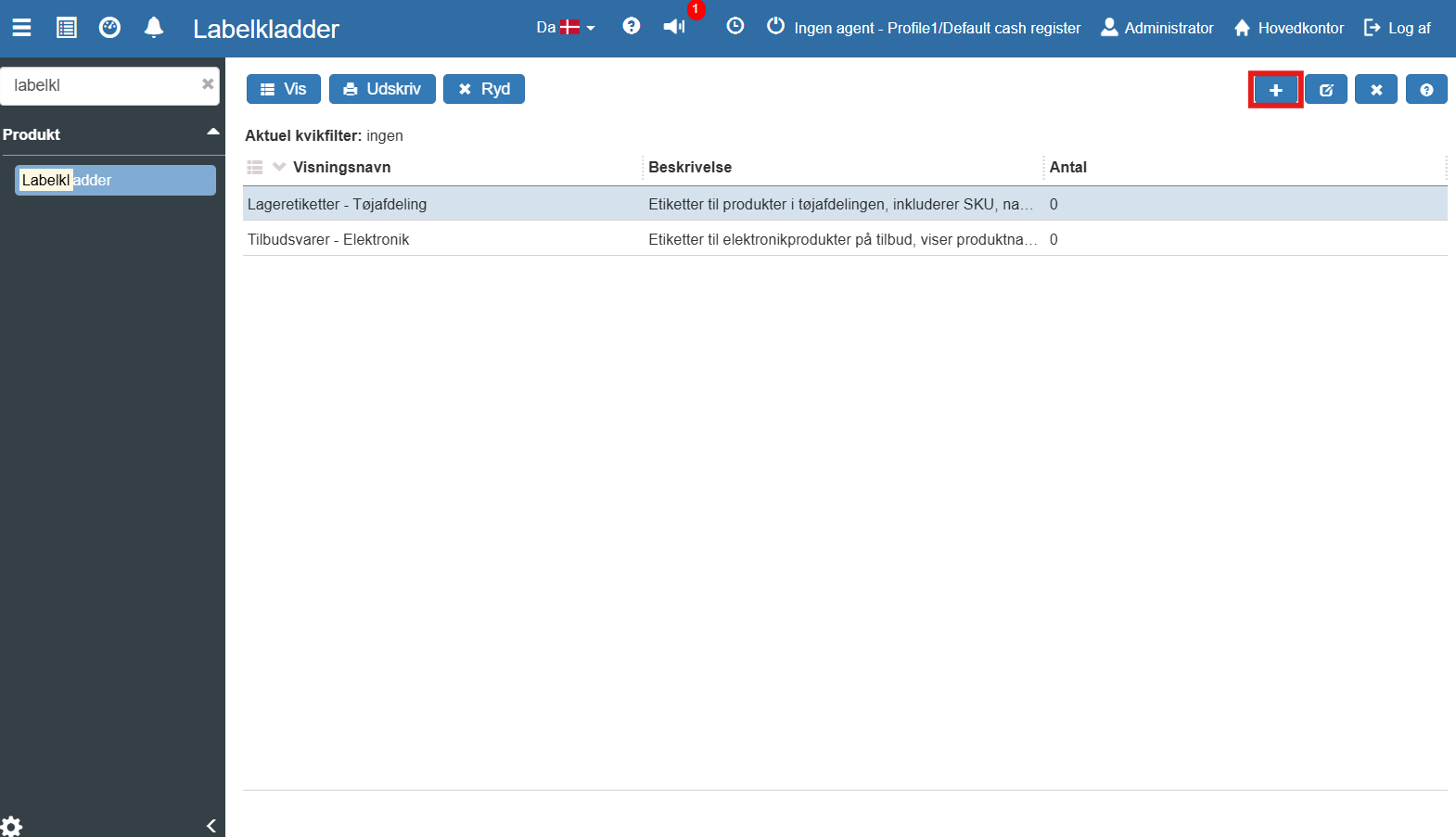
The "Create label journal" window now opens.
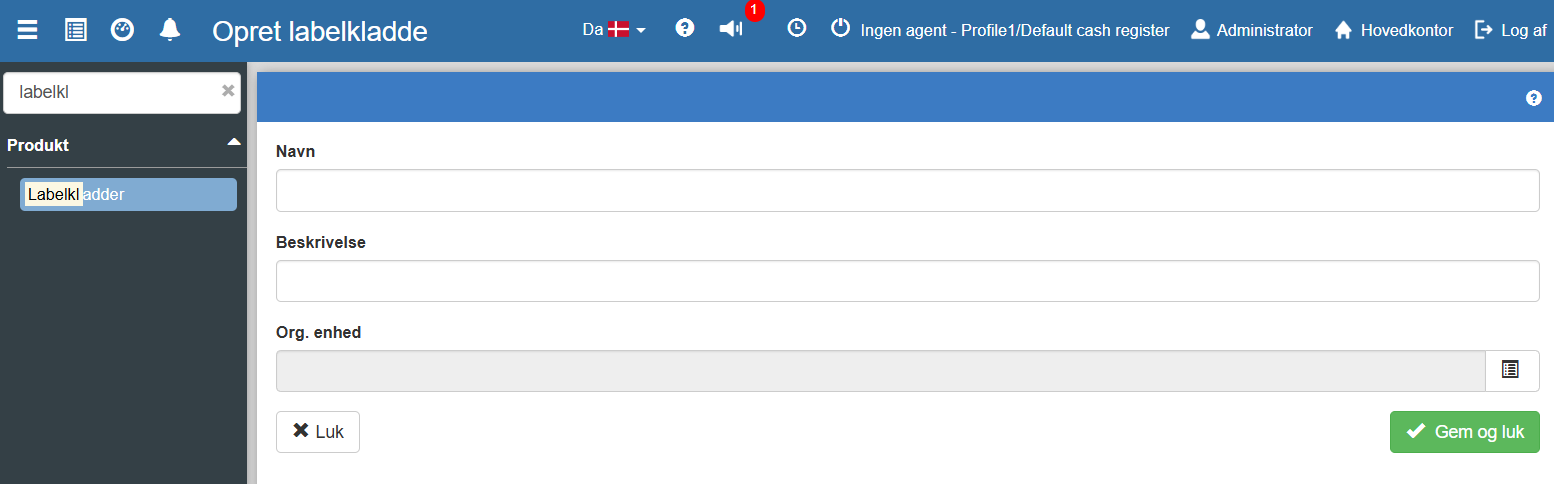
Fill in the fields Name (e.g. "Stock labels - Clothing department") and a short Description of what the journal contains. Optionally select a specific Org. unit.
Click the green Save and close button to create the journal.
You can now open the journal (via the View button) to add the specific products you want to print labels for.
Once your journal is filled with products, you are ready to print. In Sapera you have two options for starting a print:
From the overview: Select the journal in the list and click the Print button in the blue top menu.
Inside the journal: If you have already opened the specific label journal to check the contents, there will also be a print button available in there.
From the product overview: From here you can also print a label by right-clicking on the product.
Print process and troubleshooting (Agent)
When you click print, Sapera communicates with your local printer via a so-called "Agent".
When everything works correctly, the system will give you the message: "Print job sent to agent", after which the printing of labels begins. You may also want to read Crs Agent - printer setup.
Important: If your local print agent is not activated or has lost its connection, printing will fail. In that case you will get the warning: "Error: No connection to agent". Make sure to check that the agent is running on your computer before trying again.
Want to know more?
Read more in these related articles:
Label journals
A label journal is a collection of product lines used to prepare and print labels for your products. Learn how to create journals, add lines, scan barcodes and send to a label printer.
Settings for labels
A walkthrough of all settings under the Labels category in the Inventory module: label printer, direct print, template, margins, paper size and default barcode type.
