
To download an agent for Sapera, click "Download agent" in the menu in the upper left corner.
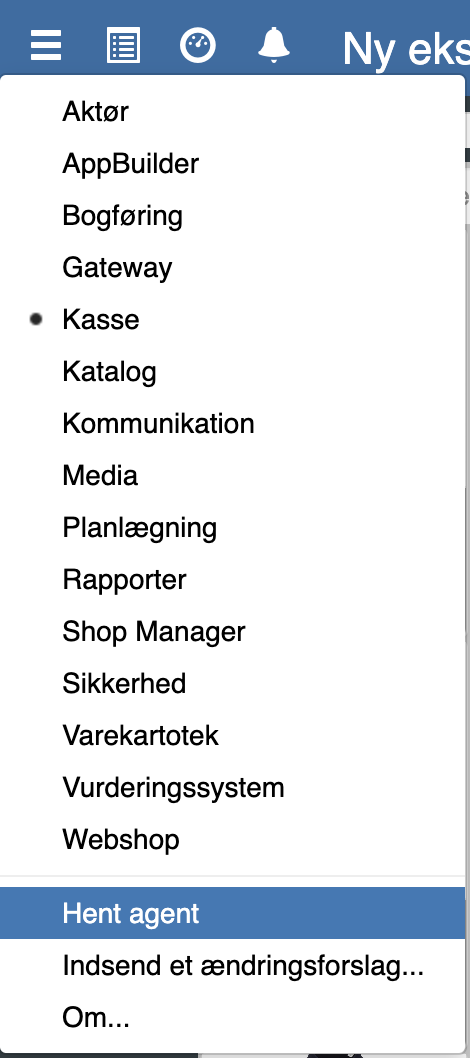
Click "Run" in the box that appears.

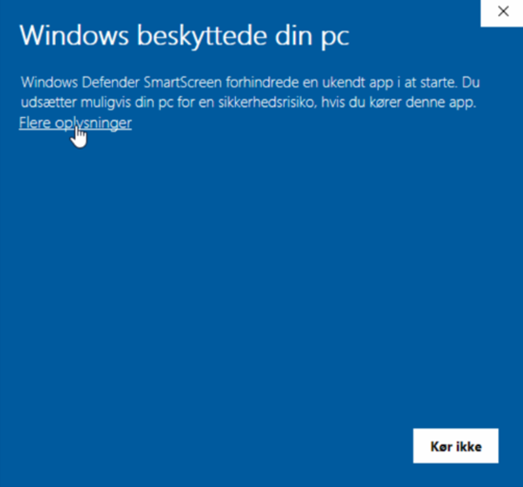
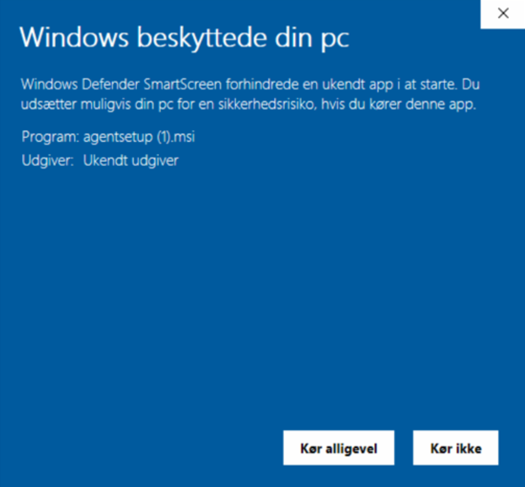
Click "More information" and then click "Run anyway"
You can now use your CRS Agent.
Want to know more?
Read more in these related articles:
CRS Agent - Select agent
This article explains how to install the CRS Agent and select the correct user profile in Sapera
CRS Agent – Restart agent
This article explains how to restart and reinstall the CRS Agent if the connection to Sapera is lost
CRS Agent - Printer setup
This article explains how to change the receipt printer in the CRS Agent and restart the agent to apply changes