When you work with a specific product in Sapera, you don't need to navigate around the entire system to find out whether the item has been ordered, or how many are actually on the shelf. You have lightning-fast access to it all directly from the product's own tabs at the bottom of the screen.
Navigation
To use these functions, open the relevant product via Product -> Products.
Before you create a new order for an item that is on back-order, it is a good idea to check whether a colleague has already ordered it.
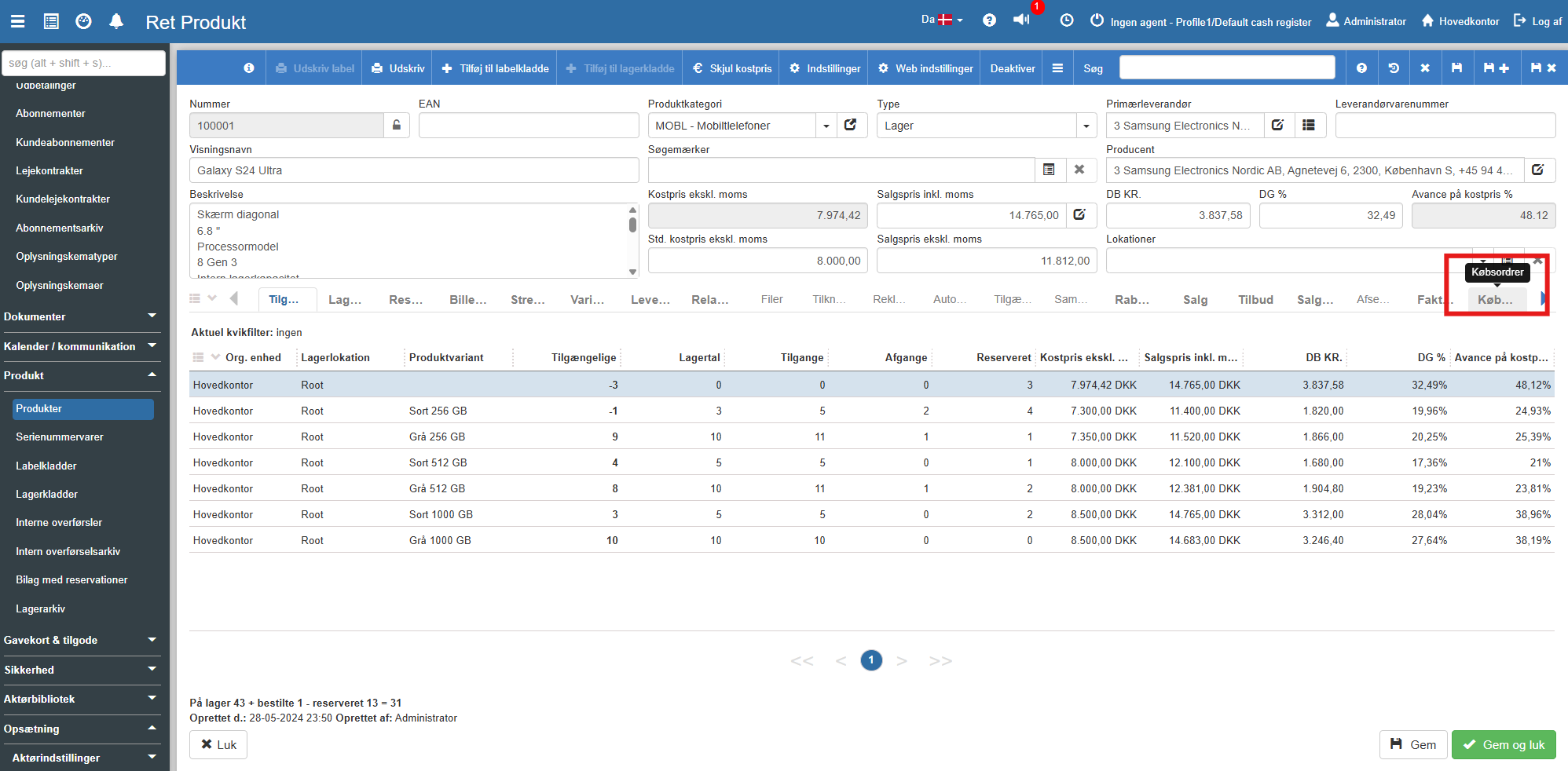
Scroll down to the bottom of the product page and click the Purchase Orders tab.
Here you get a complete list of all the purchase orders in which this specific product is included.
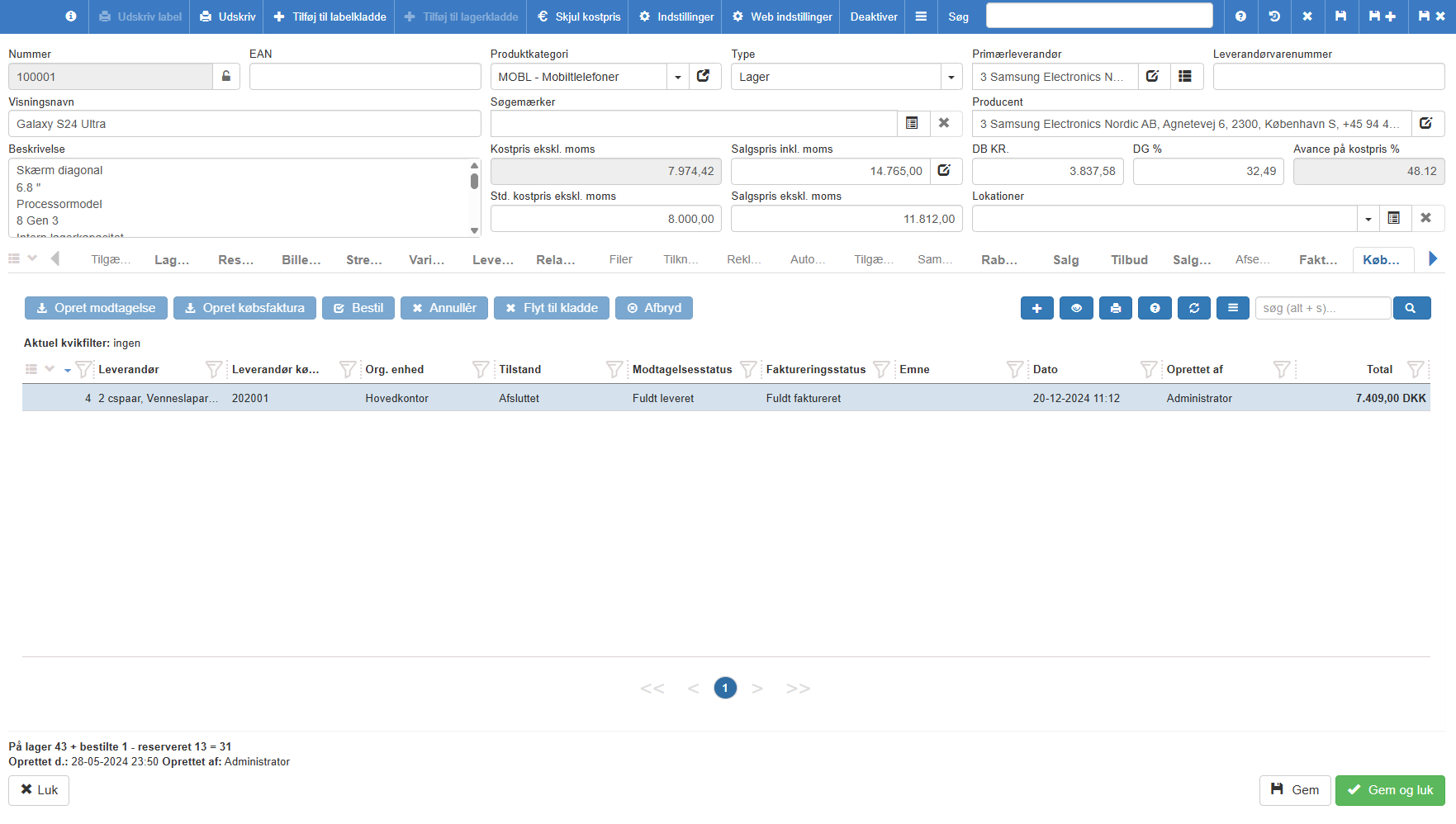
You can easily read the order's State, Supplier and expected Date, so you know whether the item is already on its way.
Tip: All the way down in the bottom-left corner of the screen, Sapera will always show you a lightning-fast calculation of the item's total status, for example: "In stock 43 + ordered 1 - reserved 13 = 31".
If you want to dive deeper into the history and see exactly how your stock figure for the item is made up (along with a count of any variants), you need the availability overview.
Click the Availability tab in the row of tabs.
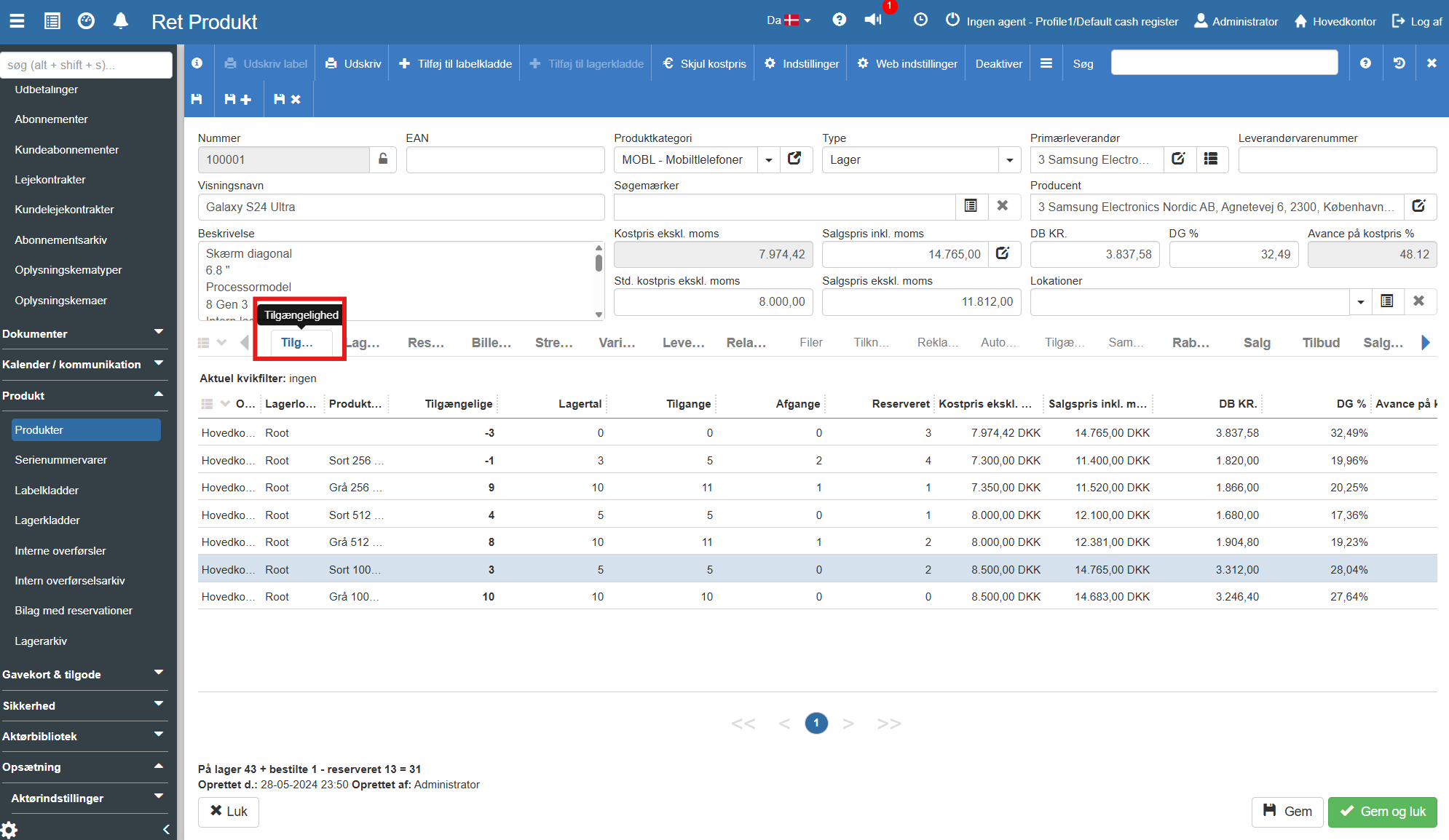
The overview now shows the stock status distributed across your departments (Org. unit) and locations. If the item has variants (e.g. memory size or colour), these are also broken down into individual rows.
Here you can read key figures for the item's history and current balance:
Stock figure: The physical number of items you have counted in the warehouse.
Receipts & Issues: The total number of items that have historically come into and gone out of the warehouse.
Reserved: The number of items currently locked to open sales orders.
Available: The actual number you have ready to sell right now (Stock figure minus Reserved).
Want to know more?
This guide covers the stock overview on the specific product card. If you want to know more about configuring products' rule sets and categories, you can read our guide here:
Product settings
This article explains how to configure individual product settings in Sapera
Product setup
This quick guide explains how Sapera's product design works with inheritance from categories, and how to customise individual product settings.
