
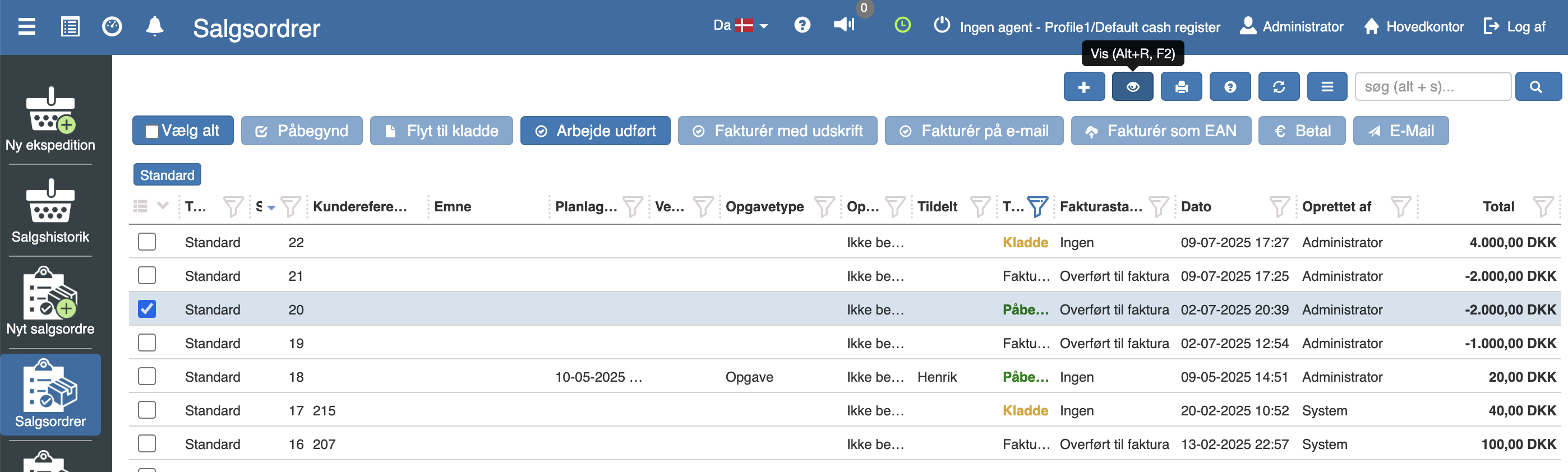
Select the relevant work card in “Pos” → “Sales orders”, and click “Show”
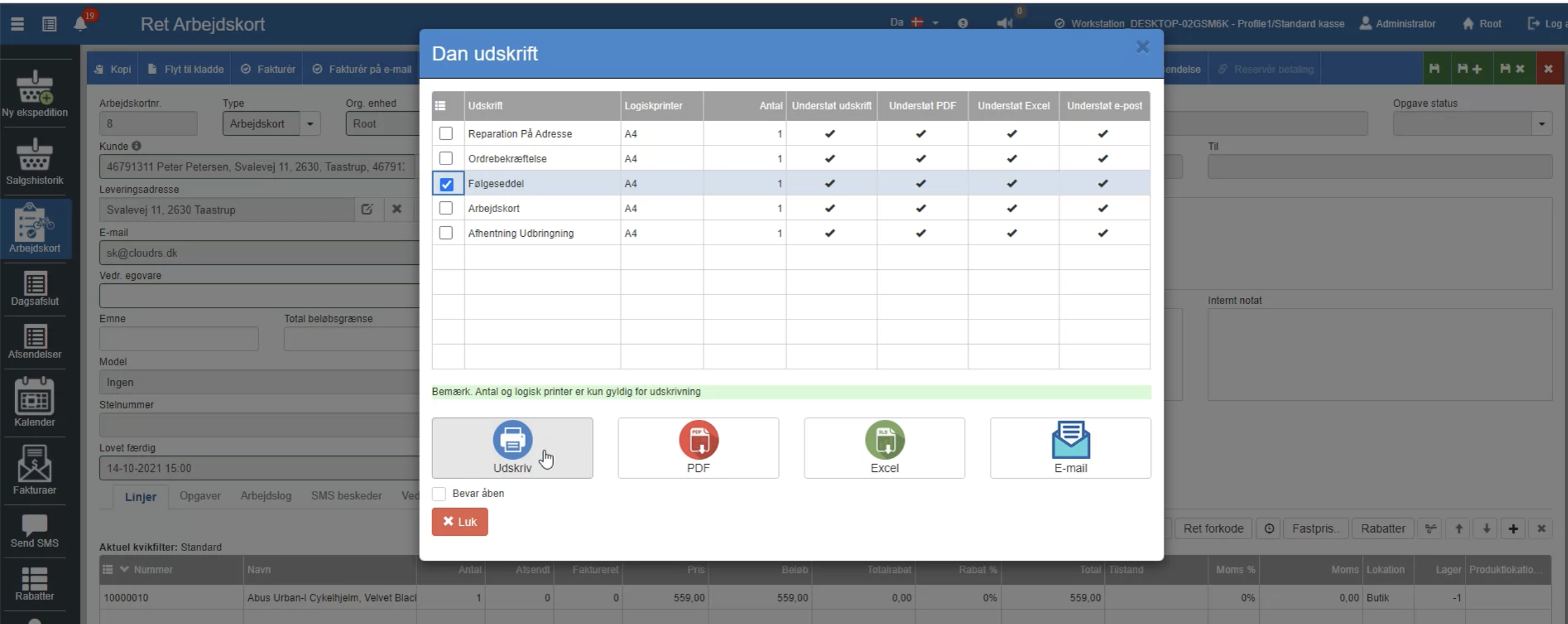
Click “Print”
Select the printout(s) you want.
Then choose whether you want to print it on paper, have it as a PDF file, have it as an Excel file, or have it sent by email.
Want to know more?
Read more in these related articles:
Work card with item
Work card with item
Service card
Service card for a serial number item with master data and planned service steps with dates and prices. Started from the item or a service notification via the printer icon.
Create an invoice and pay it
Create an invoice and pay it