
If you want to sell a gift card, search for it on the left side under the “Search” tab
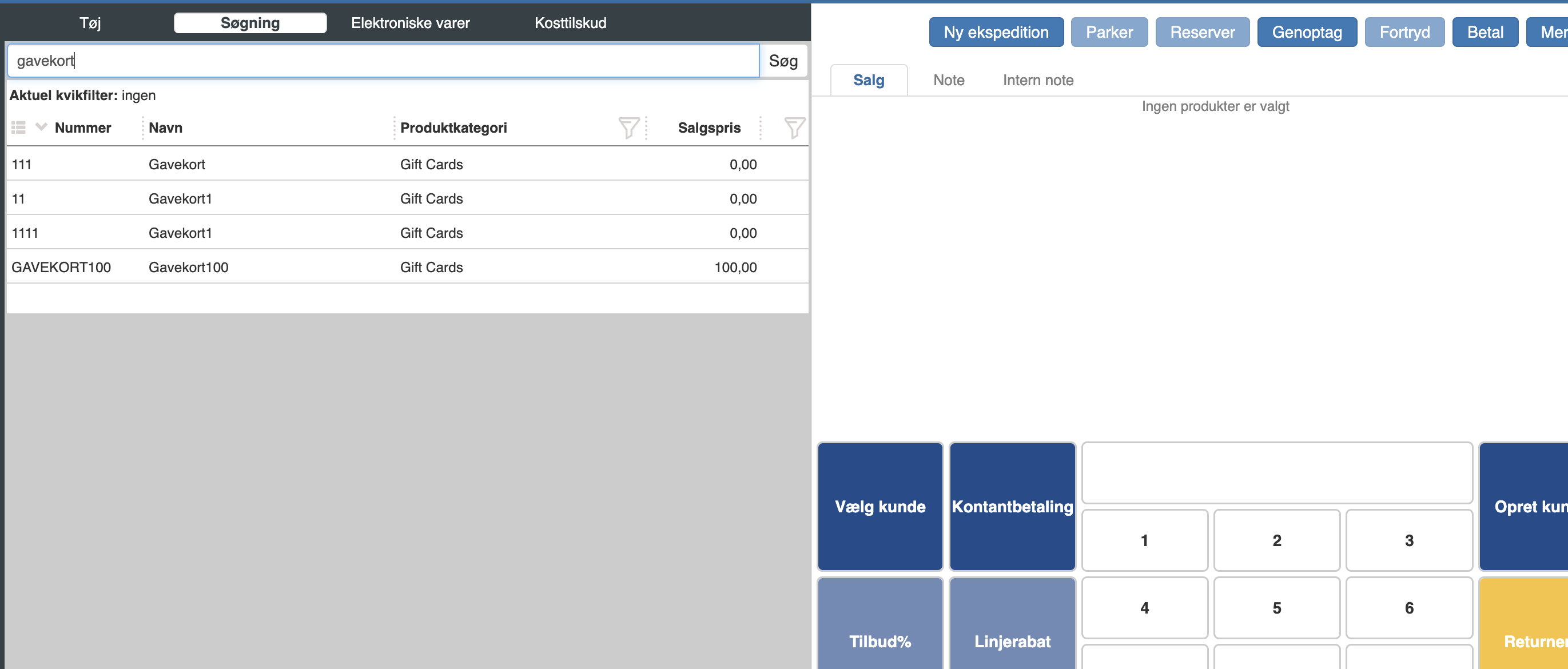
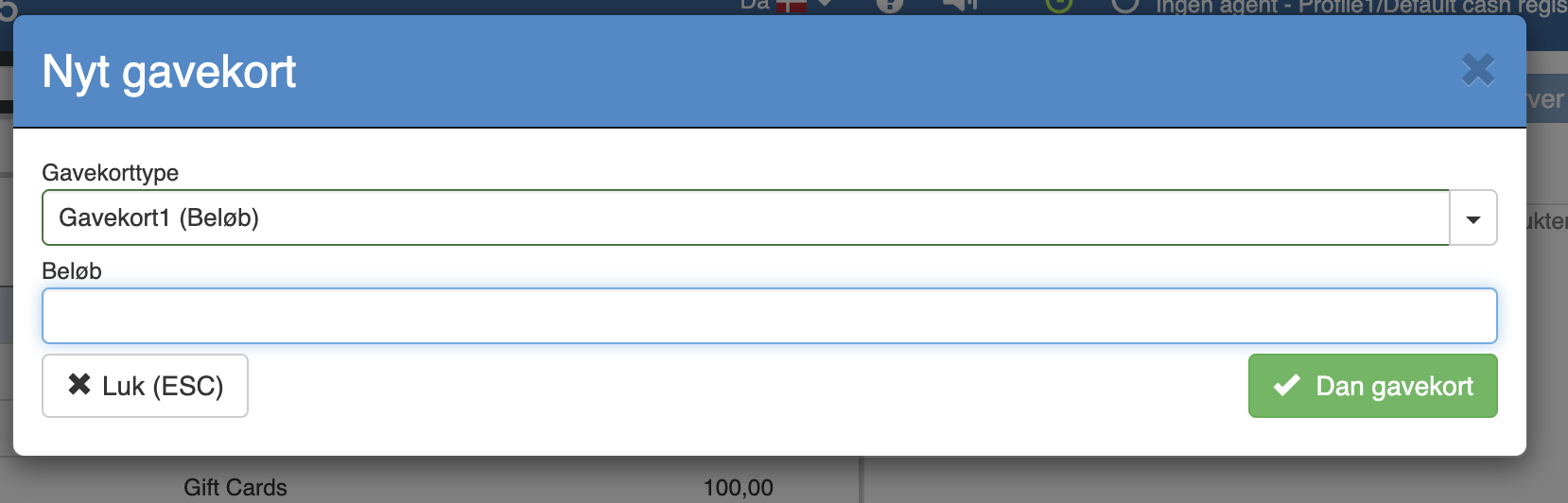
Click the gift card and enter the amount it should hold. Click “Create gift card”
The gift card now appears on an item line.
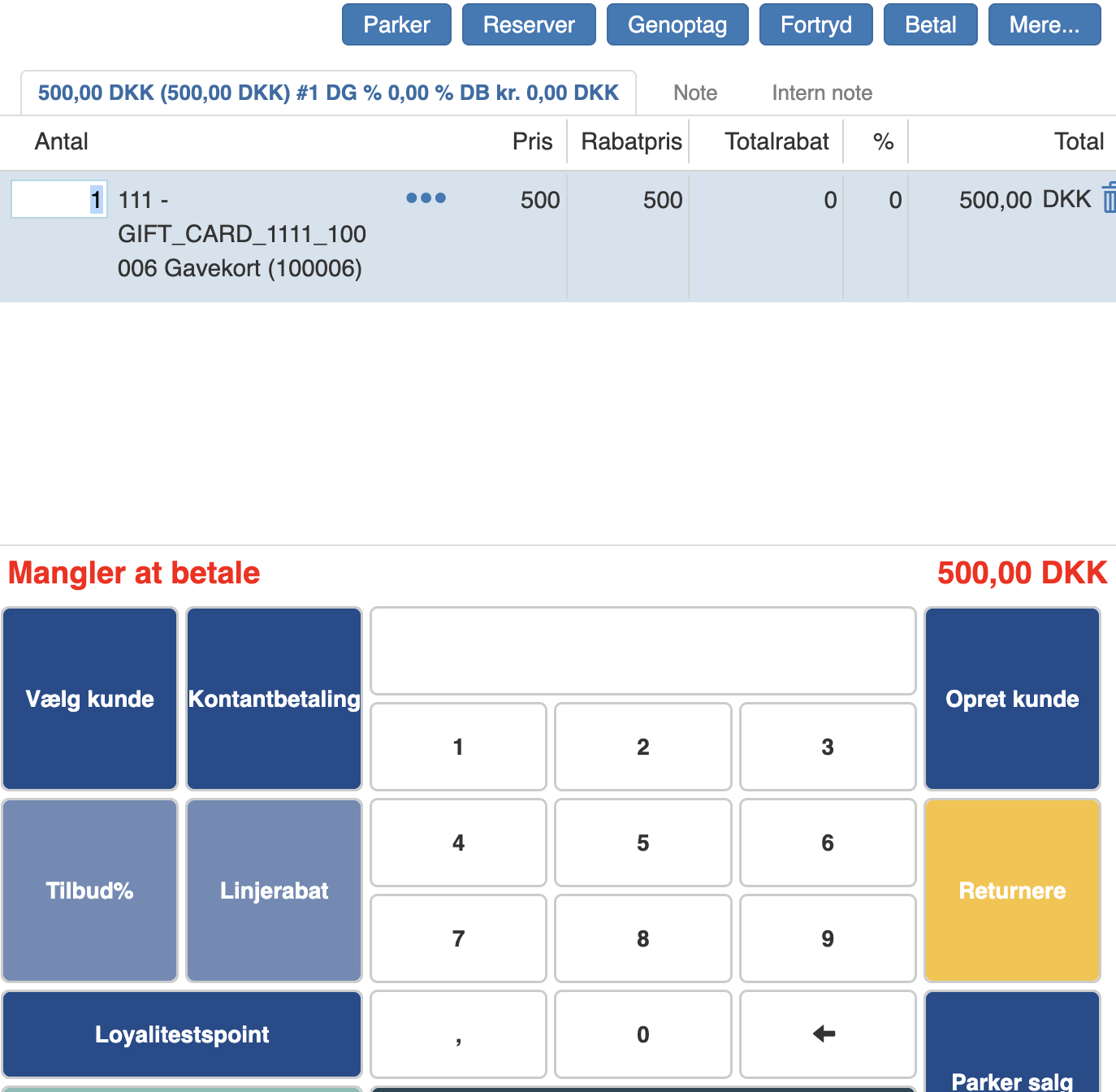
You can now complete the sale.
When you then need to accept a gift card, simply scan the barcode on the gift card.
Want to know more?
Read more in these related articles:
Gift cards
Manage gift cards in Financial: create, sell, redeem and cancel gift cards, and set up gift card types as templates.
Gift card types
Create and manage gift card types in Sapera Financial. A gift card type defines the item number, display name, amount and redemption rules for gift cards sold in the Pos and in administration.
Gift card settings
Review of the gift card settings in Sapera, including automatic creation on sale, restriction to the Pos and generation of web codes.