
In the Pos you can generate exchange tags on either individual items or all items in the purchase.
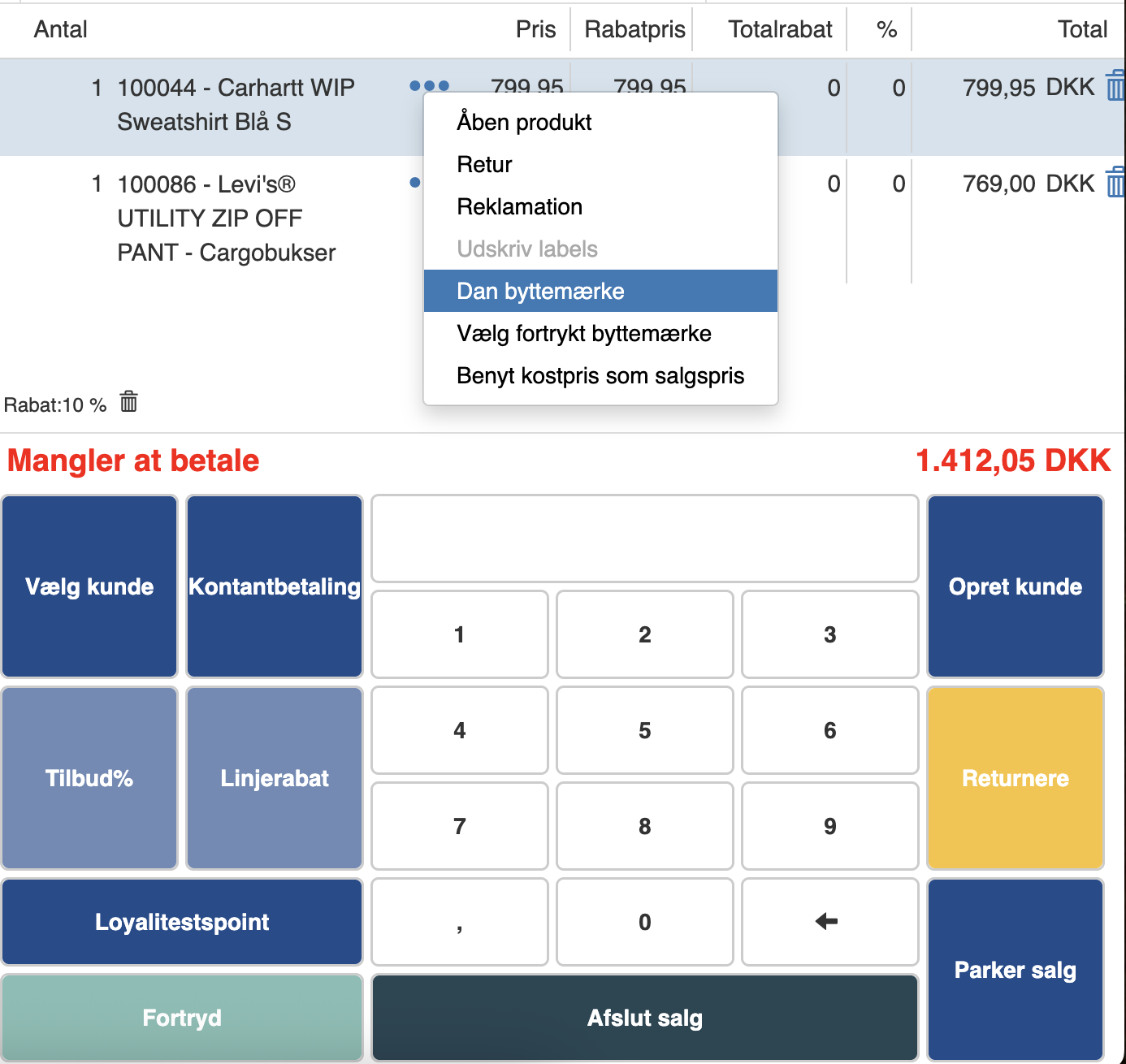
To generate an exchange tag on a single item, click the 3 dots next to the item's name and click “Generate exchange tag”
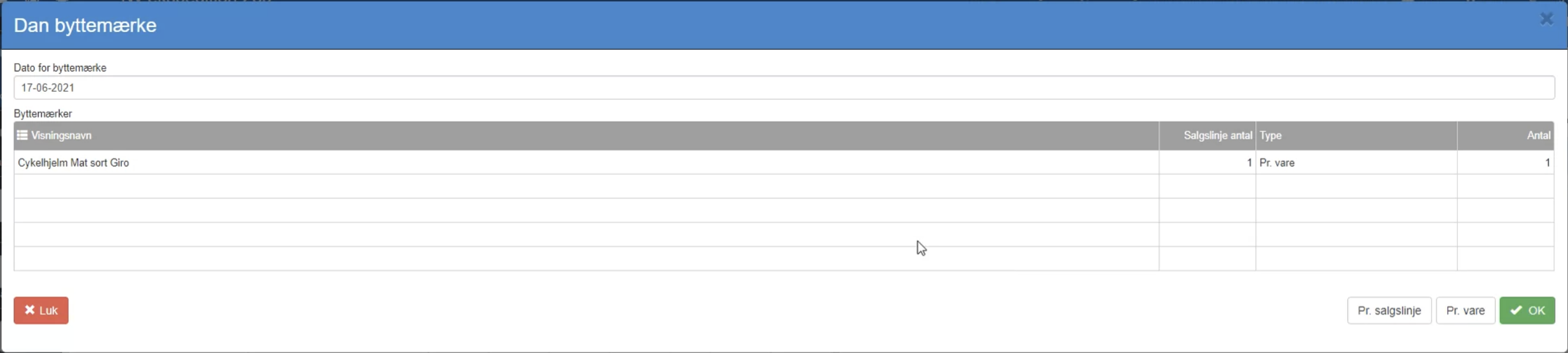
In here you can enter the date by which the exchange tag must be used at the latest.
Then click “OK”
The exchange tag will then be printed.
If you want exchange tags for the entire purchase, click “More” and then click “Generate exchange tags for all lines”.
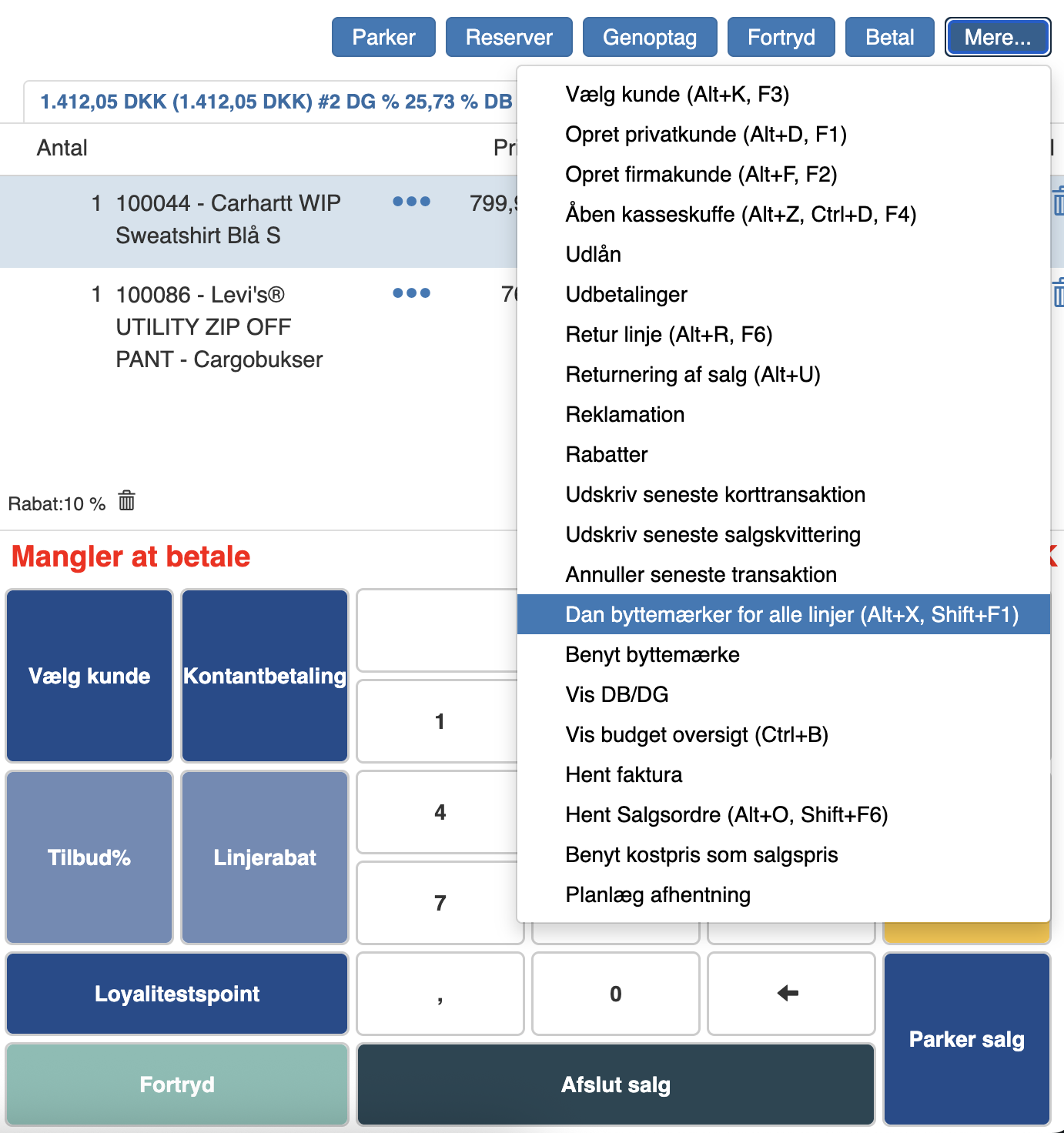
Here you also enter the expiry date on the exchange tags, and they will then be printed.
Want to know more?
Read more in these related articles:
Exchange tags (printout)
Exchange tags are the labels the customer gets from the Pos so items can be exchanged within the exchange deadline. The printout is generated automatically at the sale and requires no parameters.
Exchange tags
How to set up exchange tags in Sapera: validity, choice of activation date, as well as template, margins and paper size for direct printing.