
If you are in the middle of a transaction that for some reason needs to be interrupted for a while, you can park the sale.
You do this by clicking “Park sale”, after which the Pos is ready for a new user.
When you want to bring the sale back up again, click “Resume” and select the transaction you were working on, then click “OK”
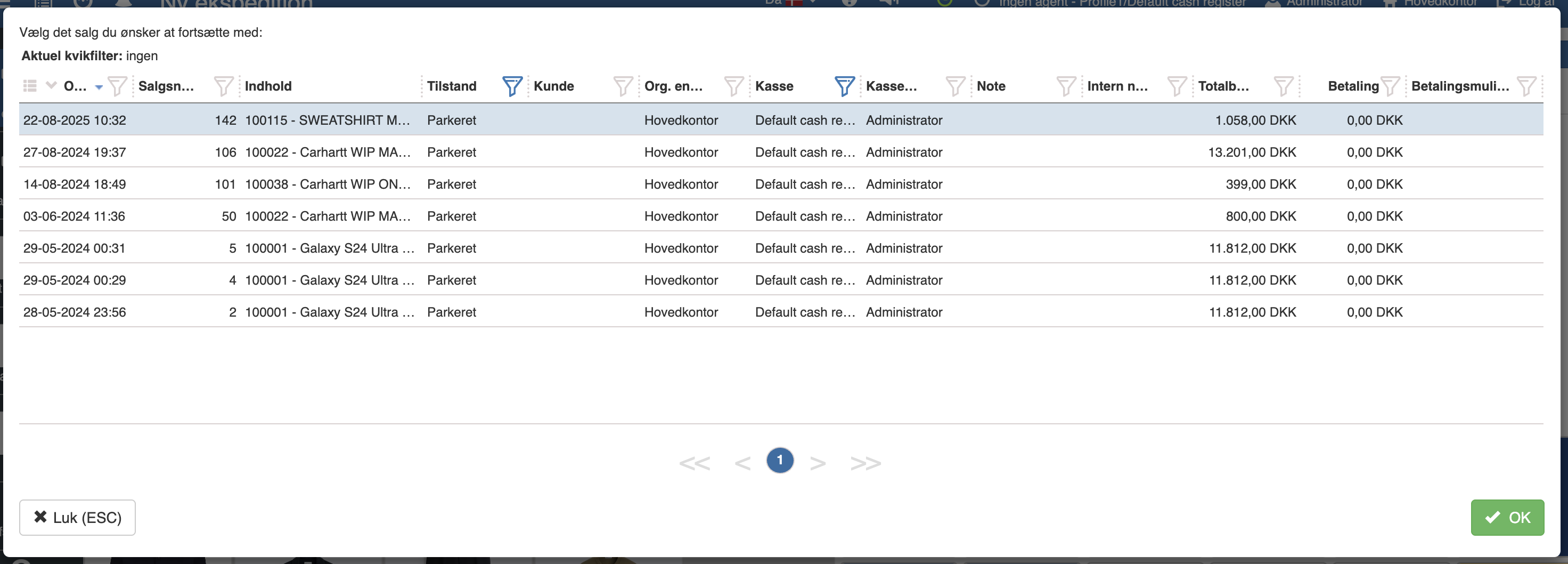
You can now continue your transaction.
Want to know more?
Read more in these related articles:
New transaction
How to start a new transaction in the Pos by selecting a clerk and beginning the sale.
Overview of the Pos screen
In this article we go through the layout of the Pos screen (the POS interface) in Sapera. The purpose is to give you a quick overview of the various functions and buttons you encounter when completing a sale.
Creating a sale
This article reviews the process of creating a new transaction, adding items to the cart and completing the sale via the Pos module.