
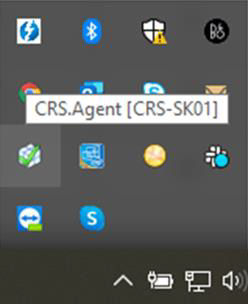
To use Sapera, a CRS Agent must be installed. In this example, the CRS Agent is named "CRS-SK01". The agent has the same name as your PC.
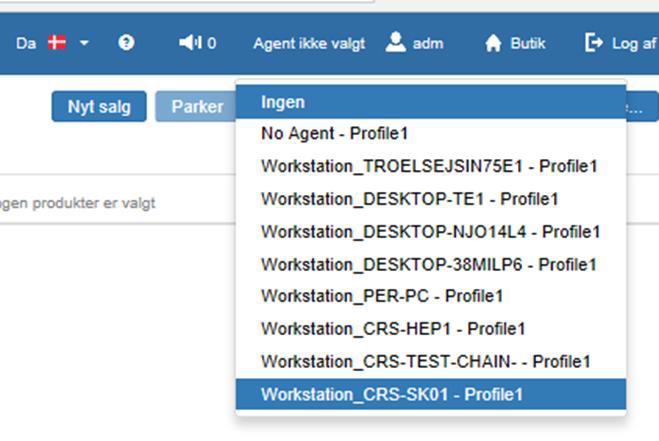
The user at the POS must be linked to the CRS Agent, so it is important to select the profile in Sapera that has the same name as the CRS Agent. In this example "Workstation_CRS-SK01 – Profile1"
Want to know more?
Read more in these related articles:
CRS Agent - Download agent
This article explains how to download and install the CRS Agent via Sapera – from download to activating the agent profile.
CRS Agent – Restart agent
This article explains how to restart and reinstall the CRS Agent if the connection to Sapera is lost
CRS Agent - Printer setup
This article explains how to change the receipt printer in the CRS Agent and restart the agent to apply changes