
If you want to access end-of-day closing, this can easily be done by opening the hamburger menu in the left corner and clicking “Pos”. Then find “End-of-day closing” and you will be taken to an overview.
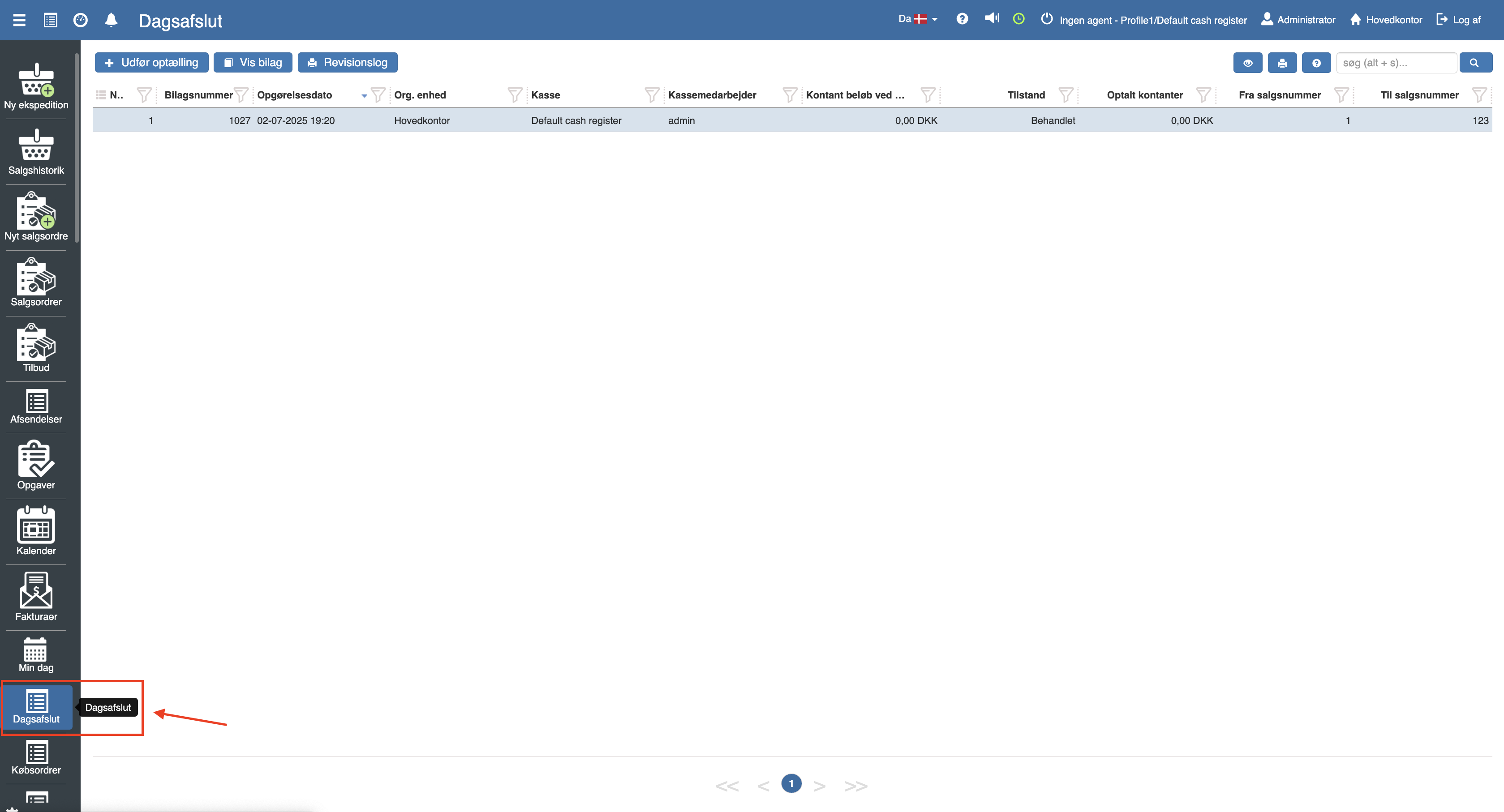
Click “Perform count” and the following menu will open:
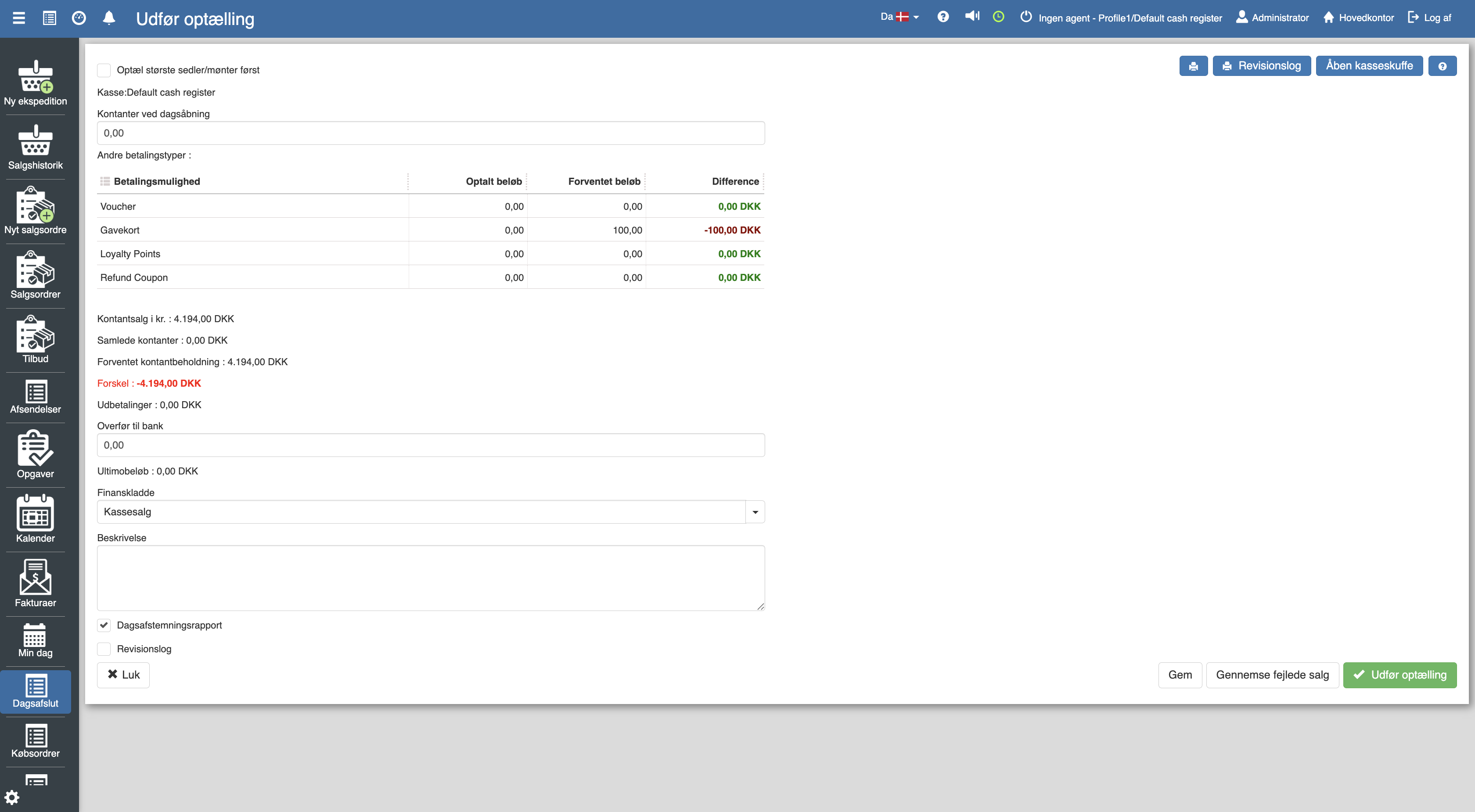
Once you have filled in the entries you have 3 options.
Save the data so you can access and complete the count later.
Review failed sales
Perform count
Want to know more?
Read more in these related articles:
End-of-day closing
A walkthrough of the end-of-day closing's list view and edit view in the Pos app: columns, actions, fields, states, error scenarios and permission requirements.
End-of-day closing (printout)
The printout of a completed end-of-day closing shows the day's sales, payments, counted cash and any discrepancies for the register.
Cash reconciliation
This article shows how you perform an end-of-day closing in the Pos module