
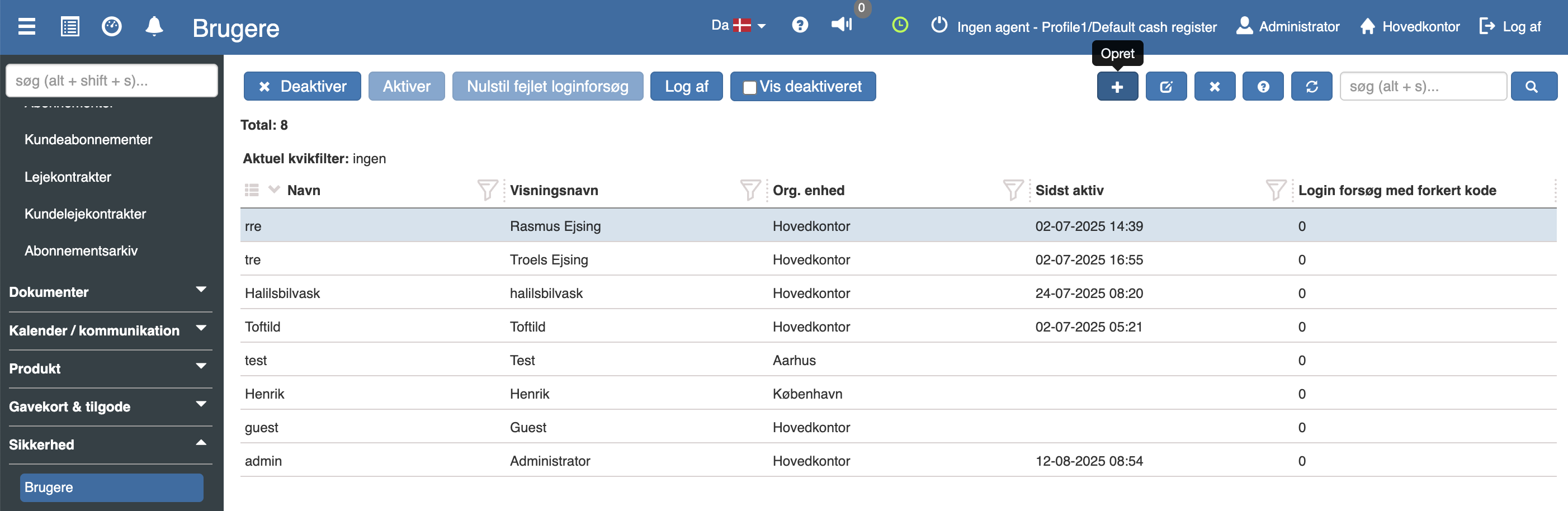
See your users under “Financial” → “Security” → “Users”.
To create a new user, click “+”
Here you must fill in:
Name → The user's name
Display name → The name that will be shown
Org. unit → Department
E-Mail → The user's e-mail
Password → A password that meets the requirements
Group membership → What the user should have access to
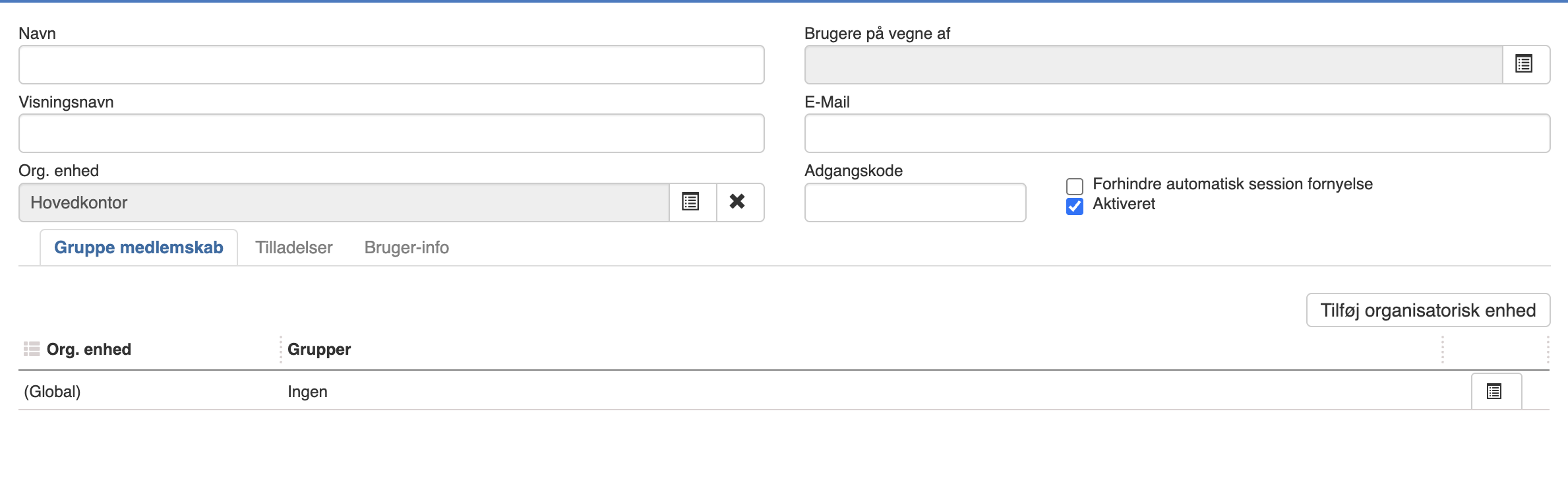
Then click “Save”. The user is now ready for use.
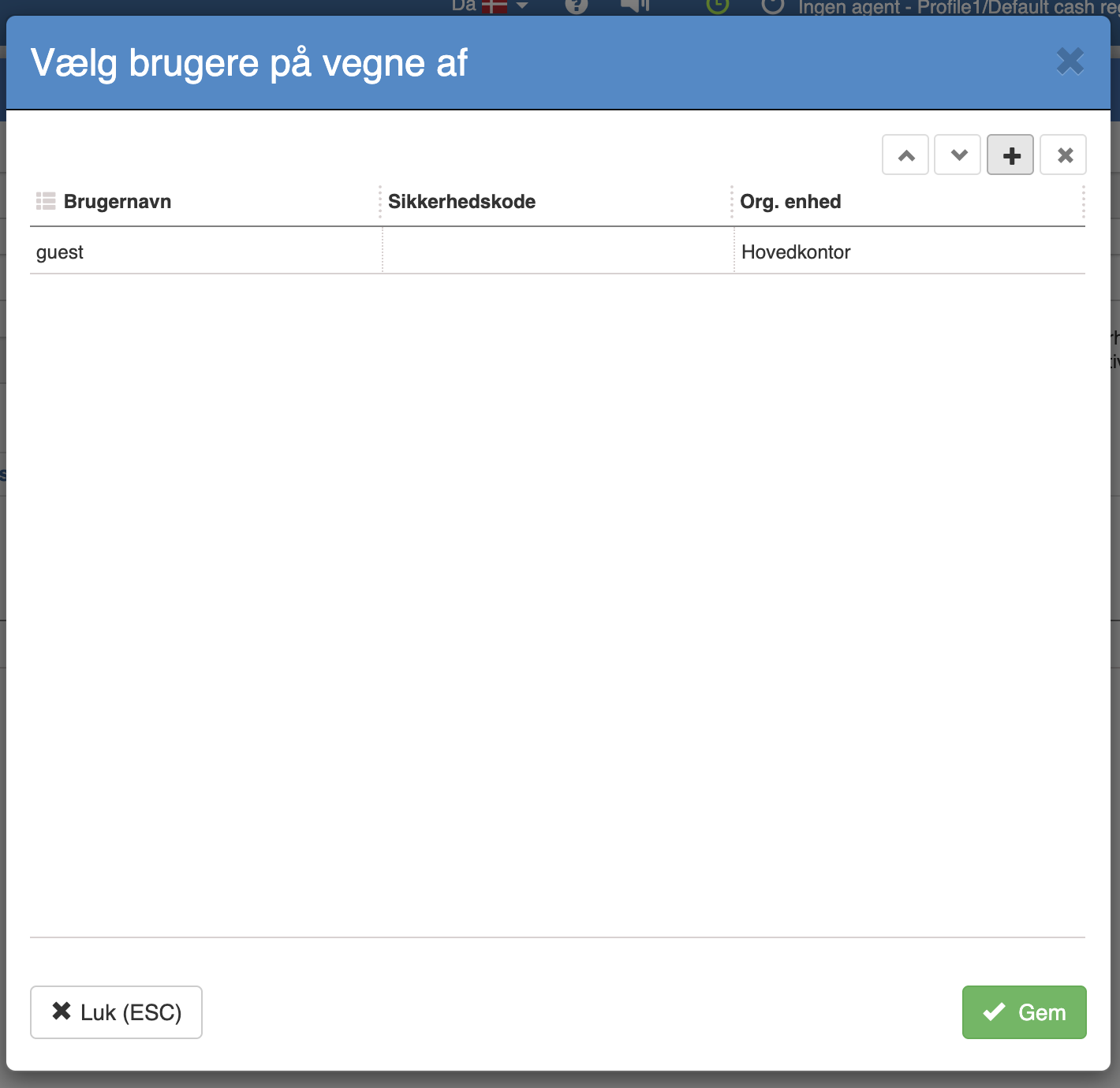
If you have, for example, a business user from which you would like to be able to switch to a personal user, you must, on the business user, select the user under “Users on behalf of” and click “Save”.
Want to know more?
Read more in these related articles:
Users
Create and manage users in Sapera: the user list with filters and columns, all actions in the toolbar, editing field by field, tabs with access and permission management, change password and two-factor authentication.
Groups
Create and edit security groups in Sapera, control what the members have access to via the Permissions tab, and manage membership, group info and token period settings.
Login security
Get an overview of login attempts, control which IP addresses are allowed to log in, and select which login security method your store should use.