
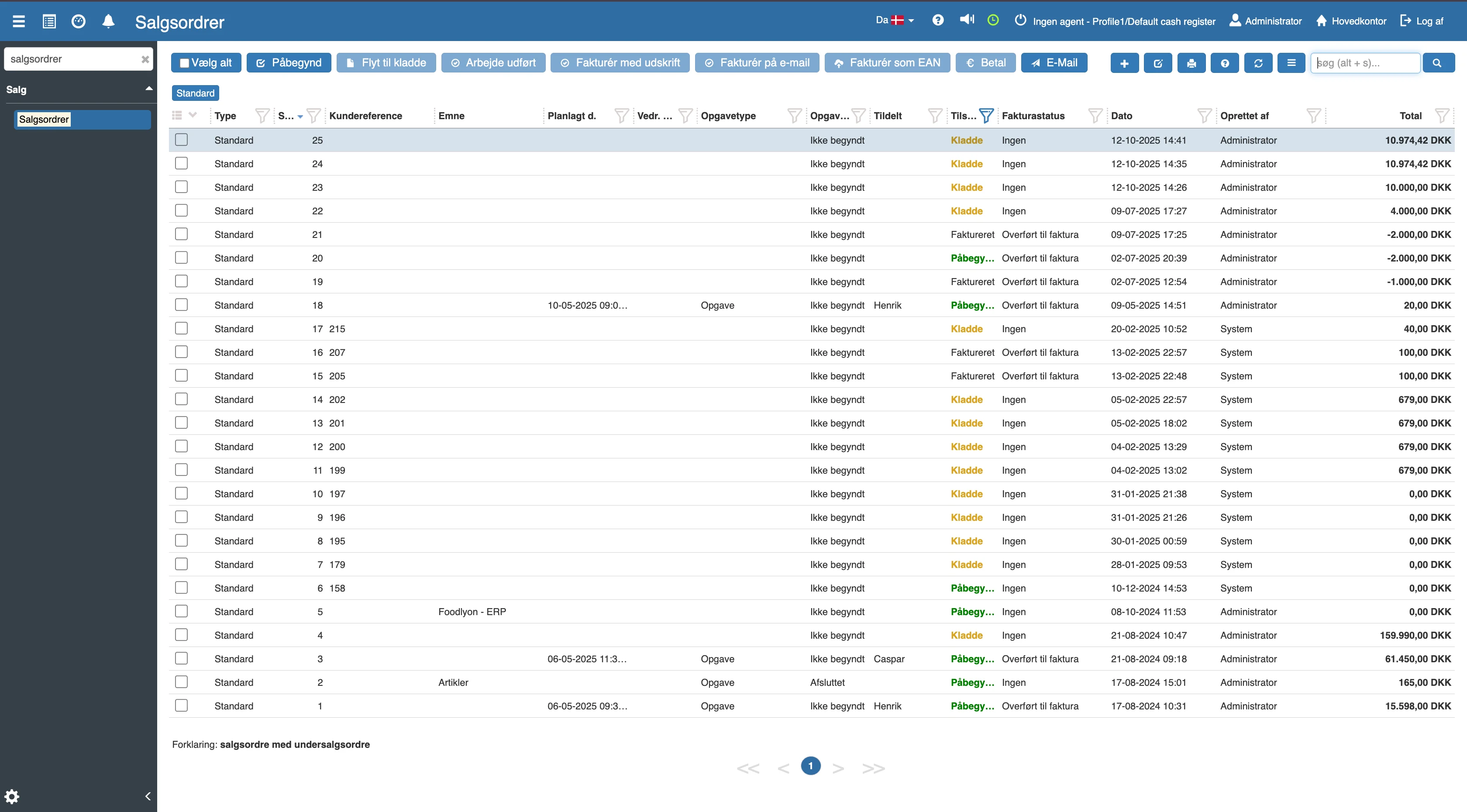
How do I access a sales order?
If you want to access a sales order, this can easily be done by opening the hamburger menu in the left corner and clicking “Financial”.
How do I create a sales order?
To create a new sales order, this can easily be done by clicking the blue "+" icon in the top right corner.
The following menu will now open, and you need to fill in the relevant fields.
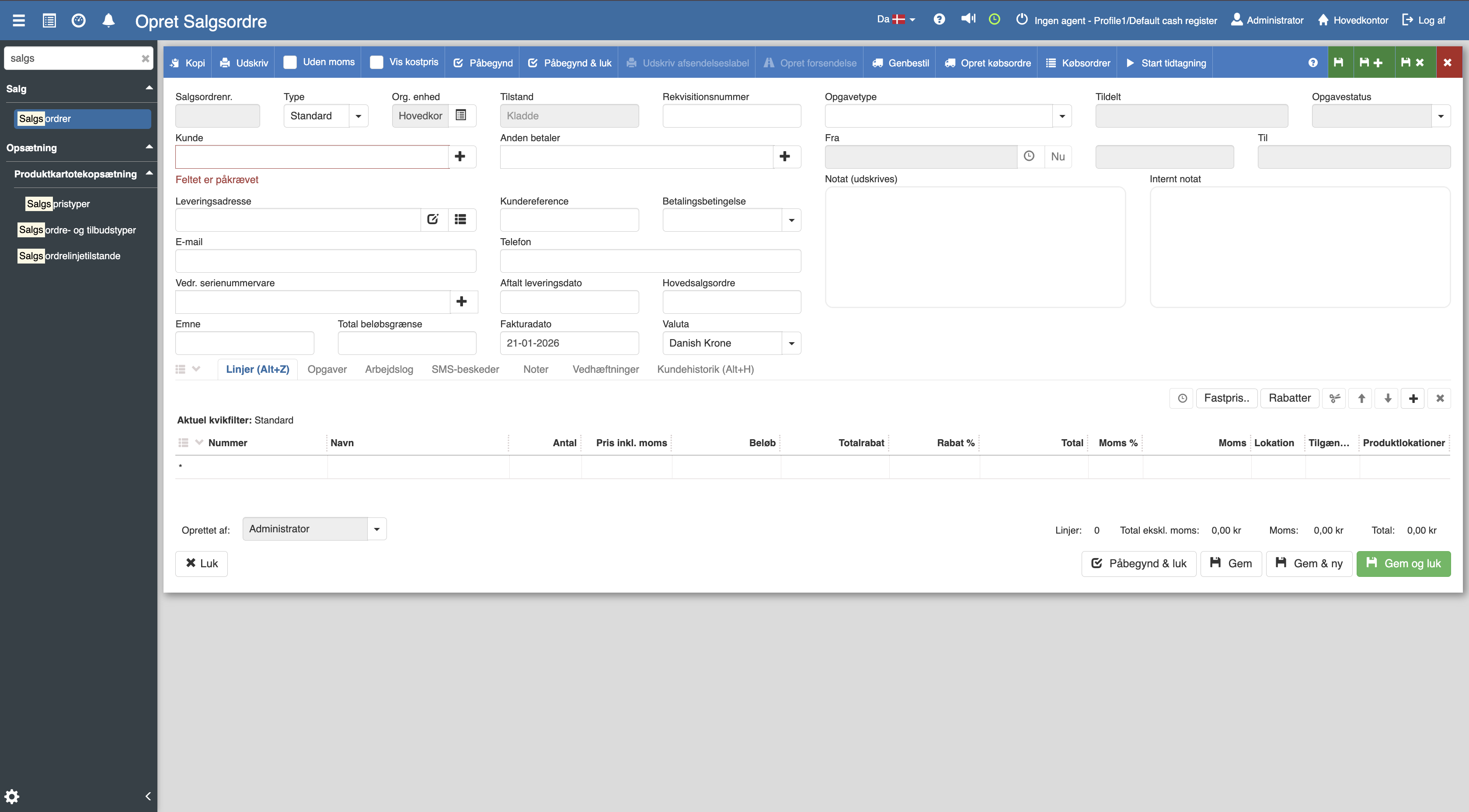
When you have filled in the fields, remember to click “Save and close”.
Sales orders
This article explains how sales orders are created and handled in Sapera