Stock journals are a central tool in Sapera when you need to adjust your stock balance manually. This is where you carry out the annual or ongoing stock count (status), record damaged items, or move items internally between departments.
Navigation
You find the module by opening the main menu on the left (Financial) and searching for or clicking Stock journals under the product section. Here you get an overview of your current default journals.
If you need a new journal for a specific task, do the following:
Click the blue Create icon (+) in the top-right corner of the overview.
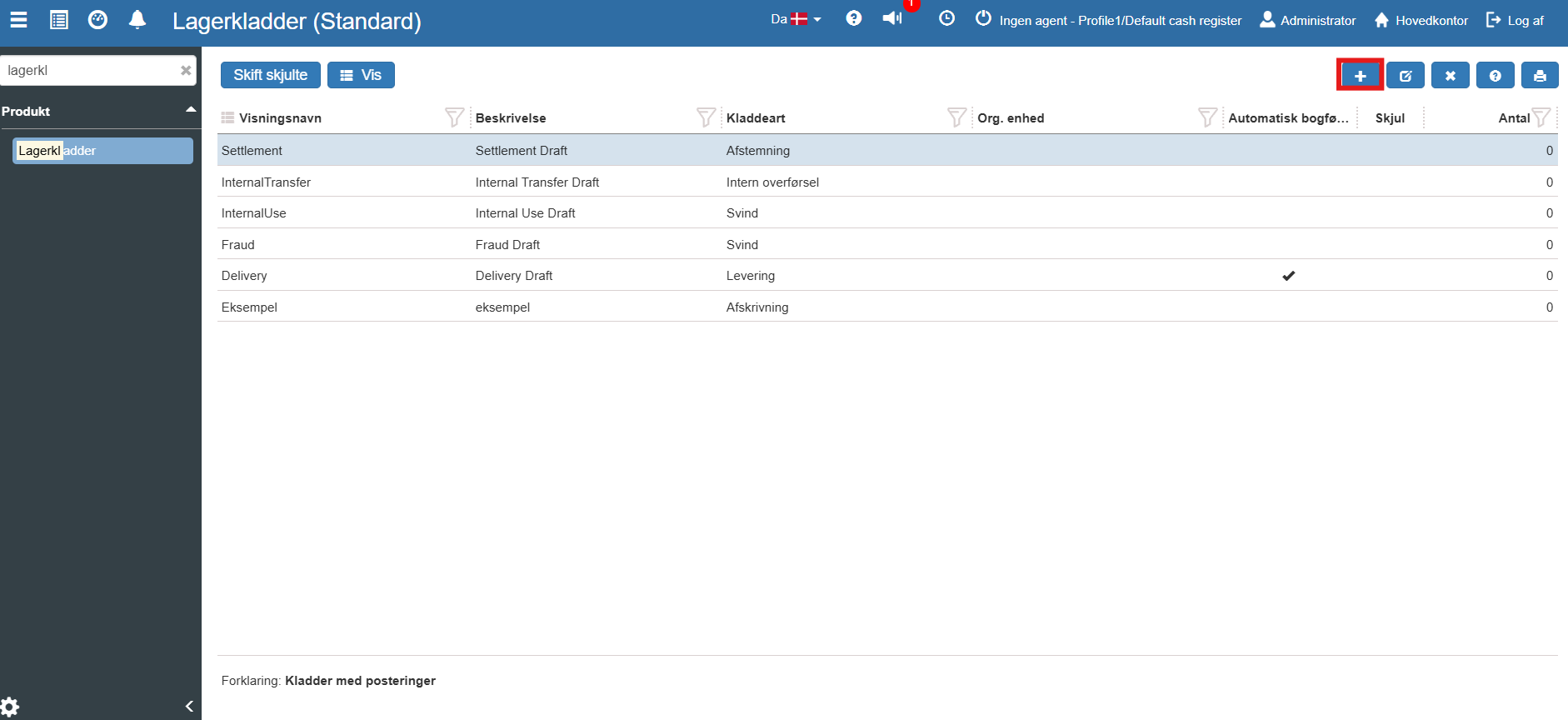
The "Create Stock journal" window opens:
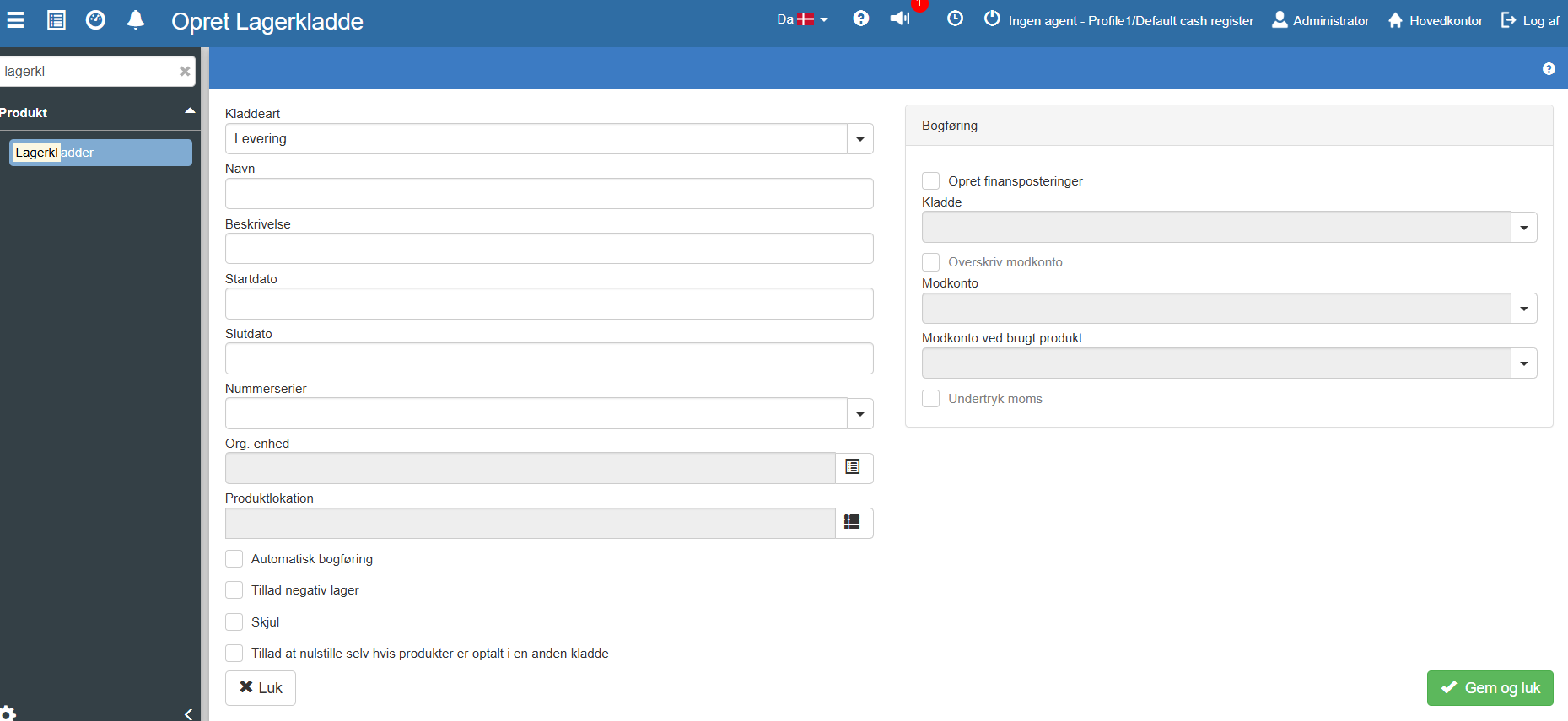
The most important field here is Journal type. The choice here determines how the system handles the movement.
You can choose between:
Reconciliation: Used for the classic stock count (status), where the counted quantity overwrites the system's expected quantity.
Shrinkage: For recording items that have been stolen, lost or damaged.
Write-off: For items that have lost their value and need to be written out of stock.
Internal transfer: For moving items from one location or department to another.
Delivery & Adjustment: For other manual adjustments of the stock balance.
Complaints: For handling defective items that are returned.
Fill in the basic fields such as Name, Description and possibly the specific Org. unit or Product location the journal should apply to.
To the right you find Posting. Here you can tick "Create finance postings" if the adjustment (e.g. shrinkage) should automatically generate a posting in your accounts. You can also specify specific offset accounts.
Click Save and close to create the journal.
Once the journal is created (or you want to use one of the existing ones, e.g. for status), open it to add your item lines:
Search for the desired journal in the overview, for example "Settlement" (which is used for reconciliation/status).
Select the journal by clicking on the row.
Double-click it or click the View button in the blue top menu.
You are now taken directly to the journal's Postings, where you can begin scanning or manually entering the items and quantities you want to adjust or count.
Want to know more?
This quick guide covers the creation and navigation of stock journals. If you want an in-depth walkthrough of how to perform a complete stock count (status) step by step, or how the finance postings come through in the accounts, you can read our full guide here:
Stock journals
This article explains how to create a new stock journal and configure posting fields in Sapera
