Start by opening "Financial" in the menu in the left corner.
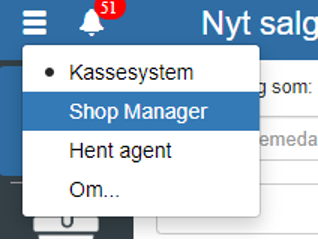
Then click "Setup" and select "Finance setup"
You can also search for "Finance setup" by clicking the search field in the upper left corner.
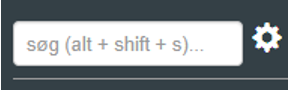
NOTE: if you cannot find "Finance setup", it is because you have not been granted permission for it. In that case, you can contact support to get access.
Under "Finance setup", the following items must be addressed:
Accounting name (can be changed under "Financial" → "Setup" → "Accounting names")
First balance account
Global voucher series
Default sales account
Default discount account
Default sales account without VAT
Default used-goods sales account
Default cash account
Default bank account
Default gift card account
Rounding account
Default payout offset account
Default customer account
Inventory - increase
Inventory - decrease
Default cost of goods account
Default supplier account
Cash overage
Cash shortage
Default credit note account
Year-end result account (must be set up to perform year-end closing in Sapera)
Opening time (applies only to businesses that are open at night)
Invoice posting journal
Purchase invoice posting journal
Default payment option
Automatically settle invoice (applies only to webshops)
Send journals to Winkas (applies only to Winkas)
The accounts you enter will also be the accounts the product categories have by default (the individual account(s) can also be changed under the respective product category).
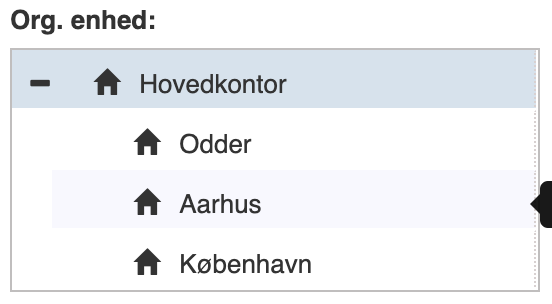
If you have more than one department (organizational unit), they can also be configured individually by selecting the respective department in the upper left corner.
REMEMBER to finish by clicking "Save"
Want to know more?
Read more in these related articles:
Accounting - Creating accounts
This article explains how to create new accounts in the chart of accounts via Financial
Chart of accounts
Get an overview of all accounts in the company's chart of accounts. Create, edit and delete accounts, follow movements, and manage budget and periods directly from this screen in Financial.
Finance setup
The finance setup determines which finance accounts and posting journals Sapera uses when the system automatically generates entries for sales, purchases, day-end closing, inventory adjustment and year-end closing. Here you configure default accounts, journals and integration settings per organizational unit.
