

Where do I calculate interest?
To calculate interest in Sapera, you do it from the "Customers" function.
1. From the customer list, open the hamburger menu next to the search field.
2. Click "Calculate interest".
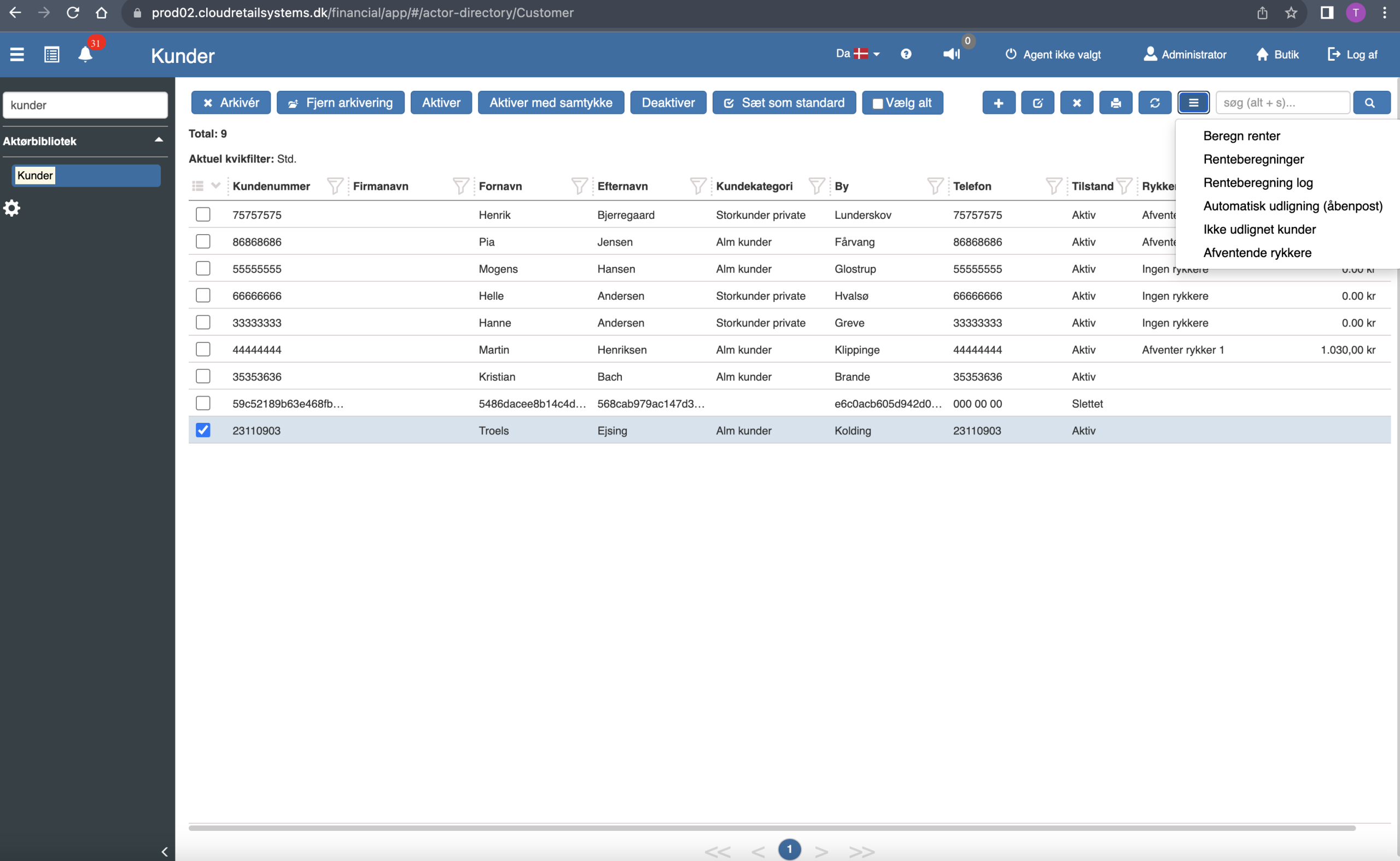
Calculate interest charges interest on the selected customers. You can filter the customer list, for example by customer category. All filters from the customer list can be used to select which customers interest should be charged on.
The interest calculation keeps track of which entries have already had interest charged, so running it more than once does no harm.
What does the interest calculation do?
The interest calculation reviews the selected customers' overdue, unpaid entries and charges interest based on the accounting interest settings. You configure the settings under interest calculation — here is what they control:
Interest rate and period (Default interest rate / Interest period): Interest is calculated as the overdue balance multiplied by the default interest rate per interest period — month, quarter, half-year or year.
Due date tolerance (Due date tolerance period in days): No interest is charged until the specified number of days after the due date has passed.
Only after reminder (Add interest only after first reminder): When enabled, interest is charged only after the first reminder has been sent to the customer.
Minimum amount (Minimum interest amount): If the calculated interest is below the minimum amount, no interest is charged on the entry.
Aggregate interest per customer per period (Aggregate interest per customer per period): When enabled, the customer's interest is combined into one posting per interest period - several invoices accruing interest in the same period become a single line. If the calculation covers several periods back, one posting is still created per period. When disabled, interest is calculated and shown per individual entry/invoice.
Note: the settings are shown only with their English name in Sapera, which is why the English name is given in parentheses above.